You will get Spreadsheet Data Processing Automation
Project details
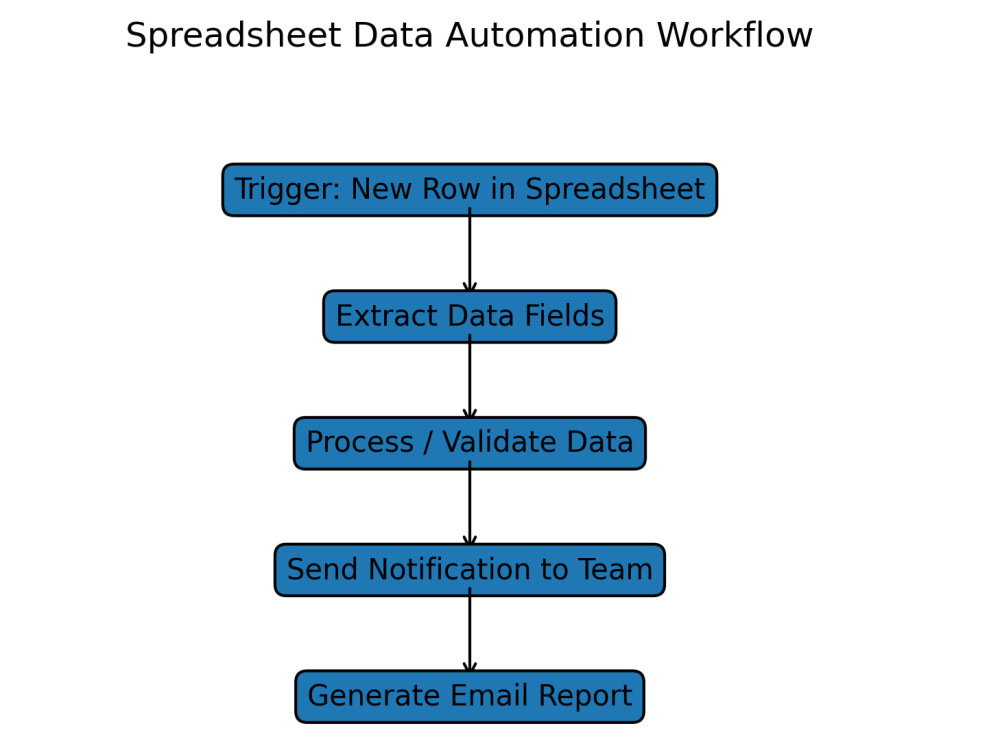
This workflow automates spreadsheet tasks, processing new rows, generating reports, and sending notifications automatically. It eliminates manual data entry, keeps teams updated, and ensures accurate results. Tools used include Zapier, Make, and Google Sheets, providing reliable automation for business data management.
Data Tool
Google SheetsWhat's included $35
These options are included with the project scope.
$35
- Delivery Time 2 days
- Number of Revisions 2
About Ayyan
AI Automation & Workflow Specialist | Zapier, Make, API Integrations
Greenleys, United Kingdom - 8:08 pm local time
I help businesses automate repetitive tasks, connect their apps, and build efficient workflows that save time and reduce manual work.
My focus is on designing automation systems that integrate different platforms and allow businesses to run processes automatically without constant human intervention.
I work with tools such as:
Zapier
Make
n8n
Google Sheets
Airtable
as well as custom automation using Python and APIs.
Here are examples of the types of automation systems I develop:
Lead Capture & CRM Automation
Automating lead collection and management workflows.
Example workflow:
Form submission → Lead stored in database → Notification sent → Automated email response
Email Automation & Response Systems
Example:
Incoming email → Data extraction → Automated response → Meeting scheduling link
This can include automated replies with scheduling via systems like appointment booking platforms.
Business Workflow Automation
Example:
New client data → Database update → Task creation → Notification to team
This allows businesses to manage internal workflows automatically.
Data Processing & Reporting Automation
Example:
New spreadsheet entry → Data processing → Email report → Dashboard update
Using tools like Google Sheets automation and API integrations.
What I Can Help You With
✔ Workflow automation
✔ Fixing broken automations
✔ API integrations
✔ Data automation and processing
✔ Python automation scripts
✔ App integrations between different platforms
If you need help automating your processes or building an efficient workflow system, feel free to reach out.
I’m always happy to discuss your project and find the best solution.
Steps for completing your project
After purchasing the project, send requirements so Ayyan can start the project.
Delivery time starts when Ayyan receives requirements from you.
Ayyan works on your project following the steps below.
Revisions may occur after the delivery date.
Testing & Validation
I test the workflow to ensure auto-replies and scheduling links work correctly.