You will get your iOS and Android Devices Secured with Intune App Protection Policies
Top Rated
Top Rated
Project details
Your company email is on staff phones you do not own, do not manage, and cannot wipe. That is the problem, and enrolling everybody's personal phone is not the answer. Most staff will refuse, and the ones who agree will resent it.
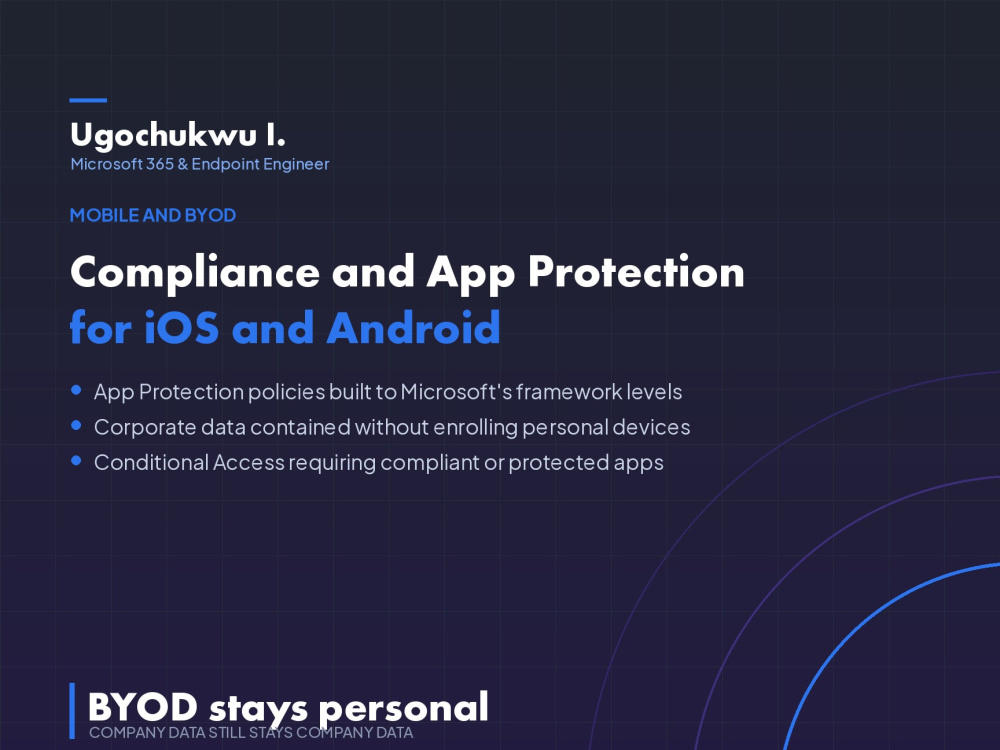
Intune App Protection solves it a different way. Company data is contained inside Outlook, Teams, Edge and the Office apps: no copy and paste into personal apps, no saving to personal cloud storage, a PIN on the work data only, and a selective wipe that removes company data and leaves the person's photos and messages untouched. No enrolment required, so the phone stays theirs.
Policies are built to Microsoft's app protection framework, level 1 basic, level 2 enhanced or level 3 high, rather than to whatever settings looked reasonable on the day. You pick the level, it gets documented, and it stands up when someone asks what your mobile position is.
Where you do own the devices, I add compliance policies, enrolment profiles and Conditional Access so only compliant or protected devices reach company data. Windows can be included on the advanced tier.
Intune App Protection solves it a different way. Company data is contained inside Outlook, Teams, Edge and the Office apps: no copy and paste into personal apps, no saving to personal cloud storage, a PIN on the work data only, and a selective wipe that removes company data and leaves the person's photos and messages untouched. No enrolment required, so the phone stays theirs.
Policies are built to Microsoft's app protection framework, level 1 basic, level 2 enhanced or level 3 high, rather than to whatever settings looked reasonable on the day. You pick the level, it gets documented, and it stands up when someone asks what your mobile position is.
Where you do own the devices, I add compliance policies, enrolment profiles and Conditional Access so only compliant or protected devices reach company data. Windows can be included on the advanced tier.
Support & IT Services
Cloud Services, ConsultationDevice
Mobile DeviceOperating System
iOSCloud Platforms
Microsoft Azure, SaaSWhat's included
| Service Tiers |
Starter
$275
|
Standard
$650
|
Advanced
$1,300
|
|---|---|---|---|
| Delivery Time | 3 days | 5 days | 10 days |
Number of Revisions | 1 | 2 | 3 |
Remote Connection Support | - | ||
Documentation | - |
10 reviews
(10)
(0)
(0)
(0)
(0)
This project doesn't have any reviews.
MA
Margaret A.
Mar 31, 2026
Microsoft 365 Helpdesk Support on Retainer
ED
Elio D.
Oct 31, 2025
Outlook/Exchange Email Header Misspelling Confirmation
Amazing freelancer, who is reliable, efficient, goes the extra mile for professionalism and most importantly commands expertise of outlook/microsoft. Would use again in a heartbeat.
Thank you for your help/work- it is very much appreciated.
Thank you for your help/work- it is very much appreciated.
JA
John A.
Oct 7, 2025
Technical Support for Program Deletion and Reinstallation
Excellent work! Ugochukwu demonstrated strong technical skills and an impressive level of persistence while troubleshooting and reinstalling the program. They worked tirelessly until everything was functioning exactly as needed and maintained great communication from start to finish. A very reliable and dedicated freelancer.
DF
David F.
Oct 3, 2025
Expert on Gmail/Google Workspace and Microsoft Exchange
Great working with Ugochukwu, he was very patient and persisted to successfully work through several challenges that came up. Very responsive too.
JG
James G.
Sep 29, 2025
Google Workspace Troubleshooting Expert Needed
As soon as we connected, Ugochukwu made himself available to me for a zoom call. We worked through my project quickly. He was clear and succinct.
About Ugochukwu
Microsoft Intune Consultant | Autopilot, Jamf Pro & Entra ID
100%
Job Success
Stretford, United Kingdom - 4:15 am local time
I manage and secure 5,000+ Windows and macOS endpoints for a UK financial-services organisation. I have also delivered Microsoft Intune and Windows Autopilot deployments covering 3,000+ devices, reducing provisioning time from approximately four hours to under 45 minutes.
I bring enterprise-scale experience to each engagement while keeping the solution practical, clearly documented and straightforward for your team to support.
I can help you with:
• Microsoft Intune deployment, remediation and health checks
• Windows Autopilot and zero-touch device provisioning
• Compliance policies, configuration profiles and security baselines
• Conditional Access, MFA and Microsoft Entra ID
• Microsoft Defender for Endpoint and Endpoint Privilege Management
• Win32 application packaging and deployment
• Jamf Pro, Apple Business Manager and macOS security
• Jamf-to-Intune device migrations
• PowerShell, Microsoft Graph and Azure Functions automation
• Microsoft 365 tenant and mailbox migrations
Selected results:
• Managed and secured 5,000+ Windows and macOS endpoints
• Delivered Intune and Autopilot deployments for 3,000+ devices
• Reduced device provisioning time from four hours to under 45 minutes
• Designed CIS-aligned Intune security baselines for regulated organisations
• Built near-real-time Intune patch-compliance reporting with Azure Functions
• Automated application packaging with winget
• Built secure Jamf Pro environments and migrated devices to Intune
• Completed a 500-mailbox migration with users back in their mailboxes the same morning
What you can expect
You will receive clear communication, practical recommendations and documentation your team can continue using after the engagement. I will keep you informed about progress, risks and next steps while taking ownership of any unexpected issues.
I can assist with a focused troubleshooting session, tenant clean-up, security review, complete deployment, migration or ongoing endpoint-management support.
Send me a message describing your current environment, the issue you are facing and your desired outcome. I will provide an honest assessment of the best next step and whether I am the right person for the project.
Steps for completing your project
After purchasing the project, send requirements so Ugochukwu can start the project.
Delivery time starts when Ugochukwu receives requirements from you.
Ugochukwu works on your project following the steps below.
Revisions may occur after the delivery date.
Agree what personal means before touching anything
BYOD fails when staff think you are going to wipe their phone. We agree up front what the company can and cannot see, and I build to that, so the rollout message writes itself.
Build App Protection policies to a named framework level
Policies are built against Microsoft's app protection framework, level 1 basic, level 2 enhanced or level 3 high, rather than settings picked at random. You choose the level, and it is written down.