You will get Zoho Deluge scripting for CRM, Creator, and One app to enhance processes.

Project details
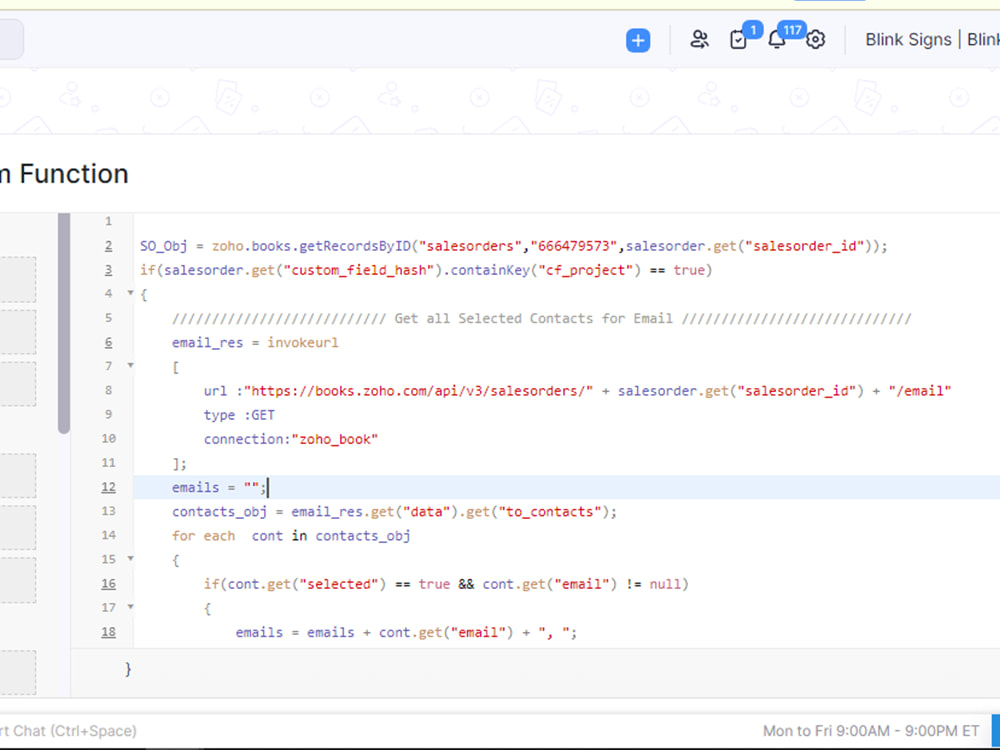
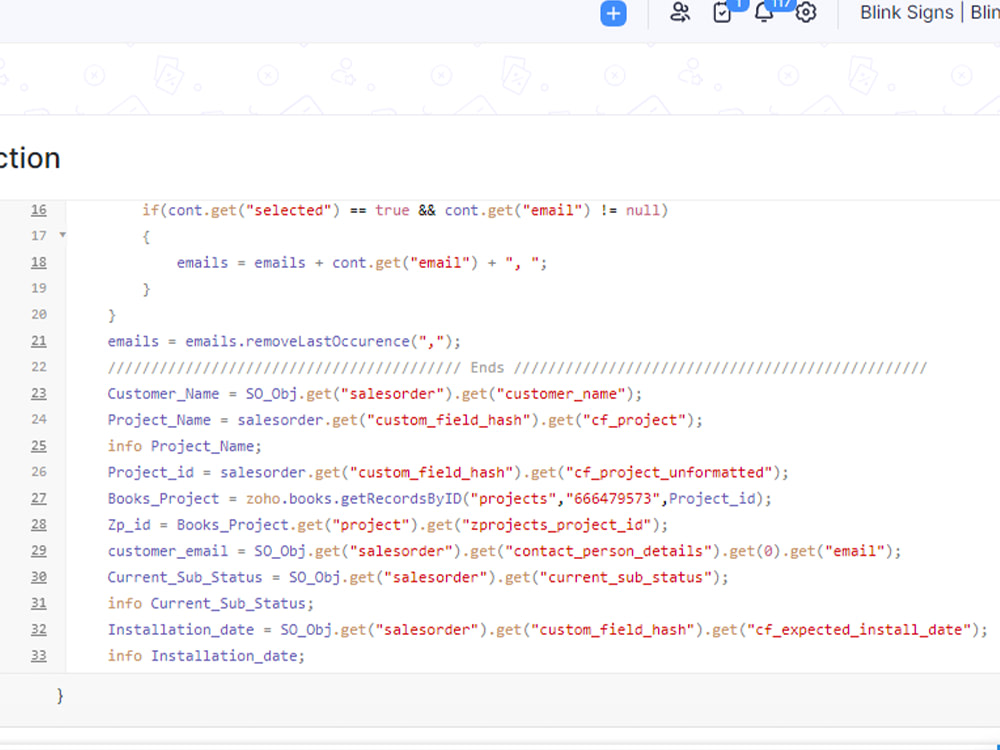
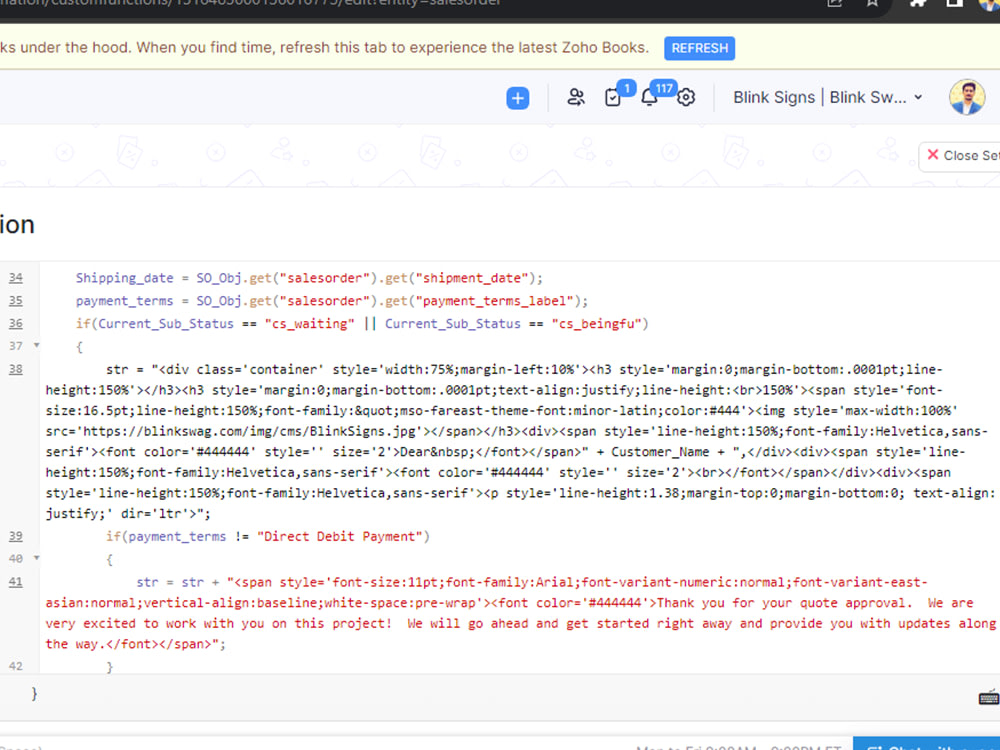
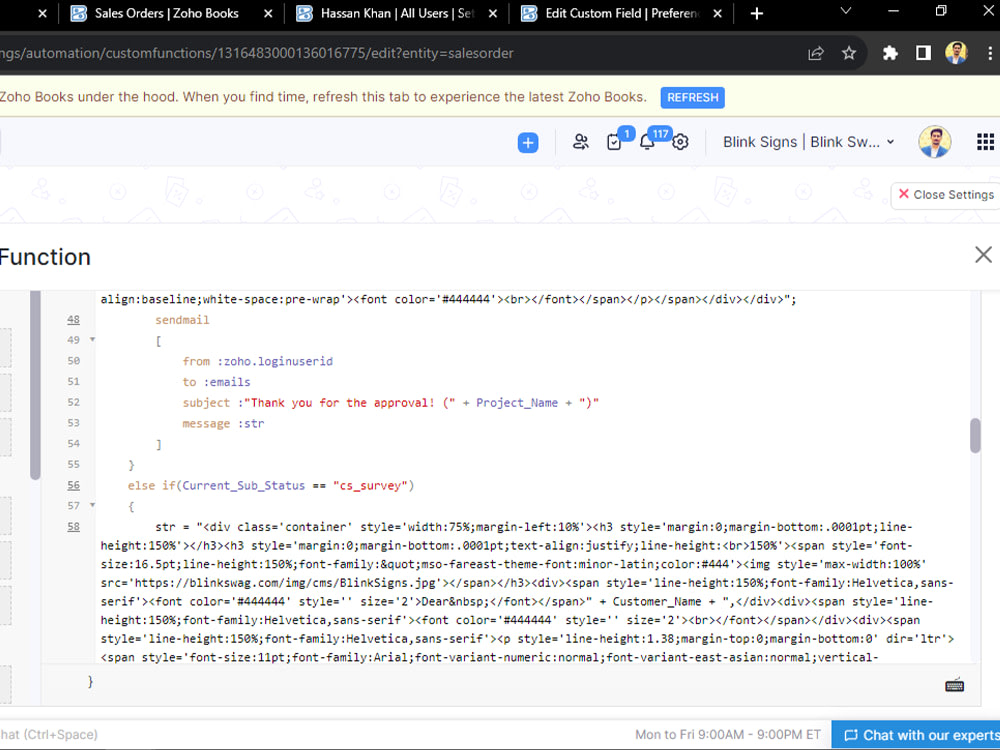
Sending an email to a customer based on the Sales Order (SO) status in Zoho using Deluge scripting is a great way to automate communication and keep customers informed about their orders. Here's a step-by-step guide on how to achieve this:
Project Summary:
This project aims to automate the email notification process to customers based on the status of their Sales Orders in Zoho. By leveraging Deluge scripting, we can efficiently trigger emails to keep customers informed about the progress of their orders, thereby enhancing customer satisfaction and streamlining communication.
Project Summary:
This project aims to automate the email notification process to customers based on the status of their Sales Orders in Zoho. By leveraging Deluge scripting, we can efficiently trigger emails to keep customers informed about the progress of their orders, thereby enhancing customer satisfaction and streamlining communication.
Programming Languages
PHP, HTML & CSS, JavaScriptCoding Expertise
Cross Browser & Device Compatibility, Performance Optimization, SecurityWhat's included
| Service Tiers |
Starter
$50
|
Standard
$100
|
Advanced
$150
|
|---|---|---|---|
| Delivery Time | 2 days | 3 days | 5 days |
Number of Revisions | 1 | 2 | 2 |
Install Script | - | - | |
Test Script | - | - | |
Task Automation | - | - |
2 reviews
(2)
(0)
(0)
(0)
(0)
This project doesn't have any reviews.
EM
Emily M.
Feb 27, 2025
Product Catalog Creation on Zoho Books
PS
Paul S.
Oct 10, 2023
Recreate Zoho Form in Zoho Creator
Hasnain completed the task assigned and was able to work through a technical issue and figure it out. thanks for the work.
About Hasnain
Zoho Developer | Zoho One Expert | Deluge Scripting & API Integrations
Nawab Shah Bazar, Pakistan - 6:29 pm local time
Are you tired of manual data entry, disconnected apps, and workflows that just don’t flow? I help businesses transform the Zoho One suite into a fully automated, revenue-generating machine.
With a deep focus on Deluge Scripting and Custom Functions, I bridge the gap between "out-of-the-box" features and the specific needs of your unique business process. Whether you need a simple CRM setup or a complex multi-app integration, I build solutions that are scalable, clean, and easy to manage.
🚀 Core Expertise & Zoho Services:
Zoho CRM Mastery: Custom modules, Blueprints, Canvas builder, and advanced automation to streamline your sales pipeline.
Deluge & Custom Functions: Writing sophisticated scripts to handle complex business logic that standard workflows can't touch.
Zoho One Implementation: End-to-end setup for Zoho Books, Inventory, Desk, Projects, and People.
API & Third-Party Integrations: Connecting Zoho with the tools you already use (Shopify, QuickBooks, Stripe, Twilio, and more) via Zoho Flow or custom Webhooks.
Zoho Creator: Building custom low-code applications and portals tailored to your specific industry needs.
Data Migration & Cleanup: Seamlessly moving your data from Excel, Salesforce, or Hubspot into Zoho without losing a single record.
🛠️ Technical Toolkit:
Languages: Deluge (Zoho Script), JSON, HTML/CSS (for Portals & Templates).
Automation: Zoho Flow, Webhooks, Custom Functions, and Scheduled Actions.
Reporting: Zoho Analytics for high-level dashboards and data-driven insights.
🤝 Why Work With Me?
Problem Solver First: I don’t just write code; I listen to your business challenges and suggest the most efficient technical path.
Clear Communication: I pride myself on being able to explain complex technical solutions in plain English.
Reliable & Fast: I understand that downtime costs money. I provide quick turnarounds and rigorous testing before delivery.
Future-Proof Solutions: I build systems that grow with you, ensuring your Zoho environment stays organized as you scale.
"My goal is to automate the mundane so you can focus on the meaningful."
Ready to automate your workflow? Click the 'Invite' or 'Message' button, and let’s discuss how we can make Zoho work for you.
Steps for completing your project
After purchasing the project, send requirements so Hasnain can start the project.
Delivery time starts when Hasnain receives requirements from you.
Hasnain works on your project following the steps below.
Revisions may occur after the delivery date.
Define project scope & Zoho workflow based on requirements, with the client
Conduct in-depth discussions with the client to understand their specific needs and collect detailed project requirements. Clearly define the project's scope, deliverables, and success criteria. Regularly update the client on development progress.