You will get personalized Airtable training and reference materials.
Project details
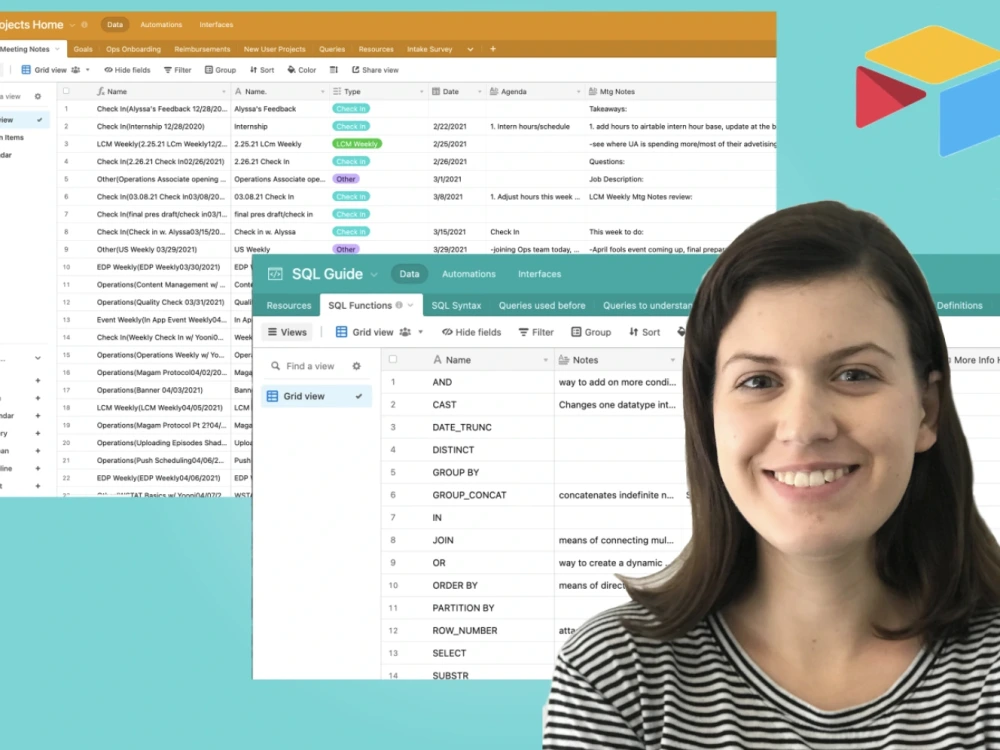
Airtable is a fantastic tool that anyone can use. From startups and freelancers to large corporations, Airtable can provide fantastic support for everything integral to your business. Of course, learning the ropes and getting started in your own Airtable workspace can be time-consuming and intimidating. That's why I'm here to help! Together we can work on giving you the necessary knowledge and confidence to succeed.
About me:
HeIlo! My name is Gina and I've been using Airtable on a daily basis in both my personal and professional life for over 2 years. When I first began using it, I had to learn everything from trial and error (and made plenty of errors along the way xD). Since then, I've attended workshops, completed classes, and begun teaching others. I've taught people from a variety of backgrounds how to navigate Airtable and make the most of it for themselves. I believe learning is most effective in a judgment-free environment where people can ask questions and make as many mistakes as they need. Sometimes it may also require a different approach to learning in contrast to more traditional methods. So, let's learn together!
Looking forward to working with you!
About me:
HeIlo! My name is Gina and I've been using Airtable on a daily basis in both my personal and professional life for over 2 years. When I first began using it, I had to learn everything from trial and error (and made plenty of errors along the way xD). Since then, I've attended workshops, completed classes, and begun teaching others. I've taught people from a variety of backgrounds how to navigate Airtable and make the most of it for themselves. I believe learning is most effective in a judgment-free environment where people can ask questions and make as many mistakes as they need. Sometimes it may also require a different approach to learning in contrast to more traditional methods. So, let's learn together!
Looking forward to working with you!
Subject
Software DevelopmentLesson Level
BeginnerWhat's included
| Service Tiers |
Starter
$20
|
Standard
$40
|
Advanced
$120
|
|---|---|---|---|
| Delivery Time | 1 day | 1 day | 1 day |
Number of Lesson | 1 | 1 | 3 |
Lesson Length (Minutes) | 30 | 60 | 60 |
Exercises & Supporting Materials | - |
Optional add-ons
You can add these on the next page.
Additional Lesson
(+ 1 Day)
+$30Frequently asked questions
About Gina
Technical Consultant | Airtable Specialist | Data Analyst
Los Angeles, United States - 2:00 am local time
Some of the services I offer include:
- Create & optimize workflows to serve employees & teams across departments
- Build custom interfaces, workspaces, bases, tables, and views
- Build automations and/or modify existing ones using tools like scripting, Zapier, and Make (Integromat) to streamline workflows & cut down on busywork
- Create formula and rollup fields to minimize manual record entries and summarize information faster
- Configure and sync tables to connect with other bases used by different teams in the company
- Embed extensions (aka apps) to generate reports, charts, visuals, and more
- Use APIs to connect outside apps & softwares with Airtable (e.g. Google Cloud, Box, Google Sheets)
- Automate emails & other messaging (e.g. Microsoft Teams posts, SMS, emails, Slack messaging)
- Set up admin panel & restrict access to specific bases/tables/views ad hoc
- Create forms, surveys, and more to be shared internally or externally
- Utilize color, shape, and other elements to improve both visual and functional design of interfaces, bases, tables and views
- Consult & train companies on how to use Airtable
- Create SOP documentation, reference materials, and tutorial videos on how to use new workflows, extensions, bases, & interfaces
In addition to being an Airtable expert, I also specialize in using the following:
- Zapier & Make (Integromat)
- Excel (VBA, Macros, + Microsoft Office)
- MS Teams
- Google Analytics ( + Google Suite)
- SPSS
- JavaScript
- Tableau
- Qualtrics
- Survey Monkey
- Notion
-SQL
Hope we can work together!
Steps for completing your project
After purchasing the project, send requirements so Gina can start the project.
Delivery time starts when Gina receives requirements from you.
Gina works on your project following the steps below.
Revisions may occur after the delivery date.
Schedule a Meeting / Lesson
-Connect with client to determine an ideal time and means of meeting.
Have the meeting / lesson(s)
-After determining a time and means of meeting (e.g. Skype, GoogleMeet, Zoom, etc) we will meet at the designated time(s) and begin the consultation / training.