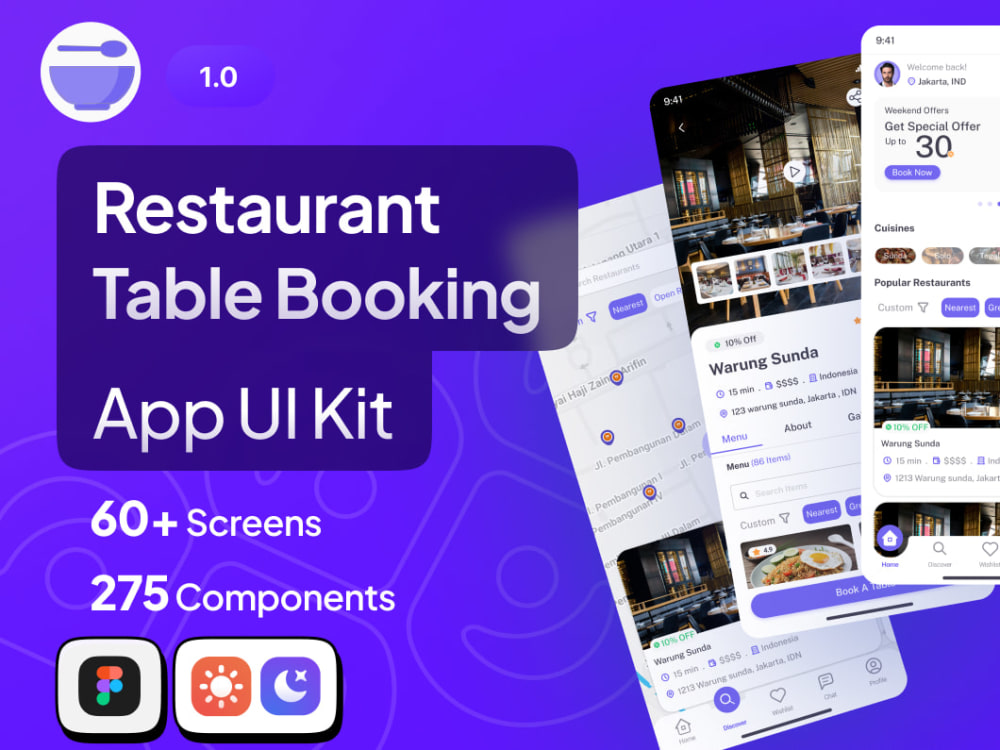
You will get Restaurant Table Booking App UI Kit
Project details
Restaurant Table Booking App Kit Screens List:
Splash Screen
Welcome Screen
Onboarding Screens
Sign In, Create an Account, Verify the Code and new Password, and Complete Your Profile Screens
Allow Location Access, Enter Your Location, Enable Notification Access Screens
Home Screen Screen
Restaurant Details – Menu, Restaurant Details – About, Restaurant Details – Gallery, Restaurant Details – Review Screens
Leave Review Screen
Restaurant Video, Gallery Screens
Discover Screen
Book a Table, Review Summary, Table Reserved Successfully, E-Ticket Screens
Search, Filter Screens
Wishlist – Restaurants Screen
My Booking – Active, My Booking – Completed, My Booking – Cancelled Screens
Get Direction – Restaurant, Arrived at Restaurant Location Screens
Cancel Booking Screen
Notification Screen
Chat, Chat Details, Video Call, Voice Call Screens
Special Offers from Home (See All), Cuisines from Home (See All), Popular Restaurants from Home (See All) Screens
Profile, Your Profile, Choose Your Plan, Payment Methods, Add Card, Review Summary, Payment Success, E-Receipt, Settings, Language, Password Manager, Help Center, Privacy Policy, Invite Friends, Logout Screens
Splash Screen
Welcome Screen
Onboarding Screens
Sign In, Create an Account, Verify the Code and new Password, and Complete Your Profile Screens
Allow Location Access, Enter Your Location, Enable Notification Access Screens
Home Screen Screen
Restaurant Details – Menu, Restaurant Details – About, Restaurant Details – Gallery, Restaurant Details – Review Screens
Leave Review Screen
Restaurant Video, Gallery Screens
Discover Screen
Book a Table, Review Summary, Table Reserved Successfully, E-Ticket Screens
Search, Filter Screens
Wishlist – Restaurants Screen
My Booking – Active, My Booking – Completed, My Booking – Cancelled Screens
Get Direction – Restaurant, Arrived at Restaurant Location Screens
Cancel Booking Screen
Notification Screen
Chat, Chat Details, Video Call, Voice Call Screens
Special Offers from Home (See All), Cuisines from Home (See All), Popular Restaurants from Home (See All) Screens
Profile, Your Profile, Choose Your Plan, Payment Methods, Add Card, Review Summary, Payment Success, E-Receipt, Settings, Language, Password Manager, Help Center, Privacy Policy, Invite Friends, Logout Screens
Main Type
Mobile AppsFile Format
JPG, OtherWhat's included $70
These options are included with the project scope.
$70
- Delivery Time 14 days
- Number of Pages 61
- Number of Revisions 4
- Responsive Design
- Interactive Mockup
About Wanda
System analys & Design
Jakarta, Indonesia - 2:43 am local time
Steps for completing your project
After purchasing the project, send requirements so Wanda can start the project.
Delivery time starts when Wanda receives requirements from you.
Wanda works on your project following the steps below.
Revisions may occur after the delivery date.
Initial Requirement Gathering
Once the project is approved, I'll ask you to provide all necessary details, such as a detailed project brief, any preferences, and existing materials (e.g., logos, copy, images). This can be done via a form, document, or a quick call.
Discussion & Clarification
I'll review the requirements and reach out to you to clarify any ambiguities or ask additional questions to ensure I have a complete understanding of your vision and goals.