You will get a mail merge solution using Google Sheets
Project details
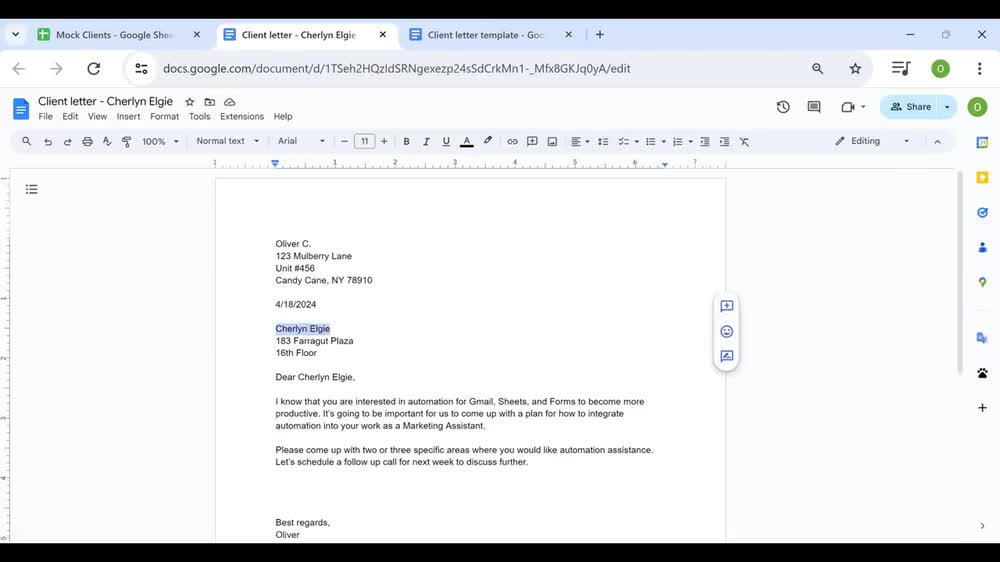
You will receive a script that performs a mail merge from Google Sheets into a template. I'll also provide you with instructions and documentation on how to use and maintain the solution.
Programming Languages
HTML & CSS, JavaScript, TypeScriptCoding Expertise
Performance OptimizationWhat's included
| Service Tiers |
Starter
$100
|
Standard
$200
|
Advanced
$350
|
|---|---|---|---|
| Delivery Time | 2 days | 4 days | 6 days |
Number of Revisions | 2 | 2 | 2 |
Design Customization | |||
Content Upload | - | - | - |
Responsive Design | - | - | - |
Source Code |
Optional add-ons
You can add these on the next page.
Fast Delivery
+$50About Oliver
Google Workspace Automation Expert | Google Sheets | Apps Script
Queens County, United States - 12:47 pm local time
- Google Sheets optimizations, advanced formulas, conditional formatting, data validation, and tables
- Google Apps Script (GAS) and GAS advanced services (i.e. Gmail, Drive)
- Workflow automation with Sheets, Docs, Forms, Calendar, and third party APIs
I aim to create solutions that are performant and user friendly, so that you will be able to use and maintain them long after my role in your project has finished. Feel free to message me.
Steps for completing your project
After purchasing the project, send requirements so Oliver can start the project.
Delivery time starts when Oliver receives requirements from you.
Oliver works on your project following the steps below.
Revisions may occur after the delivery date.
Review Sheet and template files with client
I'll review your Sheets and template files and let you know what changes need to be made (if any) to make them compatible with the mail merge script.
Implement mail merge script
Next, I'll create copies of your files and make the changes so they'll be compatible with the mail merge script. After that, I'll actually implement the script.