You will get a fully configured Zoom or Microsoft Teams webinar with registration link
Project details
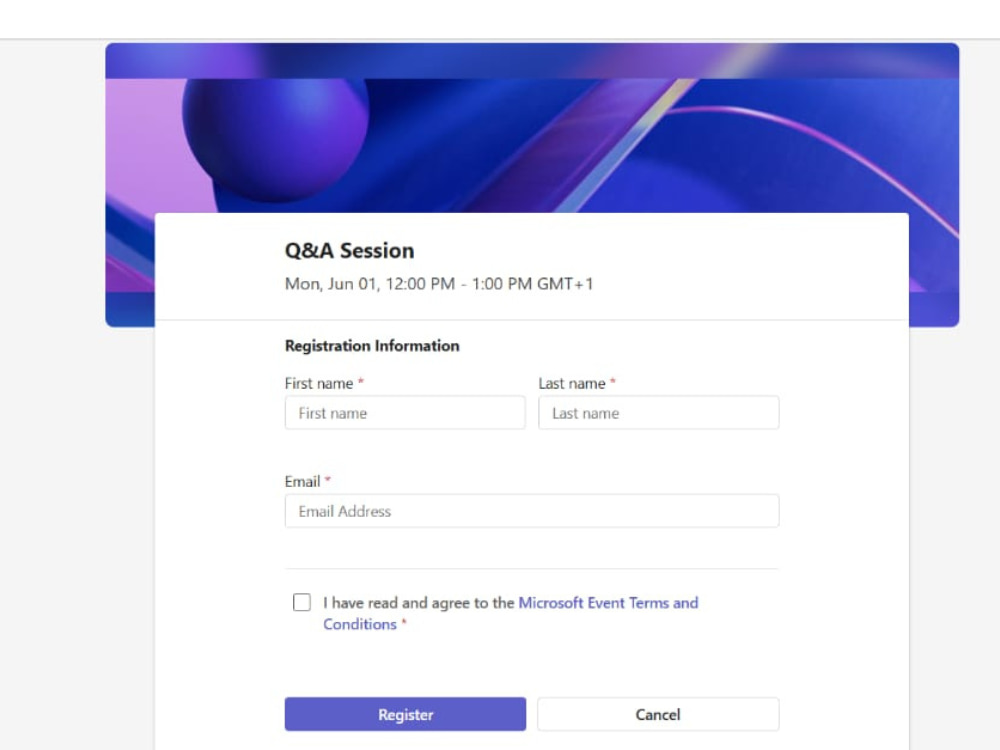
Need a webinar set up properly in Zoom or Microsoft Teams without the back-and-forth? I handle the full backend configuration so your event is ready to go, registration page live, attendees notified, and nothing left to chance.
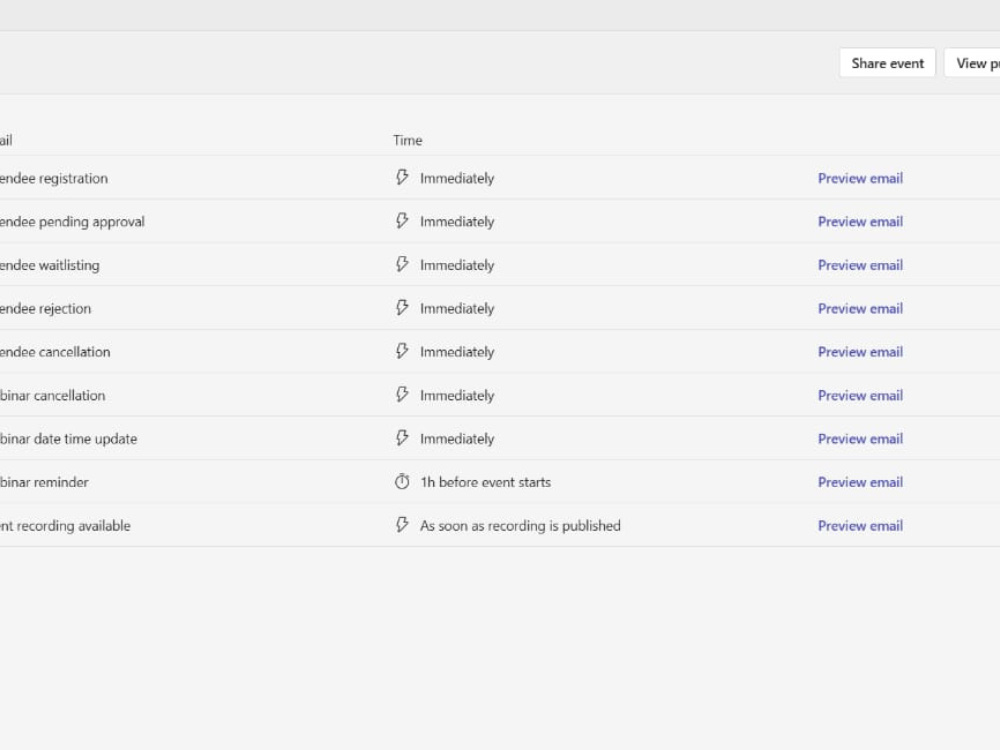
I have hands-on experience setting up and managing Zoom and Microsoft Teams webinars for professional training and education businesses, including registration configuration, attendee email automation, meeting options, presenter setup, event theming, and day-of-event support.
You provide the details, I handle the rest. No technical overwhelm, no missed steps.
I have hands-on experience setting up and managing Zoom and Microsoft Teams webinars for professional training and education businesses, including registration configuration, attendee email automation, meeting options, presenter setup, event theming, and day-of-event support.
You provide the details, I handle the rest. No technical overwhelm, no missed steps.
Purpose
BusinessIndustry
Business Services & Consulting, Ecommerce, Education, Events Planning, Marketing & Advertising, Sports & FitnessLanguage
EnglishWhat's included
| Service Tiers |
Starter
$25
|
Standard
$100
|
Advanced
$180
|
|---|---|---|---|
| Delivery Time | 1 day | 3 days | 5 days |
Number of Revisions | 1 | 1 | 1 |
Number of Hours of Work | 2 | 5 | 8 |
Basic Photo Editing | - | - | - |
Organize & Classify/Tag Files | - | - | - |
Formatting & Clean Up | |||
Project Management Support | |||
Travel Planning | - | - | - |
Optional add-ons
You can add these on the next page.
Additional Hour of Work
+$25
Day-of Event Support
+$50Frequently asked questions
About Jennifer
Webinar, Event & Online Course VA | Thinkific, Microsoft Teams & Zoom
Port Harcourt, Nigeria - 8:45 pm local time
I'm a Virtual Assistant and online community manager specializing in webinar coordination, virtual event management, membership site management, and online course management, supporting coaches, consultants, and online educators who need reliable back-office support and admin support without the back end falling apart.
What I've handled:
• For a UK-based training and membership business (9+ months): 20+ webinars and virtual events on Microsoft Teams and Zoom, 1 conference, 1 multi-day event, 70+ resources uploaded, and ongoing online community management across a 50+ member community on Thinkific, WhatsApp, and Facebook Group.
• For a US-based coaching and leadership organization (2+ years): 6 events, 2 conferences, Eventbrite and Zoom management, Upcoach coordination, coaching assignment uploads, event support, inbox and admin coordination, and client communication, managed independently throughout.
Both roles retained long-term. Both managed with minimal oversight and consistent follow-through.
Where I work:
• Webinar & Virtual Event Coordination:
Zoom and Microsoft Teams setup, registration, presenter onboarding, attendee communications, live support, Q&A moderation, breakout rooms, and post-event follow-up
• Event Operations:
Eventbrite management, attendee tracking, speaker and vendor coordination, guest list management, and scheduling support for virtual and in-person events
• Membership & Online Community Management:
Member communications, session updates, 70+ resource uploads, engagement posts, and cancellation handling across Facebook Groups, WhatsApp Communities, and membership platforms
• Course & LMS Platform Support:
Backend coordination on Thinkific, Teachable, and WordPress, including course updates, resource organization, content uploads, and student access support
• Program & Backend Operations:
Inbox coordination, CRM updates, client onboarding workflows, invoicing support, Upcoach coordination, and SOP documentation
Tools & Platforms
Zoom, Microsoft Teams, Eventbrite, Thinkific, Teachable, Upcoach, Ticket Tailor, WordPress, Google Workspace, HubSpot, Asana, Monday, Zapier, Stripe, Mailerlite, Constant Contact, Canva
Currently supporting two long-term retainer clients and open to select webinar, event, and community management projects. If your programs need reliable, independent support, send a message or invite me to your job.
Steps for completing your project
After purchasing the project, send requirements so Jennifer can start the project.
Delivery time starts when Jennifer receives requirements from you.
Jennifer works on your project following the steps below.
Revisions may occur after the delivery date.
Access & Details Review
I confirm access to your Zoom or Microsoft Teams account and review all event details submitted in the requirements form.
Webinar Configuration
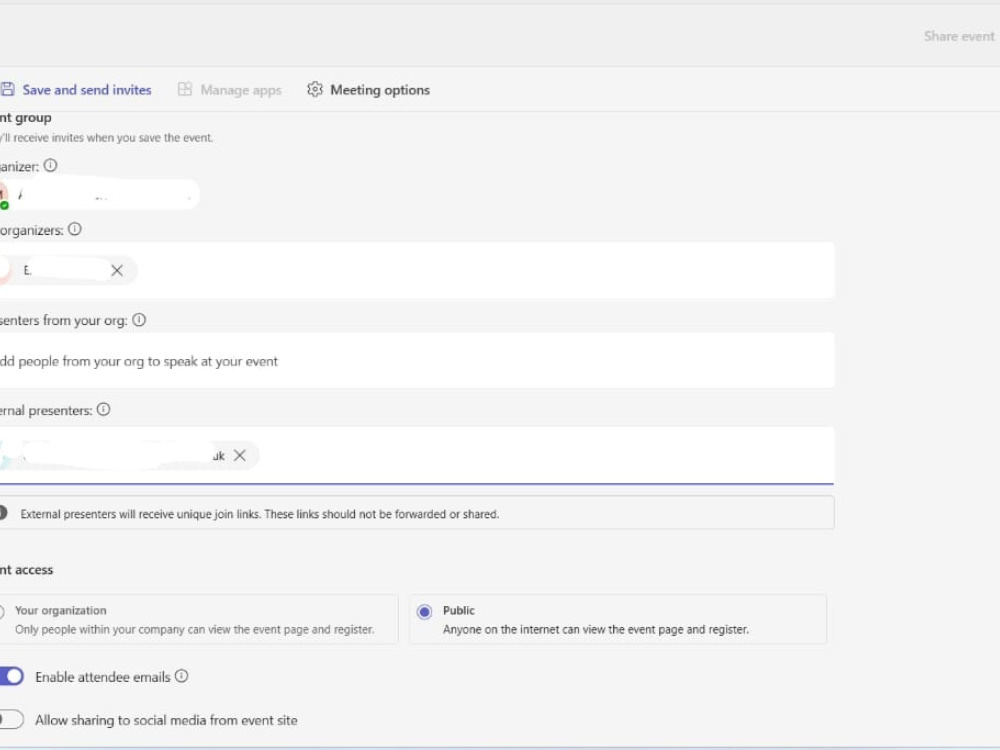
I set up the webinar including registration page, access settings, presenter details, email workflow, meeting options, and event theming.