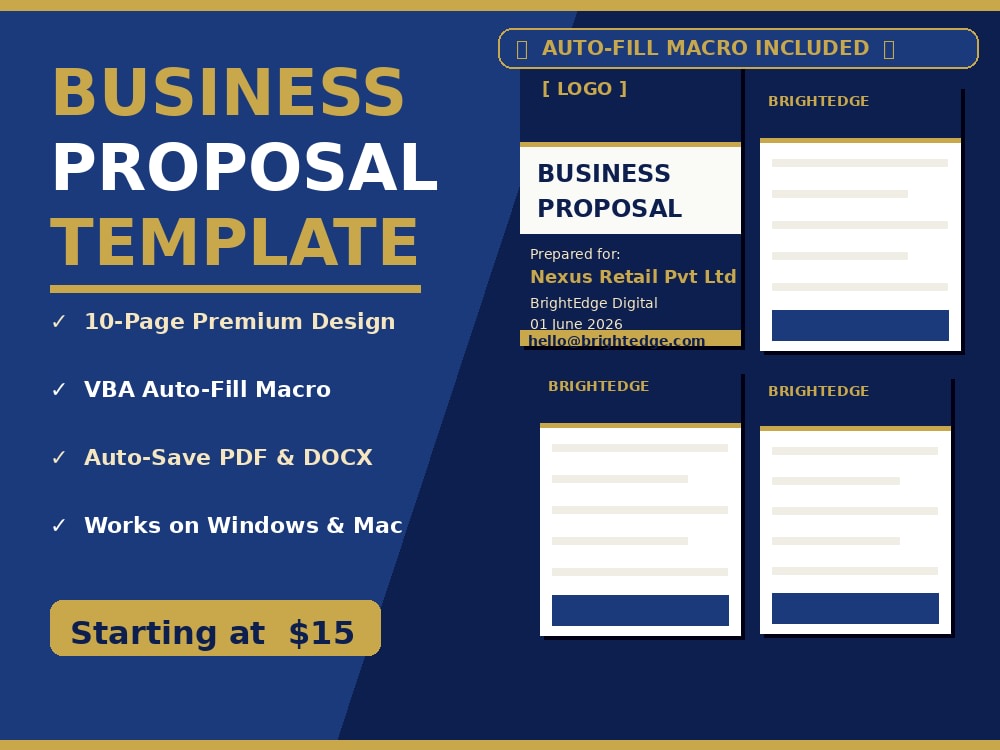
You will get a professional business proposal Word template with auto-fill macros
Project details
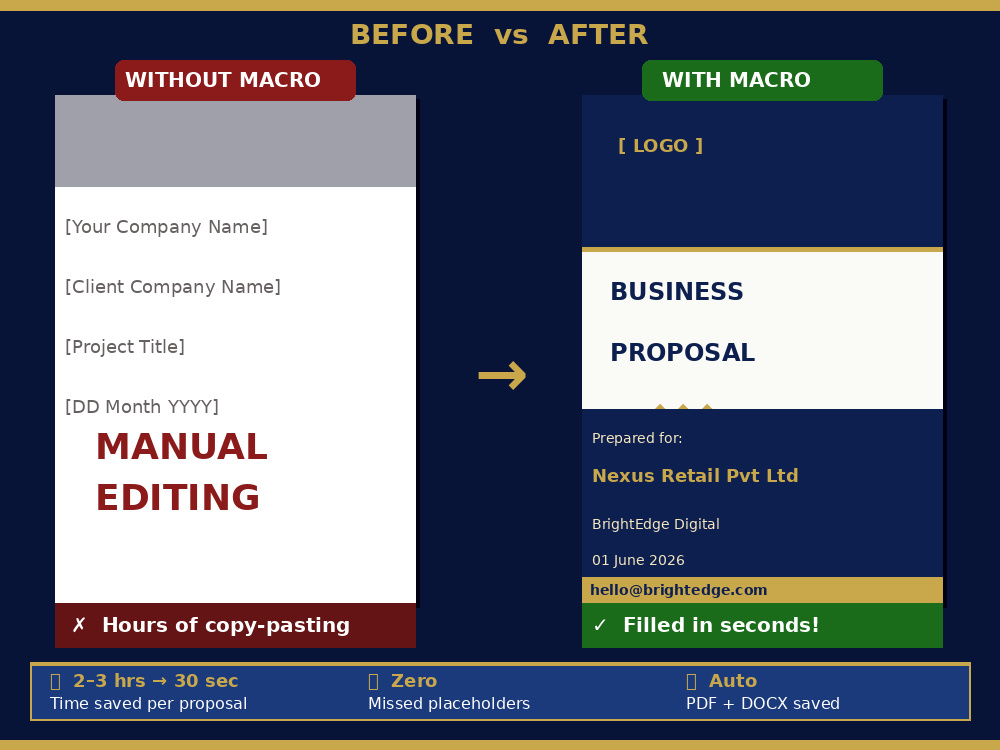
Most proposal templates on Upwork are just pretty Word documents — you still have to manually type your client's name, date, and details across 10 pages every single time.
Mine works differently.
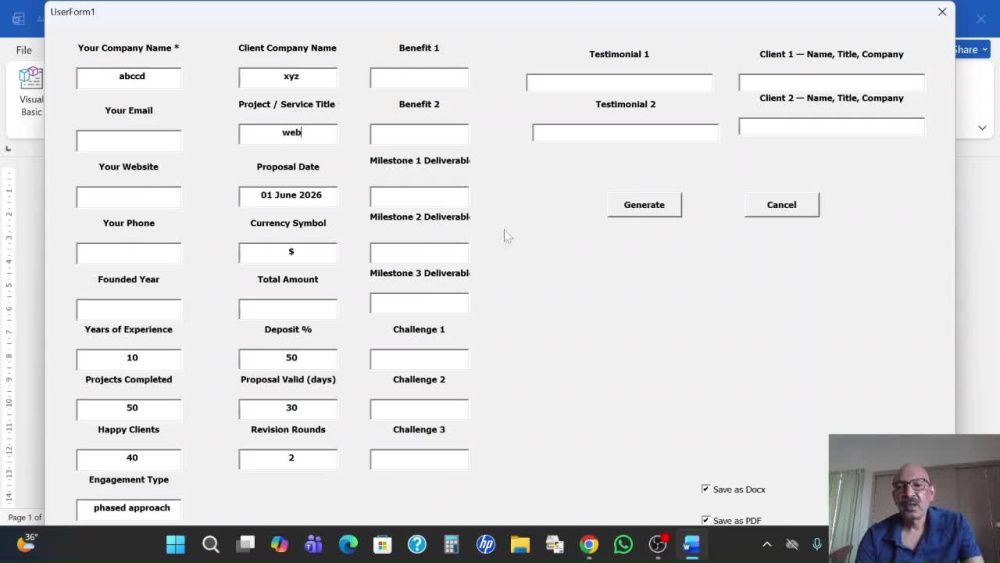
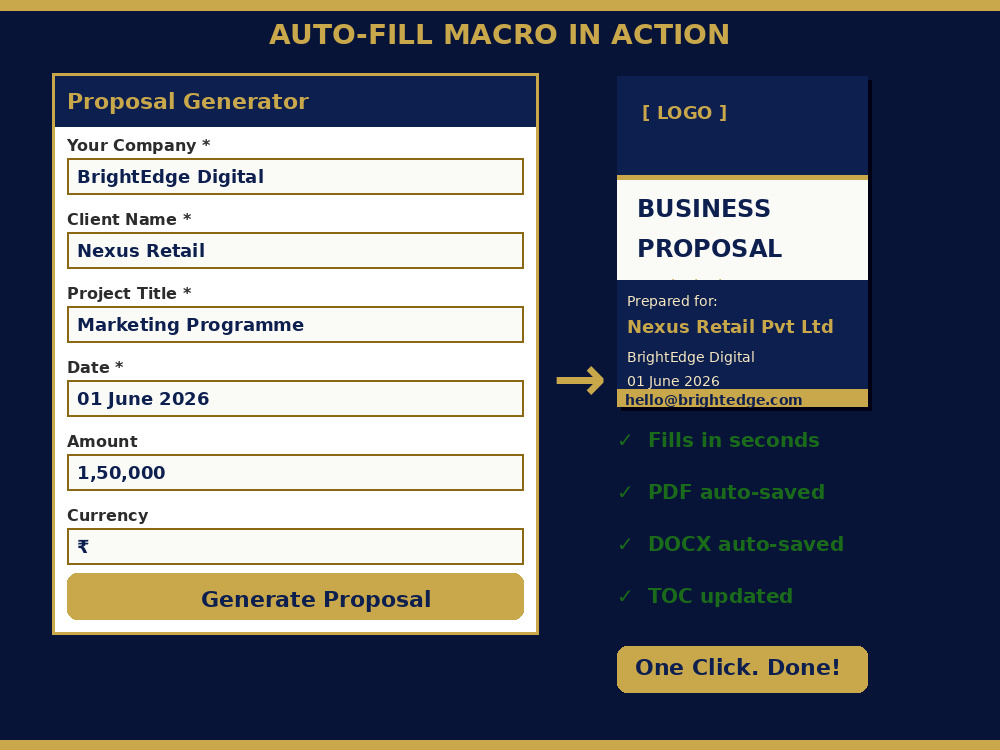
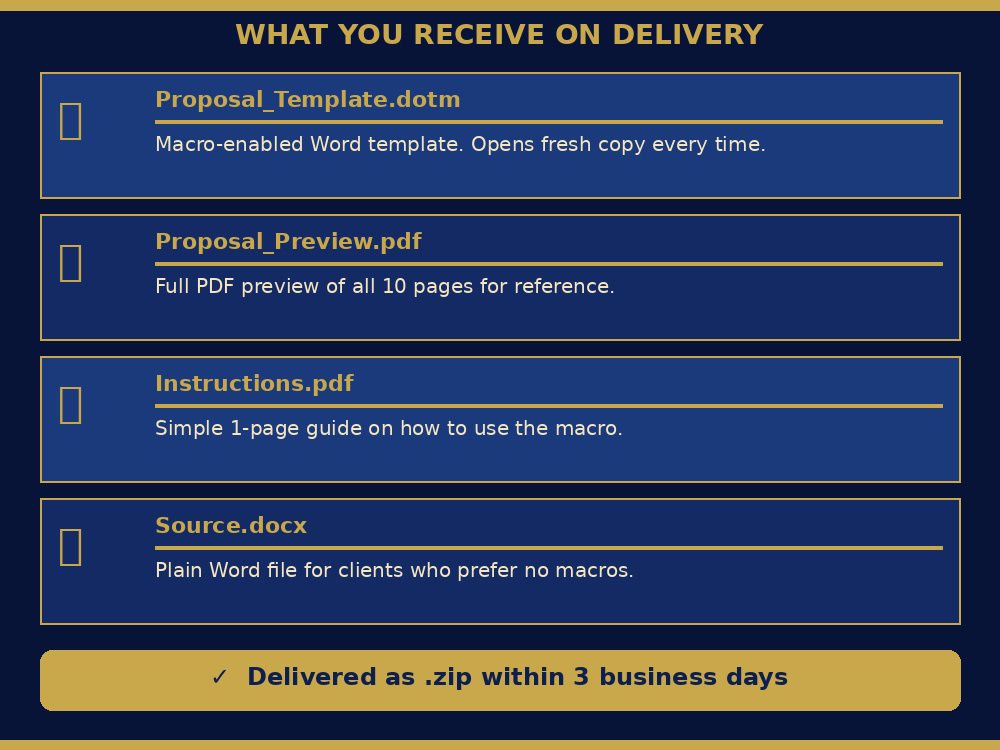
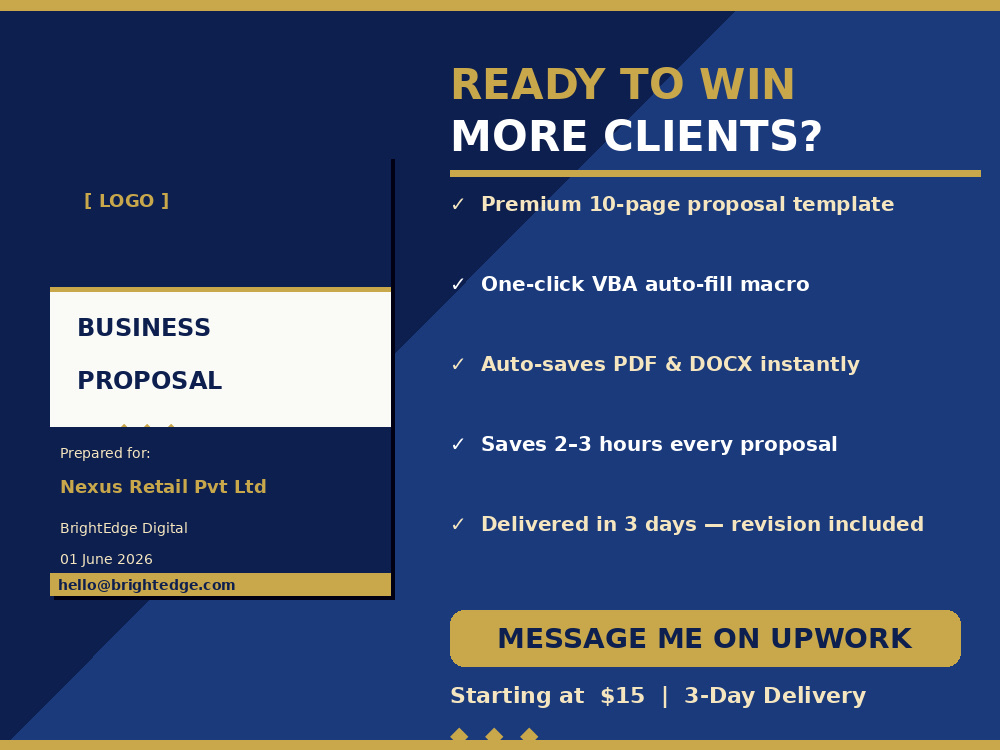
Every template I deliver includes a built-in VBA macro that opens a simple popup form. You fill in your details once — company name, client name, project title, date — click Generate, and the entire 10-page proposal fills itself instantly. It then auto-saves as both a named PDF and DOCX directly to your computer. No copy-pasting. No missed placeholders. No formatting accidents.
On top of that, the template itself is designed to a premium standard — Navy & Gold color scheme, Garamond typography, gold-bordered tables, two-column service grids, testimonial blocks, and a fully structured 10-section layout covering everything from your About Us to the legal Terms & Conditions and Sign-Off page.
What you get is not just a template. It is a complete proposal system that saves you 2–3 hours every time you pitch a new client — and makes you look like an agency even if you work solo.
Delivered in 3 days. Revision included. Works on any version of Microsoft Word.
Mine works differently.
Every template I deliver includes a built-in VBA macro that opens a simple popup form. You fill in your details once — company name, client name, project title, date — click Generate, and the entire 10-page proposal fills itself instantly. It then auto-saves as both a named PDF and DOCX directly to your computer. No copy-pasting. No missed placeholders. No formatting accidents.
On top of that, the template itself is designed to a premium standard — Navy & Gold color scheme, Garamond typography, gold-bordered tables, two-column service grids, testimonial blocks, and a fully structured 10-section layout covering everything from your About Us to the legal Terms & Conditions and Sign-Off page.
What you get is not just a template. It is a complete proposal system that saves you 2–3 hours every time you pitch a new client — and makes you look like an agency even if you work solo.
Delivered in 3 days. Revision included. Works on any version of Microsoft Word.
Project Type
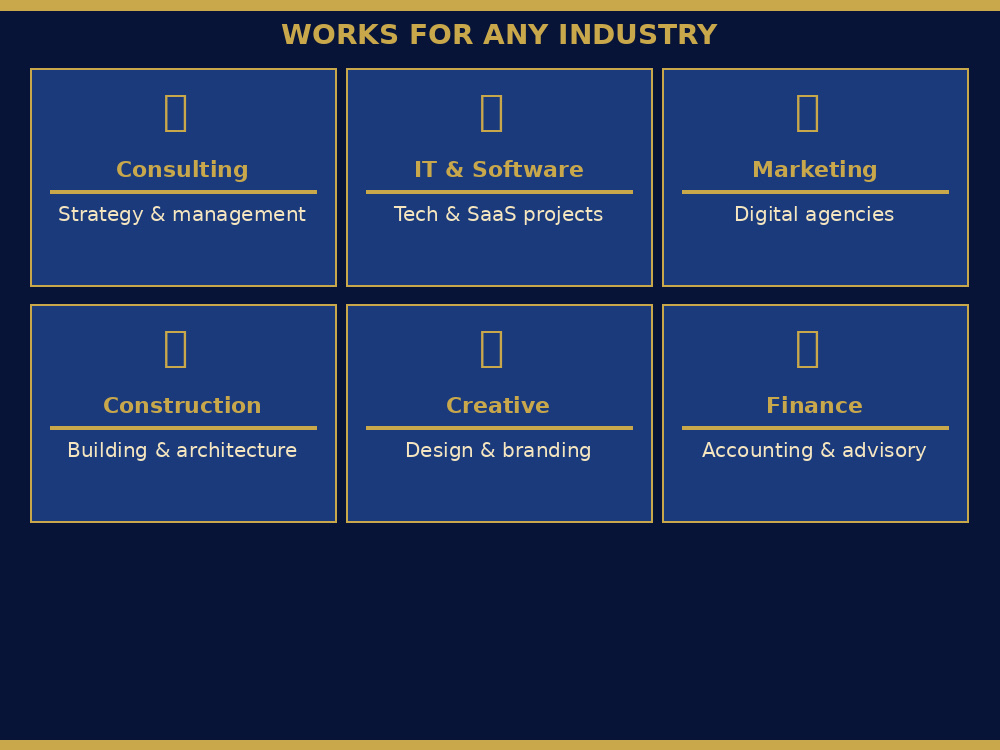
Data Entry, Ecommerce Management, Virtual Assistance, Customer Support, OtherWhat's included
| Service Tiers |
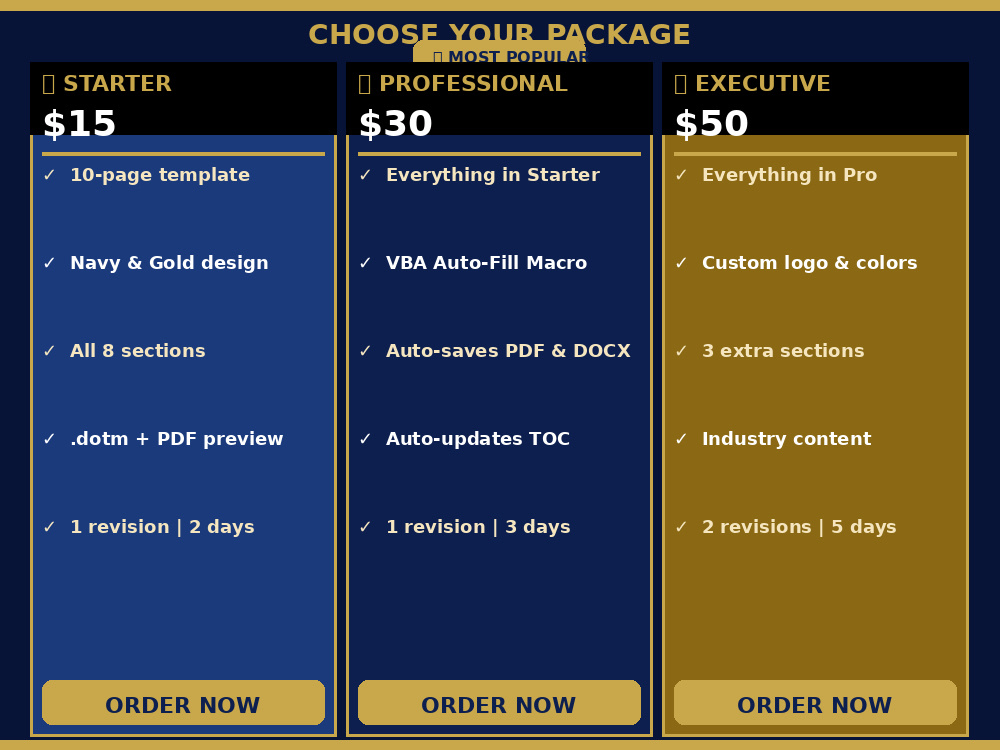
Starter
$15
|
Standard
$30
|
Advanced
$50
|
|---|---|---|---|
| Delivery Time | 1 day | 2 days | 3 days |
Number of Revisions | 1 | 1 | 2 |
Optional add-ons
You can add these on the next page.
Fast Delivery
+$10
Additional Revision
+$5Frequently asked questions
About Subrata Kumar
Excel VBA Specialist | MS Excel & Word Automation | Power BI Expert
Kolkata, India - 2:38 am local time
𝗗𝗿𝗼𝘄𝗻𝗶𝗻𝗴 𝗶𝗻 𝗺𝗮𝗻𝘂𝗮𝗹 𝘁𝗮𝘀𝗸𝘀, 𝗺𝗲𝘀𝘀𝘆 𝘀𝗽𝗿𝗲𝗮𝗱𝘀𝗵𝗲𝗲𝘁𝘀, 𝗼𝗿 𝗱𝗮𝘁𝗮 𝘁𝗵𝗮𝘁 𝗺𝗲𝗮𝗻𝘀 𝗻𝗼𝘁𝗵𝗶𝗻𝗴? 𝗜 𝗳𝗶𝘅 𝘁𝗵𝗮𝘁 — 𝗳𝗮𝘀𝘁.
With 𝟮𝟬+ 𝘆𝗲𝗮𝗿𝘀 𝗼𝗳 𝗲𝘅𝗽𝗲𝗿𝗶𝗲𝗻𝗰𝗲, I'm an Excel VBA Developer & MS Office Automation Specialist who turns repetitive work into one-click solutions and raw data into Power BI dashboards that drive real decisions — for businesses of all sizes, across every industry.
No templates. No guesswork. Just custom automation built around your workflow, delivered fast, and built to last.
𝗗𝗲𝘀𝗰𝗿𝗶𝗯𝗲 𝘁𝗵𝗲 𝗽𝗿𝗼𝗯𝗹𝗲𝗺. 𝗜'𝗹𝗹 𝗮𝘂𝘁𝗼𝗺𝗮𝘁𝗲 𝘁𝗵𝗲 𝘀𝗼𝗹𝘂𝘁𝗶𝗼𝗻. 𝗟𝗲𝘁'𝘀 𝘁𝗮𝗹𝗸. I generally respond within an hour.
𝗠𝗬 𝗖𝗢𝗥𝗘 𝗦𝗘𝗥𝗩𝗜𝗖𝗘 𝗔𝗥𝗘𝗔𝗦:
• Excel VBA Automation & Macros Programming
• Word VBA Macros (document automation, mail merge, formatting)
• Power BI Dashboards & Data Modeling (DAX, Power Query, interactive visuals)
• PDF Automation & Conversion (Excel/Word to PDF, fillable forms)
• Power Query & Advanced Excel Formulas
• Custom Dynamic KPI Dashboards
• Microsoft Office Automation
I've helped businesses eliminate repetitive work, prevent errors, and save hundreds of hours every month. Whether you need a complex Excel VBA Macros Programming, a self-updating Power BI or Google Sheets dashboard, I deliver robust, scalable solutions on time.
𝗖𝗢𝗥𝗘 𝗠𝗜𝗖𝗥𝗢𝗦𝗢𝗙𝗧 𝗢𝗙𝗙𝗜𝗖𝗘 𝗔𝗨𝗧𝗢𝗠𝗔𝗧𝗜𝗢𝗡 𝗘𝗫𝗣𝗘𝗥𝗧𝗜𝗦𝗘
📁 𝗘𝗫𝗖𝗘𝗟 𝗩𝗕𝗔 𝗗𝗘𝗩𝗘𝗟𝗢𝗣𝗘𝗥
✅ Custom Macro Programming: Automated reporting, data cleaning, and workflow automation.
✅ Excel User Forms: Professional design with validation, multi-step wizards, and database connectivity.
✅ Dynamic Dashboards: Visuals that update automatically from live data sources.
✅ High Volume Data Processing: Optimized Excel VBA handles 1M+ rows without crashing.
✅ Clean, format, and process raw data automatically
✅ Build dynamic UserForms for structured data entry
✅ Trigger multi-step actions from a single button click
✅ Apply advanced Excel formulas and Power Query for data transformation
⚡ 𝗔𝗗𝗩𝗔𝗡𝗖𝗘𝗗 𝗘𝗫𝗖𝗘𝗟 𝗦𝗣𝗘𝗖𝗜𝗔𝗟𝗜𝗦𝗧
✅ Advanced Excel Formulas: Mastery of Dynamic Arrays, XLOOKUP, and complex Nested Logic.
✅ Power Query (ETL): Automated data cleaning, merging, and transformation.
✅ Power Pivot & DAX: Building in-memory data models for lightning-fast analysis.
✅ Pivot Tables & Pivot Charts with calculated fields, custom groupings, and slicers.
📝 𝗠𝗜𝗖𝗥𝗢𝗦𝗢𝗙𝗧 𝗪𝗢𝗥𝗗 𝗩𝗕𝗔 𝗣𝗥𝗢𝗚𝗥𝗔𝗠𝗠𝗘𝗥
✅ Document Formatting: Create contracts, proposals, invoices and reports directly from Excel data.
✅ Mail Merge Advanced: Conditional content, dynamic formatting, and e‑mail distribution.
✅ Template Design: Insert data and clauses based on business rules.
✅ Report Automation: Pull data from multiple sources into formatted Word docs.
📊 𝗣𝗢𝗪𝗘𝗥 𝗕𝗜 & 𝗗𝗔𝗧𝗔 𝗩𝗜𝗦𝗨𝗔𝗟𝗜𝗭𝗔𝗧𝗜𝗢𝗡
✅ Power BI Desktop: Interactive dashboards connected to Excel, SQL, SharePoint, and web data.
✅ Connect directly to Excel or Google Sheets data sources
✅ Design KPI dashboards for sales, finance, and operations teams
✅ Turn raw numbers into clear visual performance summaries
DAX & Data Modeling: Calculated columns, measures, time intelligence, and advanced analytics.
✅ Power Query in Power BI: ETL transformation to clean and shape data for reporting.
✅ Publishing & Sharing: Publish to Power BI Service, configure scheduled refresh, and embed reports.
✅ Give managers an instant, accurate view without manual compilation
📄 𝗣𝗗𝗙 𝗔𝗨𝗧𝗢𝗠𝗔𝗧𝗜𝗢𝗡 & 𝗗𝗢𝗖𝗨𝗠𝗘𝗡𝗧 𝗖𝗢𝗡𝗩𝗘𝗥𝗦𝗜𝗢𝗡
✅ Mail Merge to PDF: Generate individualized PDF docs and e‑mail them.
✅ Fillable PDF Forms: Populate PDF form fields, reducing manual entry.
✅ Auto-generate invoices, certificates, offer letters, and contracts from Excel data
𝗪𝗛𝗔𝗧 𝗜 𝗛𝗔𝗩𝗘 𝗗𝗘𝗟𝗜𝗩𝗘𝗥𝗘𝗗:
• Built sales KPI dashboards giving management real-time performance visibility
• Generated bulk invoices and certificates via VBA for retail and finance clients
• Automated HR offer letters and employment contracts directly from Excel records
𝗜𝗡𝗗𝗨𝗦𝗧𝗥𝗜𝗘𝗦 𝗜 𝗛𝗔𝗩𝗘 𝗪𝗢𝗥𝗞𝗘𝗗 𝗜𝗡:
Finance and Accounts | HR and Payroll | Manufacturing and Production | Retail and Sales
𝗧𝗢𝗢𝗟𝗦 𝗜 𝗪𝗢𝗥𝗞 𝗪𝗜𝗧𝗛:
Excel VBA | Power BI | Power Query | Excel Formulas | Word Automation | PDF Export | Google Sheets
𝗠𝗬 𝗔𝗣𝗣𝗥𝗢𝗔𝗖𝗛:
I ask the right questions before writing a single line of code. I document everything I build so you are never dependent on me for future changes.
I focus on 𝗧𝗶𝗺𝗲𝗹𝗶𝗻𝗲𝘀𝘀, 𝗔𝗰𝗰𝘂𝗿𝗮𝗰𝘆, & 𝗙𝗮𝘀𝘁 𝗗𝗲𝗹𝗶𝘃𝗲𝗿𝘆.
𝗠𝗲𝘀𝘀𝗮𝗴𝗲 𝗺𝗲 𝘄𝗶𝘁𝗵 𝘆𝗼𝘂𝗿 𝗿𝗲𝗾𝘂𝗶𝗿𝗲𝗺𝗲𝗻𝘁 —𝗜 𝗿𝗲𝘀𝗽𝗼𝗻𝗱 𝘄𝗶𝘁𝗵𝗶𝗻 𝗼𝗻𝗲 𝗵𝗼𝘂𝗿.
Steps for completing your project
After purchasing the project, send requirements so Subrata Kumar can start the project.
Delivery time starts when Subrata Kumar receives requirements from you.
Subrata Kumar works on your project following the steps below.
Revisions may occur after the delivery date.
Requirements Gathering (Day 1)
I send a short questionnaire for your company details, branding preferences, and any custom requirements.
Template Customization (Day 1–2)
• Replace all placeholders with your company information • Apply your branding colors and logo to the cover page • Customize section headings to match your industry • Update the pricing table structure to fit your services