You will get An automated email management system using Zapier
Project details
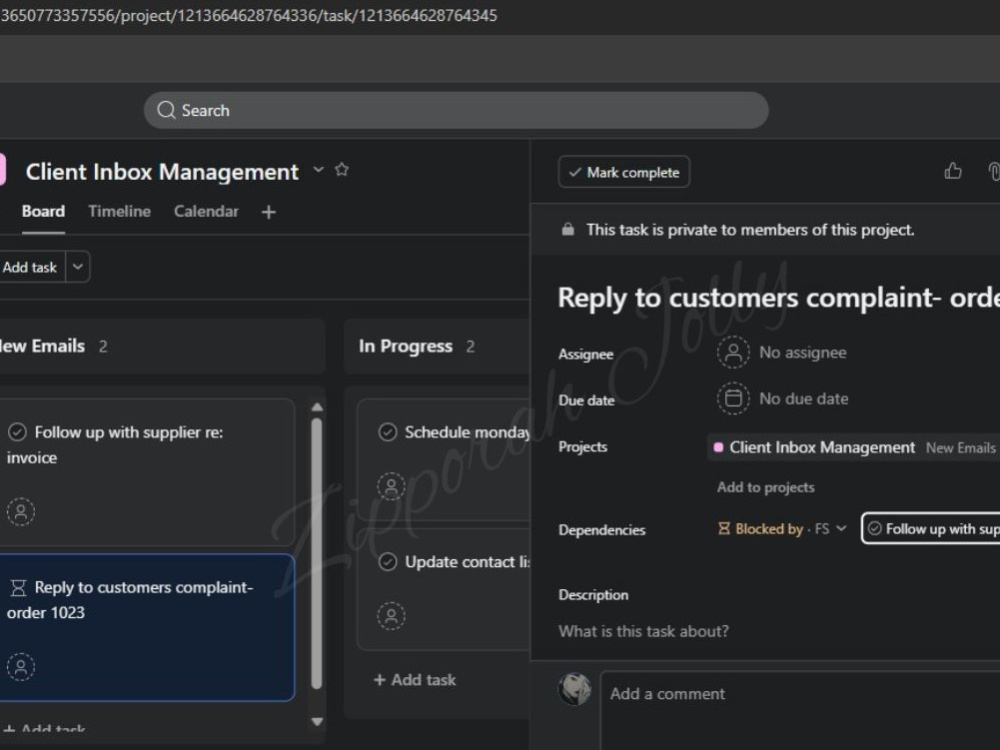
You will get a fully automated email management system that works even when nobody is watching.
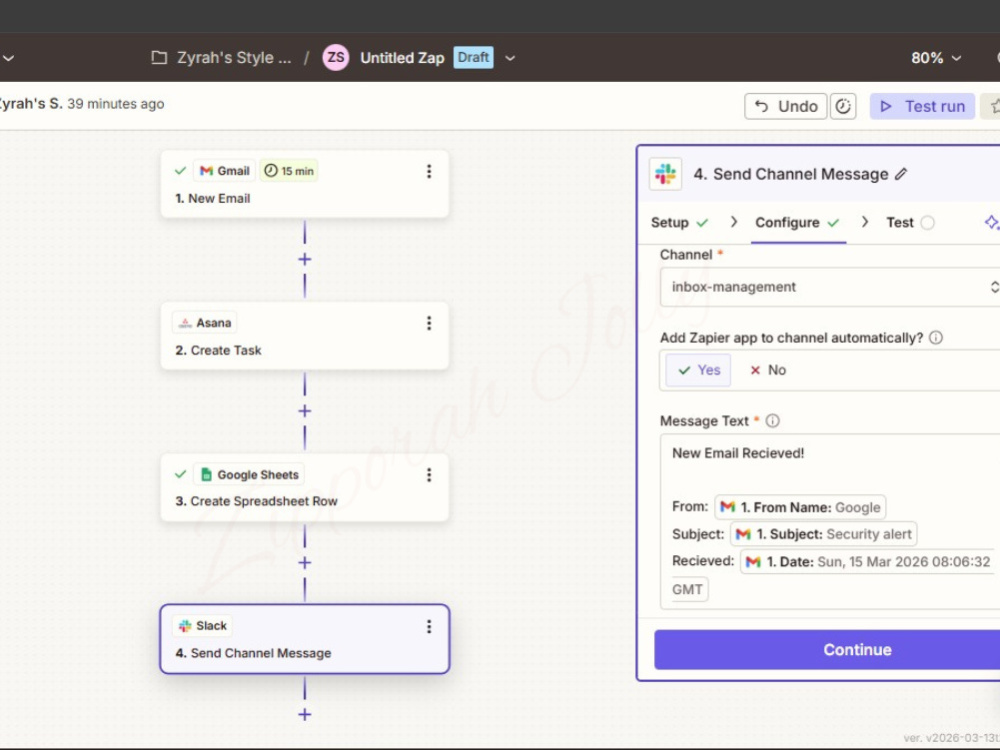
Most business owners lose hours every week to inbox chaos missing emails, forgotten follow ups and no real system to know what needs attention. I built a solution that fixes all of that using Zapier, Gmail, Asana, Google Sheets and Slack.
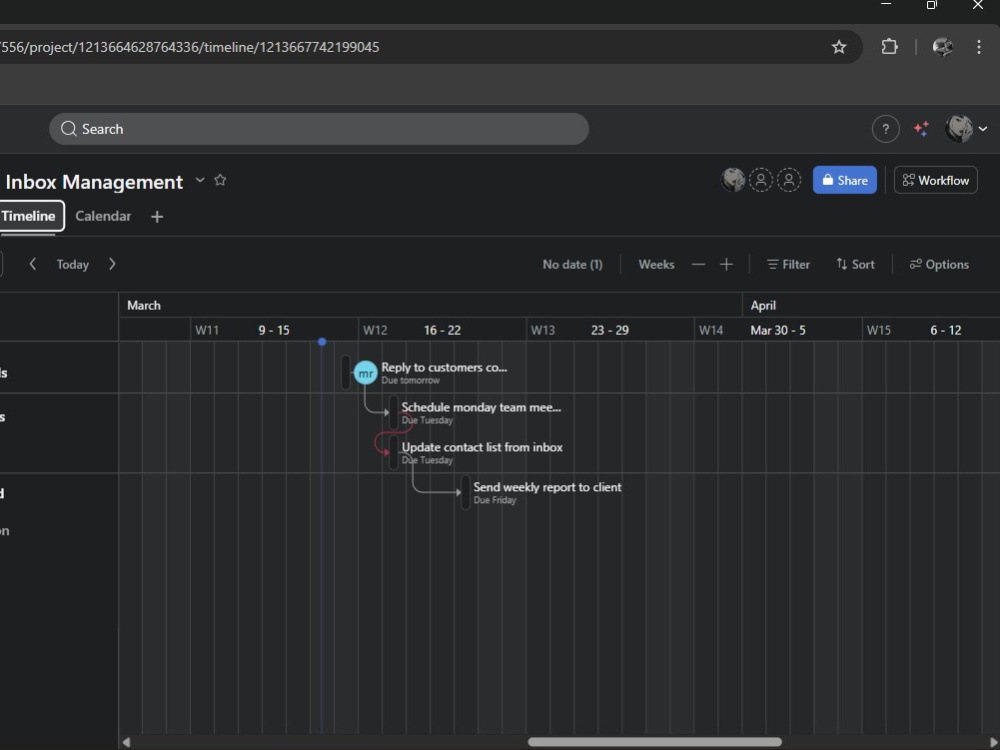
The moment an email lands in your inbox, a task is automatically created in Asana, every detail is logged in Google Sheets and a Slack notification is sent so nothing slips through. If an email needs your personal attention, it gets assigned directly to you with an immediate notification so you only step in when it actually matters.
I handle the setup, the testing and the handover. You get a clean, organised inbox with a system that runs itself.
Most business owners lose hours every week to inbox chaos missing emails, forgotten follow ups and no real system to know what needs attention. I built a solution that fixes all of that using Zapier, Gmail, Asana, Google Sheets and Slack.
The moment an email lands in your inbox, a task is automatically created in Asana, every detail is logged in Google Sheets and a Slack notification is sent so nothing slips through. If an email needs your personal attention, it gets assigned directly to you with an immediate notification so you only step in when it actually matters.
I handle the setup, the testing and the handover. You get a clean, organised inbox with a system that runs itself.
Industry
Business Services & Consulting, Cryptocurrency & Blockchain, Ecommerce, Engineering, Fashion & Apparel, Financial Services, Government & Public Sector, Marketing & Advertising, Music, Photography, Real Estate, TelecommunicationsLanguage
EnglishWhat's included
| Service Tiers |
Starter
$25
|
Standard
$50
|
Advanced
$100
|
|---|---|---|---|
| Delivery Time | 3 days | 5 days | 7 days |
Number of Revisions | 1 | 2 | 3 |
Number of Hours of Work | 2 | 4 | 6 |
Basic Photo Editing | |||
Organize & Classify/Tag Files | |||
Formatting & Clean Up | |||
Project Management Support | - | - | - |
Travel Planning | - | - | - |
Optional add-ons
You can add these on the next page.
Additional Revision
+$10
Additional Automation
(+ 3 Days)
+$20
Video Walkthrough and handover
(+ 1 Day)
+$15
Ongoing support
(+ 7 Days)
+$25Frequently asked questions
About Zipporah
Administrative VA | Email Management | Scheduling | Data Entry
Port Harcourt, Nigeria - 8:13 pm local time
I'm detail-obsessed and genuinely wired for problem-solving, which means when something in your business is messy, unclear, or falling apart quietly in the background, I'm the person who notices and fixes it before you even have to ask.
Before now, I spent 2 years in the blockchain industry as a Community Manager and Ambassador for crypto brands where I managed communications and organized fast-growing communities. Crypto, as far as I know, is one of the most demanding, high-speed environments out there, hence, It taught me how to stay calm under pressure, communicate clearly, and never let details slip.
Now churning that energy into virtual Assistance, here is what I take off your plate:
EMAIL & COMMUNICATION:
Inbox organized, messages filtered, responses handled. (Gmail, Outlook, Freshdesk)
CALENDAR & SCHEDULING:
Appointments booked, conflicts caught early, your time protected. (Google Calendar, Calendly)
DOCUMENTS, DATA & E-SIGNATURES:
Files organized, spreadsheets maintained, contracts prepared and sent. (Google Docs, Sheets, Excel, DocuSign)
WORKFLOW & AUTOMATION:
Repetitive tasks streamlined so your operations run without constant input. (Slack, Zapier)
PRESENTATIONS & DESIGN:
Clean, professional visuals ready when you need them. (Google Slides, Canva)
TOOLS I WORK WITH:
Google Workspace · Microsoft Excel · Gmail · Outlook · Calendly · Freshdesk · Slack · Zapier · Canva · DocuSign
If you've read this far, let's talk.
Tell me what you're working on, I'll tell you exactly how I can help.
Steps for completing your project
After purchasing the project, send requirements so Zipporah can start the project.
Delivery time starts when Zipporah receives requirements from you.
Zipporah works on your project following the steps below.
Revisions may occur after the delivery date.
Discovery & Planning
Review client requirements and map out the automation workflow before building
Build the Automation
Set up Zapier workflows connecting all required tools and test each trigger