You will get Calendar & Email Management for Busy Professionals

Project details
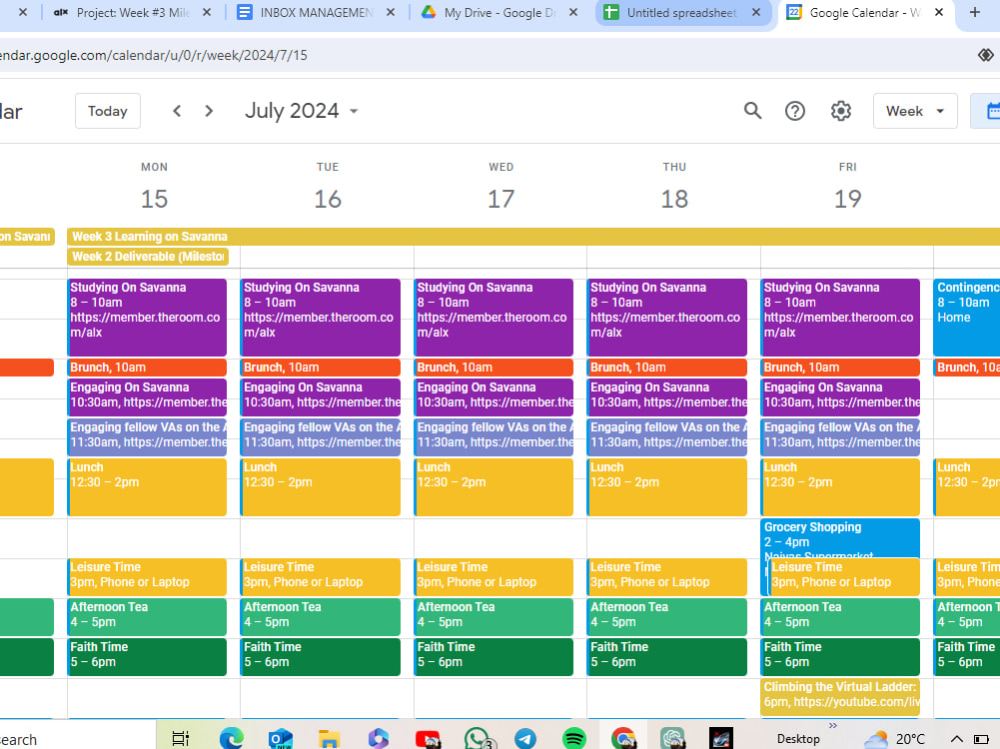
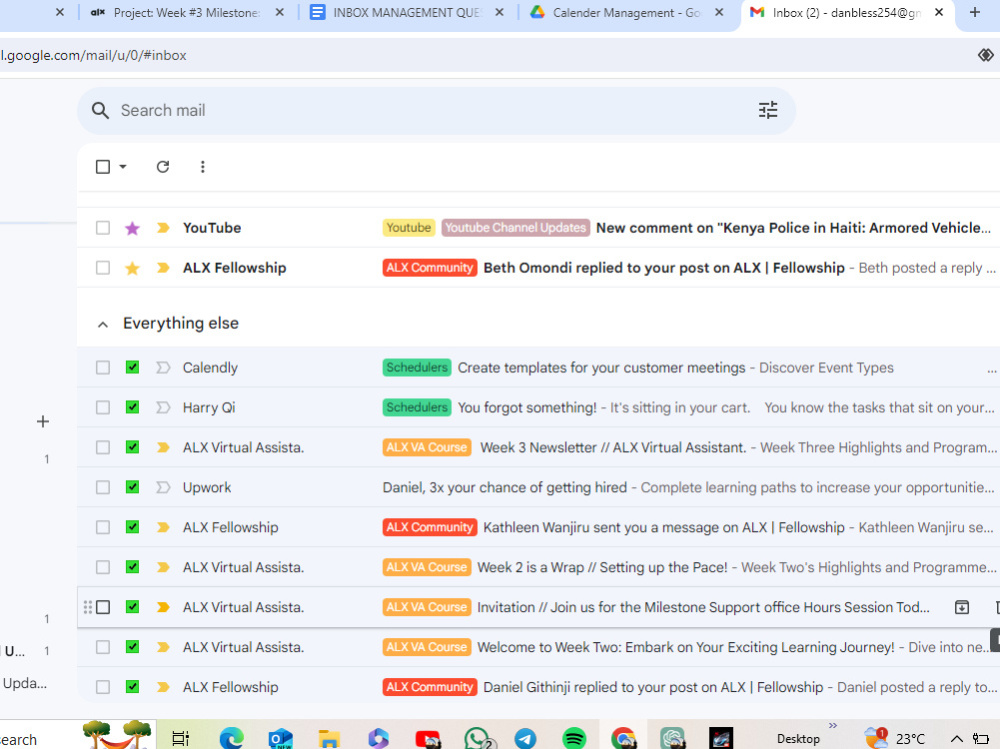
I help busy people stay on top of their emails and calendar. From a quick clean-up to full weekly support, I make sure your inbox and schedule run smoothly so you can focus on what matters. Simple, reliable, and just the way you need it.
Purpose
BusinessIndustry
Business Services & Consulting, Ecommerce, Education, Events Planning, Financial Services, Lifestyle, Marketing & Advertising, Media & Entertainment, Nonprofit, Real Estate, Retail & Wholesale, Travel & TourismLanguage
EnglishWhat's included
| Service Tiers |
Starter
$35
|
Standard
$80
|
Advanced
$150
|
|---|---|---|---|
| Delivery Time | 2 days | 7 days | 1 day |
Number of Revisions | 3 | 5 | 7 |
Number of Hours of Work | 5 | 10 | 20 |
Basic Photo Editing | |||
Organize & Classify/Tag Files | |||
Formatting & Clean Up | |||
Project Management Support | - | ||
Travel Planning | - | - |
Optional add-ons
You can add these on the next page.
Additional Hour of Work
+$10
Project Management Support
(+ 2 Days)
+$15
Travel Planning
(+ 2 Days)
+$20Frequently asked questions
About Daniel
Executive Virtual Assistant | Calendar, Inbox & Property Management
Nandi Hills, Kenya - 11:22 am local time
I help busy people stay organised and stress-free by managing their calendars, emails, client messages, and daily admin.
If your day is full and things keep slipping, I step in and keep everything running smoothly.
What I do well:
Manage calendars and schedule meetings
Organise and reply to emails
Handle client inquiries and follow-ups
List properties on Facebook Marketplace and respond to leads
Prepare documents, data entry, and file organisation
Simple Canva designs when needed
I’ve supported remote clients, including a U.S. property owner, and I communicate clearly, respond fast, and follow instructions carefully.
If you want someone reliable, calm, and easy to work with, I’m ready.
I was hoping you could send me a message and tell me what you need help with.
Steps for completing your project
After purchasing the project, send requirements so Daniel can start the project.
Delivery time starts when Daniel receives requirements from you.
Daniel works on your project following the steps below.
Revisions may occur after the delivery date.
Organize inbox: clean up, sort emails, flag important messages.
Manage calendar: schedule meetings, adjust events, send reminders.