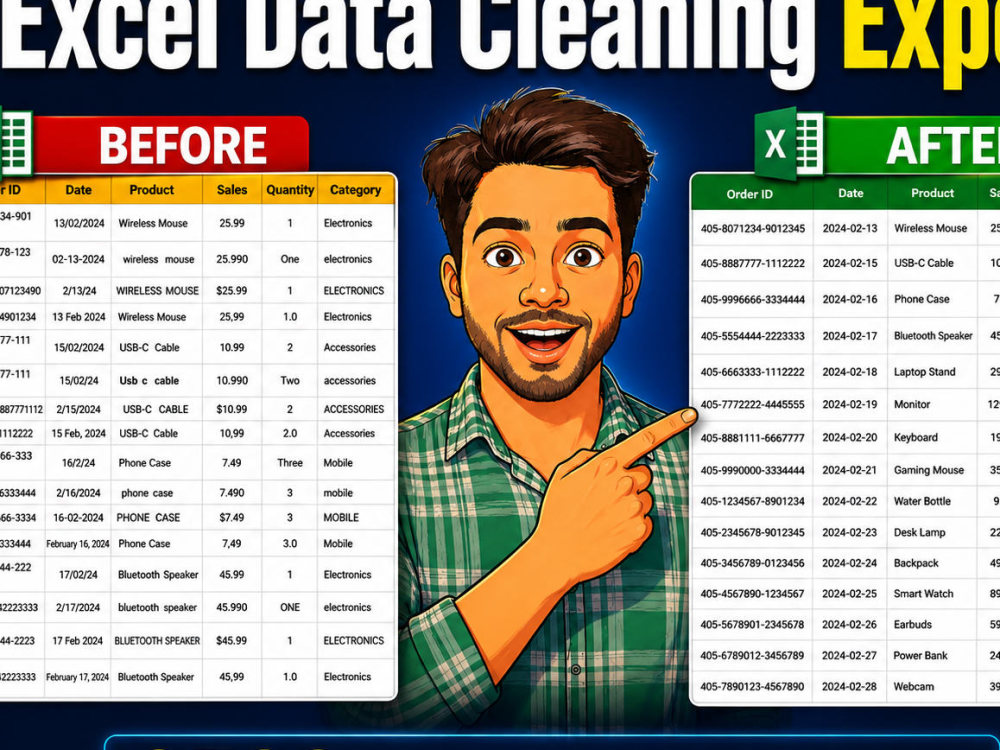
You will get I will clean and organize your messy Excel or CSV data
Project details
I am Pravin Kumar, Excel Data Cleaning
Expert from India. I recently cleaned
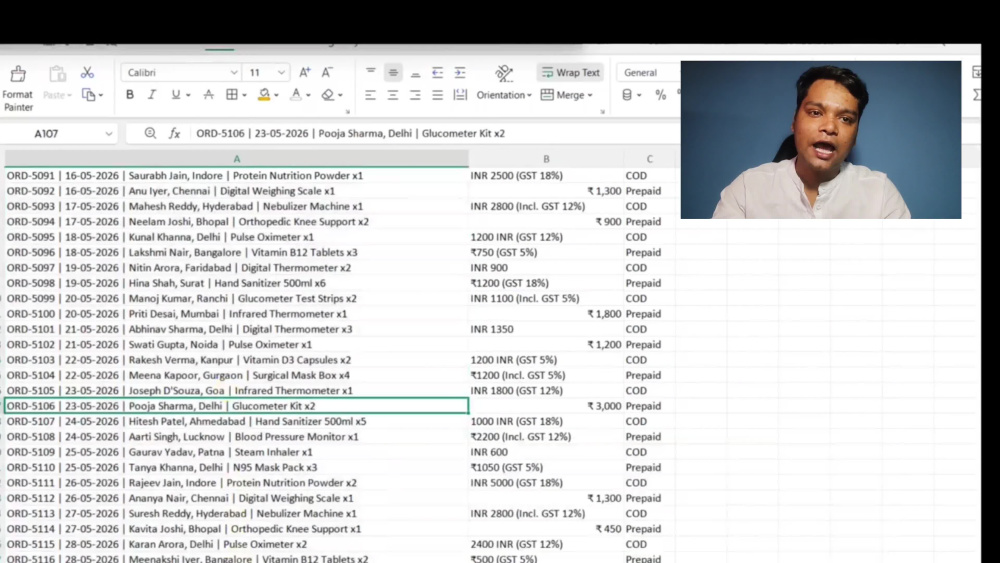
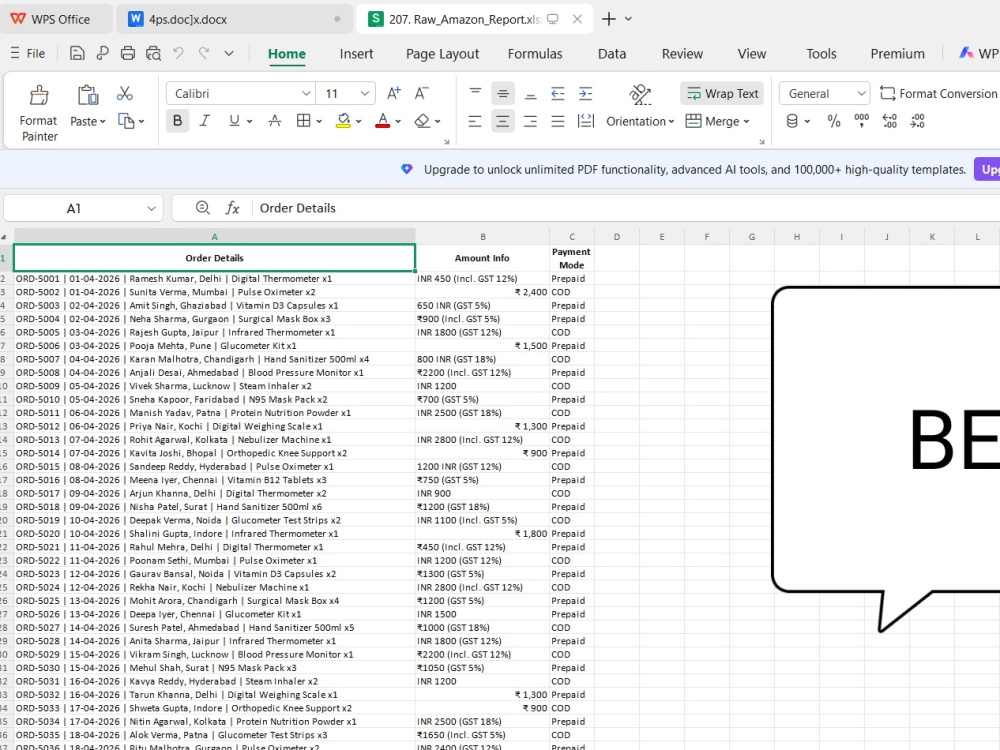
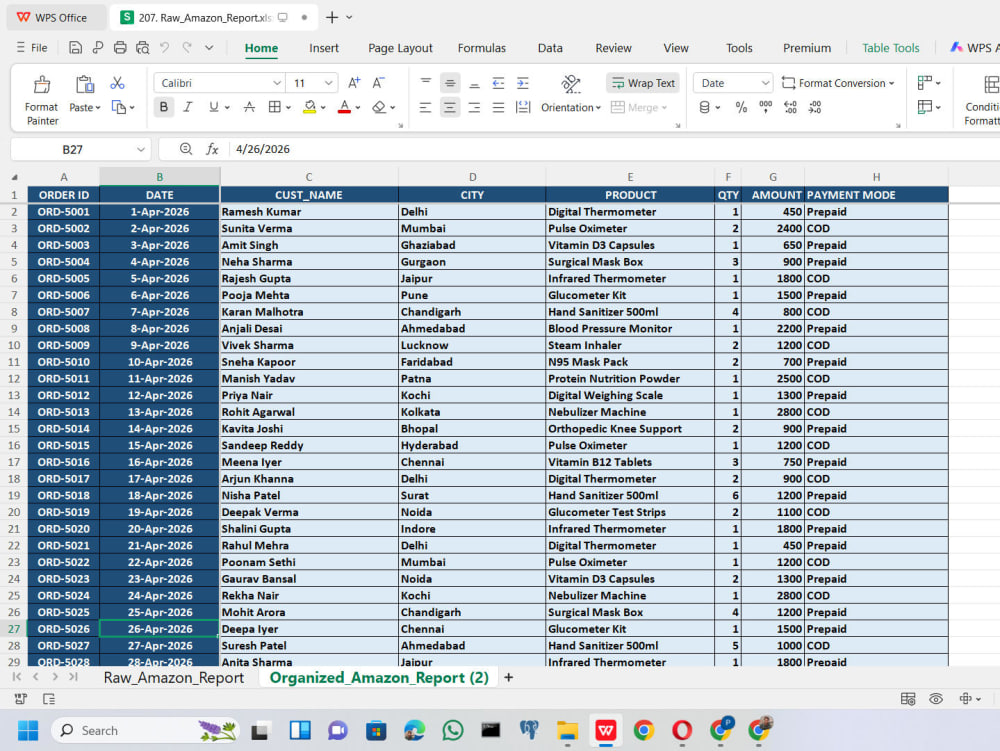
6500+ Amazon sales records — transforming
completely messy, unstructured data into
a clean, analysis-ready Excel sheet.
I can help you with:
✅ Remove duplicates & fix errors
✅ Organize messy columns properly
✅ Standardize date & number formats
✅ Clean CSV & Excel files
✅ Fast delivery in 24 hours
Free sample available on request!
Send me your file — let's get your
data cleaned today!
Expert from India. I recently cleaned
6500+ Amazon sales records — transforming
completely messy, unstructured data into
a clean, analysis-ready Excel sheet.
I can help you with:
✅ Remove duplicates & fix errors
✅ Organize messy columns properly
✅ Standardize date & number formats
✅ Clean CSV & Excel files
✅ Fast delivery in 24 hours
Free sample available on request!
Send me your file — let's get your
data cleaned today!
Data Entry Type
Copy Paste, Data Cleansing, Error DetectionData Entry Tool
Google Sheets, Microsoft Excel, Microsoft Office, Microsoft WordWhat's included
| Service Tiers |
Starter
$5
|
Standard
$15
|
Advanced
$30
|
|---|---|---|---|
| Delivery Time | 1 day | 2 days | 3 days |
Number of Revisions | 2 | 3 | 5 |
Number of Hours of Work | 2 | 5 | 10 |
Formatting & Clean Up | |||
Graph & Table Creation | - |
Frequently asked questions
About Pravin
Excel Data Cleaning & MIS Reporting Expert
Rishra, India - 3:05 pm local time
specializing in Excel Data Cleaning
and MIS Reporting.
Recently I cleaned 6500+ Amazon
sales records — transforming messy,
unstructured data into a clean,
analysis-ready Excel sheet.
I can help you with:
✅ Excel Data Cleaning
✅ Data Formatting & Structuring
✅ MIS Reports & Dashboards
✅ VLOOKUP, XLOOKUP, Pivot Tables
✅ Fast delivery in 24 hours
Free sample available!
Send me a message — let's get
your data cleaned today!
Steps for completing your project
After purchasing the project, send requirements so Pravin can start the project.
Delivery time starts when Pravin receives requirements from you.
Pravin works on your project following the steps below.
Revisions may occur after the delivery date.
Receive client file
Client sends Excel or CSV file with requirements
Analyze data issues
Review file and identify all errors and problems