You will get Inbox Zero Management for Busy CEOs & Founders
Project details
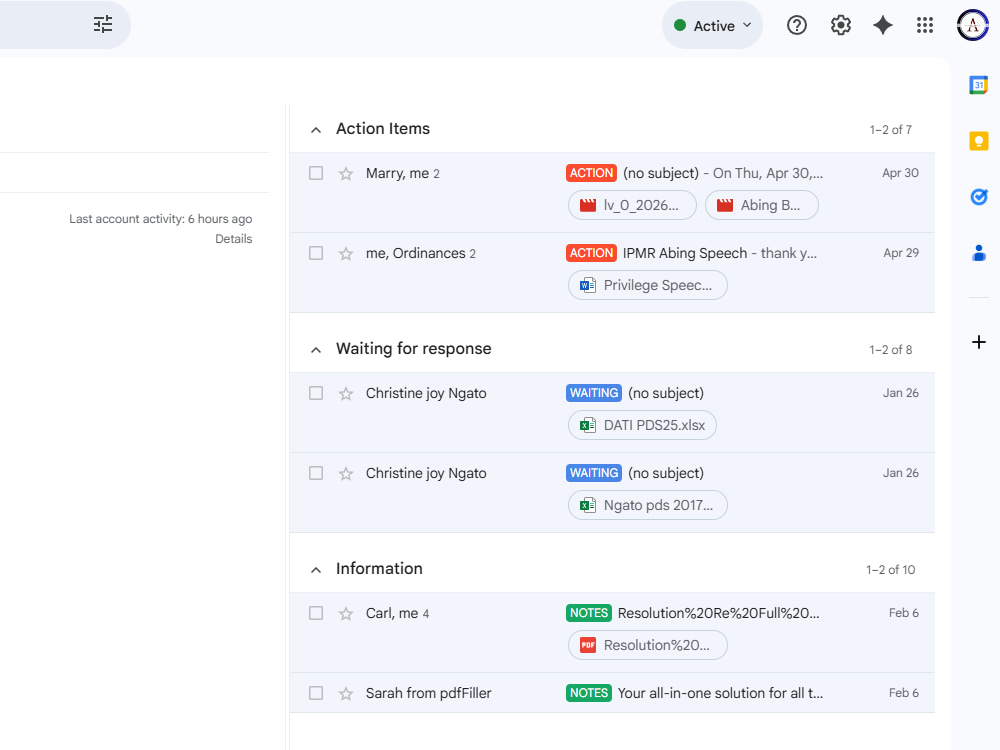
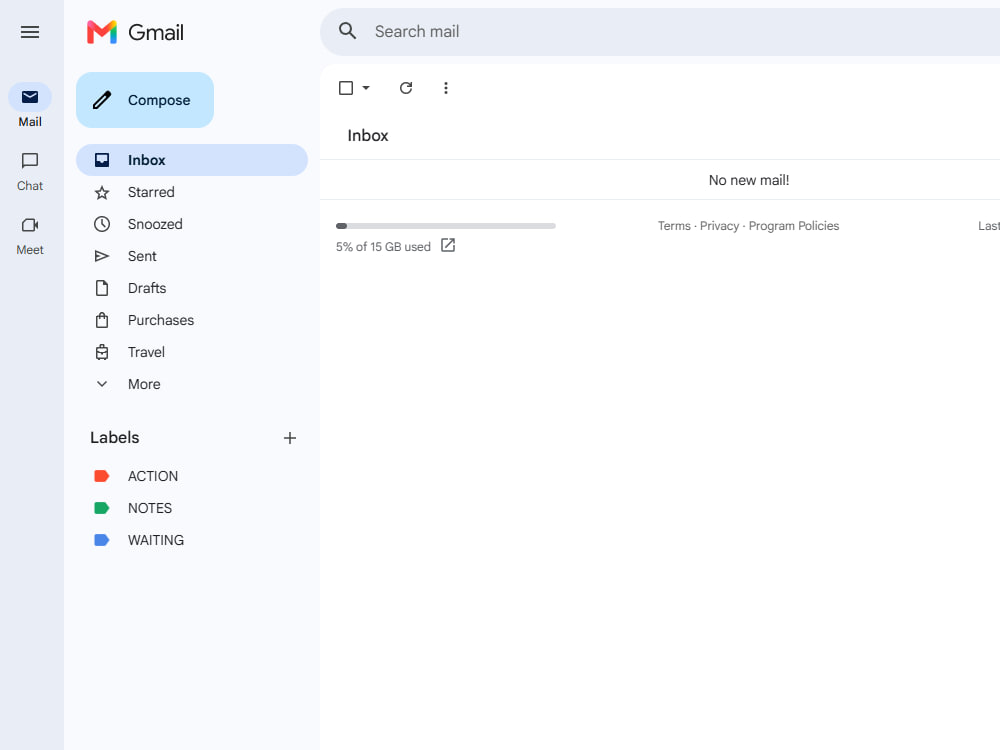
I provide structured, reliable Inbox Management designed for busy CEOs, founders, and professionals who need clarity, organization, and efficient communication workflows. My approach focuses not only on cleaning inboxes, but also on creating sustainable systems that improve response time, reduce clutter, and support daily operations long-term.
Industry
Beauty & Cosmetics, Construction, Cybersecurity, Ecommerce, Education, Engineering, Events Planning, Fashion & Apparel, Financial Services, Food & Beverage, Government & Public Sector, Legal, Lifestyle, Logistics & Supply Chain Management, Marketing & Advertising, Media & Entertainment, Medical & Pharmaceutical, Nonprofit, Real Estate, Retail & Wholesale, Sports & Fitness, Telecommunications, Transportation & Automotive, Travel & Tourism, WellnessLanguage
EnglishWhat's included
| Service Tiers |
Starter
$75
|
Standard
$180
|
Advanced
$350
|
|---|---|---|---|
| Delivery Time | 2 days | 5 days | 7 days |
About Marry-Ann
EVA|Calendar & Inbox Management |Operations Support for CEOs & Founder
Koronadal City, Philippines - 5:02 am local time
I'm an Executive Virtual Assistant with extensive experience supporting CEOs, Founders, Coaches, and Business Leaders who run fast-moving operations. I specialize in building reliable systems around your schedule, communication, and workflows — so your days stay structured, your priorities stay visible, and nothing slips through the cracks.
Here's what I handle so you don't have to:
✔ Executive & Administrative Support — full-cycle operational backing for senior leaders
✔ Calendar & Inbox Management — zero-conflict scheduling, email triage, and response drafting
✔ Meeting Coordination — agenda prep, pre-meeting briefs, follow-up action tracking
✔ Workflow & Task Systems — setting up and maintaining Trello, ClickUp, or Asana boards
✔ Reports & Documentation — meeting notes, SOPs, status reports, and internal docs
✔ Stakeholder & Client Communication — professional outreach, follow-ups, and correspondence
✔ Research & Data Support — market research, competitive intel, data entry, and summaries
✔ Presentation & Visual Support — slide decks, Canva graphics, and executive-ready materials
I work across your full tech stack: Google Workspace · Microsoft 365 · Slack · Zoom · Microsoft Teams · Trello · ClickUp · Asana · Calendly · Dropbox · Notion · Canva
What makes working with me different: I don't just complete tasks — I think ahead. If I notice your Tuesday is overbooked, I flag it before you feel it. If a client hasn't responded to an important thread, I follow up before it's forgotten. I operate like a trusted right hand, not a ticket queue — proactive, confidential, and fully invested in keeping your operation running smoothly.
I work best with: CEOs · Founders · Coaches · Consultants · Agency Owners · Startups · Nonprofits · Small Business Owners across industries including tech, professional services, real estate, e-commerce, and creative agencies.
If your schedule is running you instead of the other way around — let's fix that. Send me a message and tell me what's taking up too much of your time. I'll tell you exactly how I can help.
Steps for completing your project
After purchasing the project, send requirements so Marry-Ann can start the project.
Delivery time starts when Marry-Ann receives requirements from you.
Marry-Ann works on your project following the steps below.
Revisions may occur after the delivery date.
Inbox Review & Assessment
Review your inbox, organize emails, remove clutter, and prioritize important messages.
System Setup & Organization
Create labels, folders, filters, and workflows for a more efficient and manageable inbox system.