You will get organized inbox management and timely responses to all customer inquiries
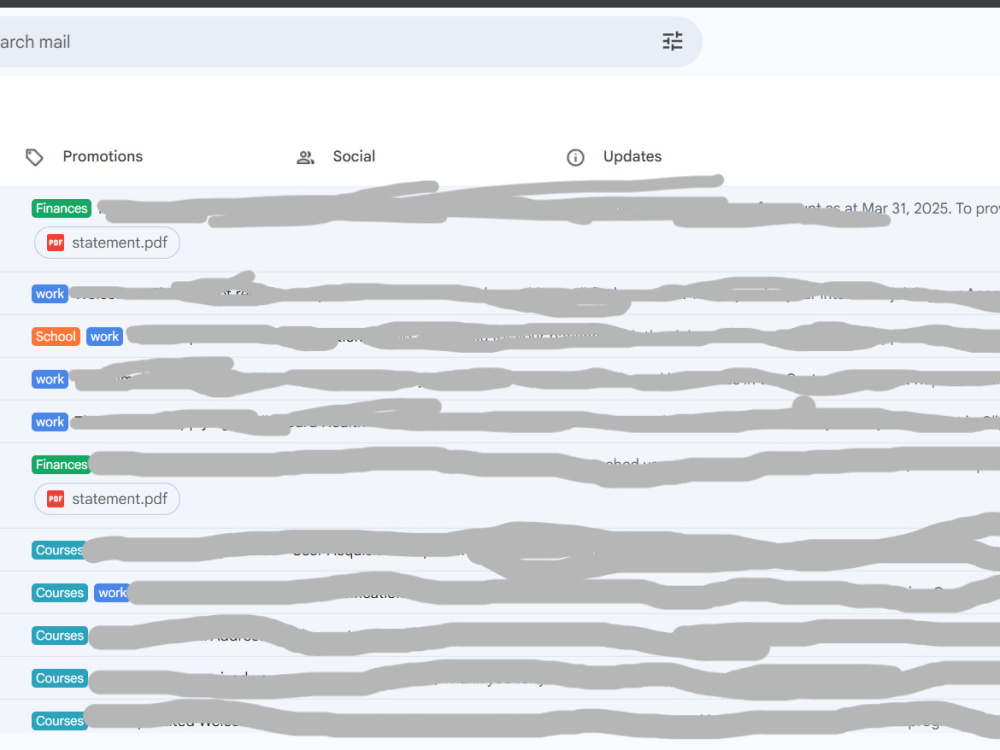
Project details
What sets my email management and admin support services apart is my commitment to providing tailored, efficient, and organized solutions that directly align with your business needs. With a keen eye for detail and a proactive approach, I ensure your inbox stays clutter-free, your calendar remains organized, and your routine tasks are completed seamlessly. My services are designed to save you time, reduce stress, and improve your overall productivity, allowing you to focus on growing your business while I handle the back-end support.
Project Type
Virtual Assistance, Customer SupportWhat's included
| Service Tiers |
Starter
$25
|
Standard
$50
|
Advanced
$75
|
|---|---|---|---|
| Delivery Time | 1 day | 2 days | 4 days |
Number of Revisions | 0 | 2 | 5 |
About Benice
Reliable Virtual Assistant | Canva, Admin Support & Task Management
Kampala Central Division, Uganda - 5:47 am local time
From managing emails and calendars to designing simple social media posts in Canva, I make your workflow smoother so you can focus on growing your business.
Here’s what I can help you with:
Inbox and calendar management
Social media scheduling and Canva designs
Customer service (email, chat, or ticketing systems)
Data entry and file organization
Task tracking in Trello, Asana, or ClickUp
Online research and admin support
Tools I work with confidently:
Google Workspace | Canva | Trello | Asana | Notion | Microsoft Office | WhatsApp Business/ Buffer
Clients describe me as reliable, fast-learning, and proactive. I don’t just wait for instructions — I take initiative, solve problems, and always meet deadlines.
Let’s work together! If you’re ready to delegate and breathe a little easier, I’d love to support your business.
Steps for completing your project
After purchasing the project, send requirements so Benice can start the project.
Delivery time starts when Benice receives requirements from you.
Benice works on your project following the steps below.
Revisions may occur after the delivery date.
Initial Setup & Assessment
I’ll start by reviewing your email inbox and assessing the current state of your email management system. We’ll discuss any specific goals, preferences, and email categorization strategies you want to implement.
Organize & Categorize Emails
I’ll organize your inbox by sorting emails into custom folders and categories for easy reference. Unsubscribe from irrelevant lists and create filters to automatically direct incoming emails to the correct folders.