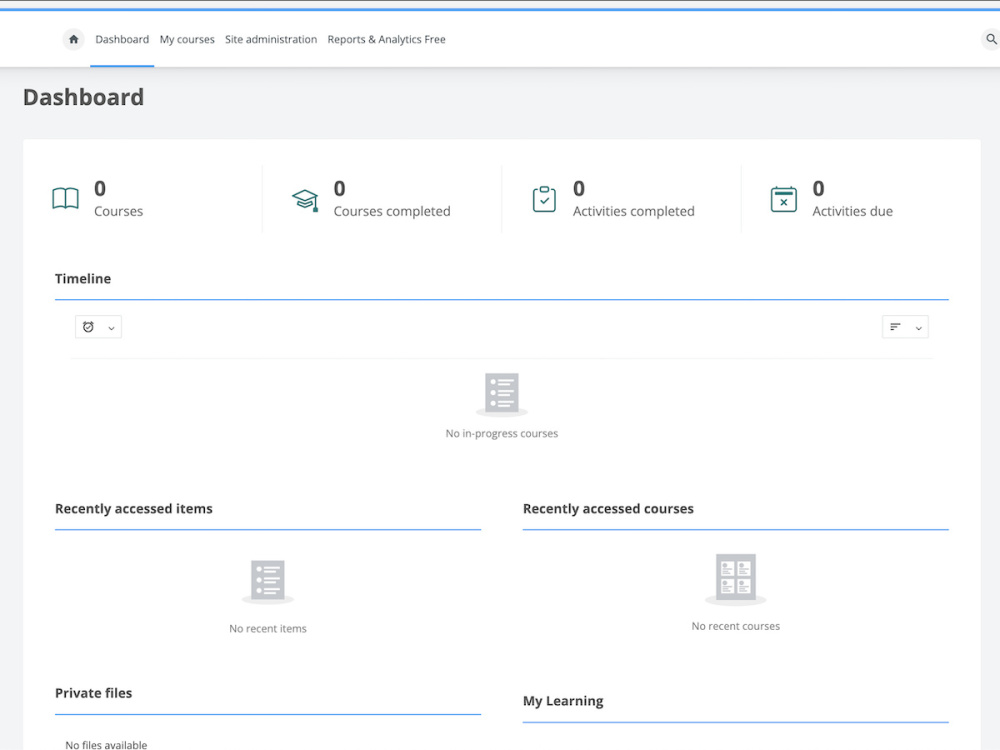
You will get a Moodle Dashboard with blocks configured for Desktop and Mobile access
Project details
The Moodle Dashboard is empty to start and supports various "Blocks" that can be added/arranged/configured. I will configure the Dashboard which can either be utilized just by students, or it can be leveraged by admin/manager/teachers with staff-only blocks not visible to students. Non-standard Themes may offers visual/organizational customizations or have extra features such as a "Stats" area or a 2 row layout of blocks. I have experience leveraging Custom Course Fields with the Course Overview block to give users the ability to sort their Active Courses by "type". I also utilize CSS to help better style the Dashboard to be 'clean' looking as it can easily get busy looking as more content is added. I find it useful to have the Course Overview block, the Recently Accessed Items block, and a Text Block with some welcome text. If Moodle Due Dates or Expected Completion dates are utilized, the Timeline and Completion Progress blocks are useful. If you have a look you're going for, or things about your Theme you're not keen on, I can work on visually modifying or hiding various features with custom CSS.
Main Type
Landing PagesFile Format
OtherWhat's included
| Service Tiers |
Starter
$40
|
Standard
$55
|
Advanced
$70
|
|---|---|---|---|
| Delivery Time | 1 day | 2 days | 3 days |
Number of Pages | 1 | 1 | 1 |
Number of Revisions | Unlimited | Unlimited | Unlimited |
Source Files | - | - | - |
Commercial Use | - | - | - |
Convert to HTML/CSS | - | - | - |
Responsive Design | |||
Interactive Mockup | - | - | - |
1 review
(1)
(0)
(0)
(0)
(0)
This project doesn't have any reviews.
BD
Brian D.
Aug 30, 2025
Moodle Dashboard Customization Using Lambda Theme
John was very knowledgeable about Moodle and handled the job quickly. Will recommend him to anyone.
About John
LMS & Web design/customization and support
Fort Lauderdale, United States - 4:55 am local time
Steps for completing your project
After purchasing the project, send requirements so John can start the project.
Delivery time starts when John receives requirements from you.
John works on your project following the steps below.
Revisions may occur after the delivery date.
Visual Configuration
1 - Add blocks & arrange based on theme features 2 - Install 3rd party plugins if needed 3 - Configure block permissions based on Moodle role
Responsive & Mobile Customizations
1. CSS Customization for blocks or theme elements on Dashboard based on desktop responsiveness 2. Repeat, based on Mobile responsiveness 3. Make any other theme-related features that need a visual adjustment