You will get A Production-Ready Figma & HTML/CSS Design System
Project details
Tier 1: Starter (The Foundations)
Perfect for early-stage startups, MVPs, or simple web projects.
Figma Scope:
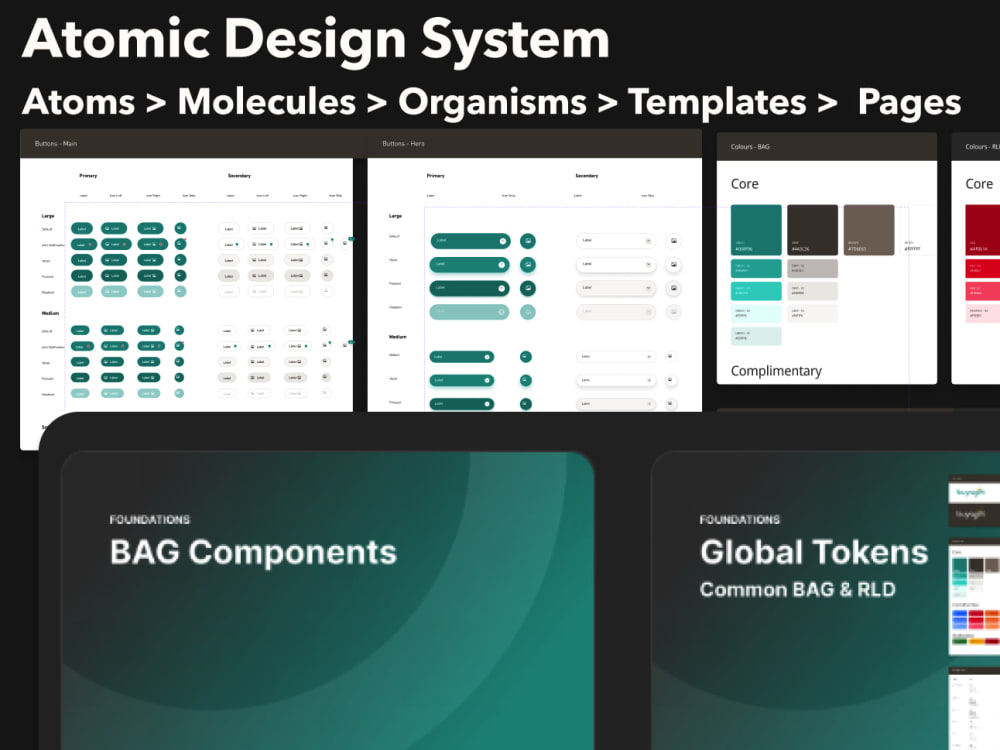
Core Style Guide (Typography scales, global color palette, grid system).
Essential UI Atoms: Buttons, input fields, checkboxes, radio buttons, and basic icons.
Base components with simple auto-layout.
Tier 2: Standard (The Component Library) — Most Popular
Perfect for mid-sized web apps and multi-page platforms needing consistency across design and code.
Figma Scope:
Everything in Starter.
Advanced Molecular Components: Navigation bars, footers, cards, dropdowns, modals, and tabs.
Full interactive Figma components (Hover, active, disabled states) using properties and variants.
Basic documentation layout within Figma.
Advanced (The Enterprise Framework)
Perfect for product teams looking for a completely synchronized, production-ready framework.
Figma Scope:
Everything in Standard.
Complex Organisms: a set of components for your type of product.
Advanced Design Tokens implementation (Spacing, sizing, radiuses).
Light and Dark mode variations.
Comprehensive documentation page inside the Figma file explaining usage guidelines.
Perfect for early-stage startups, MVPs, or simple web projects.
Figma Scope:
Core Style Guide (Typography scales, global color palette, grid system).
Essential UI Atoms: Buttons, input fields, checkboxes, radio buttons, and basic icons.
Base components with simple auto-layout.
Tier 2: Standard (The Component Library) — Most Popular
Perfect for mid-sized web apps and multi-page platforms needing consistency across design and code.
Figma Scope:
Everything in Starter.
Advanced Molecular Components: Navigation bars, footers, cards, dropdowns, modals, and tabs.
Full interactive Figma components (Hover, active, disabled states) using properties and variants.
Basic documentation layout within Figma.
Advanced (The Enterprise Framework)
Perfect for product teams looking for a completely synchronized, production-ready framework.
Figma Scope:
Everything in Standard.
Complex Organisms: a set of components for your type of product.
Advanced Design Tokens implementation (Spacing, sizing, radiuses).
Light and Dark mode variations.
Comprehensive documentation page inside the Figma file explaining usage guidelines.
Main Type
Landing Pages, Mobile Apps, Website, OtherFile Format
PDF, PNG, SVG, OtherWhat's included
| Service Tiers |
Starter
$350
|
Standard
$900
|
Advanced
$3,000
|
|---|---|---|---|
| Delivery Time | 5 days | 10 days | 21 days |
Number of Revisions | 1 | 2 | 3 |
Source Files | |||
Commercial Use | |||
Convert to HTML/CSS | - | - | |
Responsive Design | |||
Interactive Mockup | - |
Optional add-ons
You can add these on the next page.
Additional Revision
+$50
Brand Guidelines
(+ 5 Days)
+$400About Bella
UI/UX Designer
London, United Kingdom - 10:58 pm local time
I believe in a design process where frequent process and prototype are tested, validated and iterated to create the best solution.
I´m a curious person, interested in learning every day about new ways to innovate.
I have been involved in various projects in UI/UX development for mobile applications and responsive websites for the past years. I have developed a wide range of forward-thinking user interface programs, which have all improved user experience and this has aided my proficient knowledge in the process.
* Used analytics and advanced algorithms to simplify complicated processes enabling users to seamlessly interact with their connected devices and the digital world.
* Generated designs for multi-modal (touch, voice, gesture, etc.) systems.
* Solved UX and visual design challenges with safety guidelines in mind.
Skills
• Proficiency in wireframing and sketching
• I create wireframes, storyboards, site maps, user and process flows to communicate design ideas
• Proficiency in Prototypes and Mockups using Adobe XD, Sketch, Axure, Figma, principle and Invision.
• Great creativity skills, concept research and development
• Experience creating, maintaining, and managing design systems
• Curious by nature, up-to-date with the latest trend
• Passionate about technology
• Able to work within a product team and across multiple departments within the business
• In-depth knowledge of iOS and Android Design Guidelines
• Ability to function as a bridge across disciplines, such as Design, Product, Engineering, and Marketing
• Experience using Zeplin to collaborate with engineers
• Experience working in Agile
• Developer handover
Strong interest in:
#apps
#AI
#fashion
#startups
#ecommerce
Steps for completing your project
After purchasing the project, send requirements so Bella can start the project.
Delivery time starts when Bella receives requirements from you.
Bella works on your project following the steps below.
Revisions may occur after the delivery date.
Align on Project Setup & Milestone
The Blueprint Kickoff: Message the client to confirm receipt of their brand guidelines, logos, and typography requirements.
Milestone 1 – Foundations & Token Delivery (Figma)
What I will deliver: A link to the Figma file showing the typography scale, global color palettes (light/dark if applicable), grid systems, and core design tokens. Goal: Get the client to sign off on the visual foundations.