You will get I will design a modern, user-friendly UI/UX for your website or app

Project details
Nutrition Dashboard – Mobile App Screen
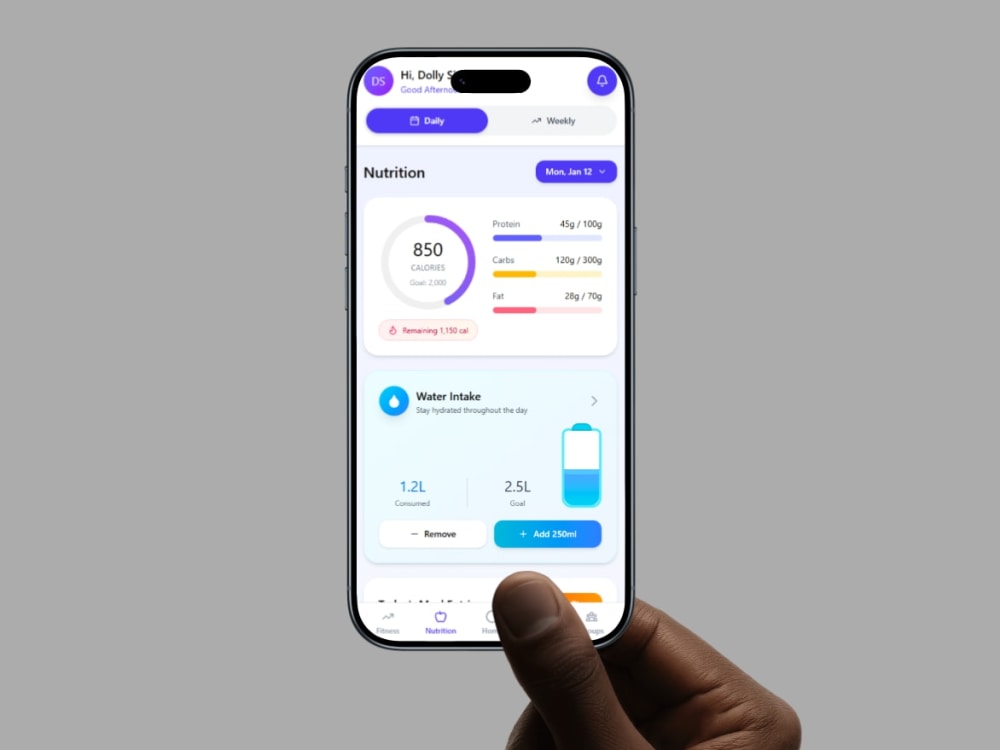
This screen features a streamlined nutrition dashboard for a quick overview of daily intake, with deeper details accessible through drill-downs.
At the top, users can toggle between daily and weekly views, with the main focus on a calorie progress card displaying calories consumed versus the goal, along with macro breakdowns (protein, carbs, fats).
The Water Intake section helps track hydration and includes quick buttons for adding or removing water intake.
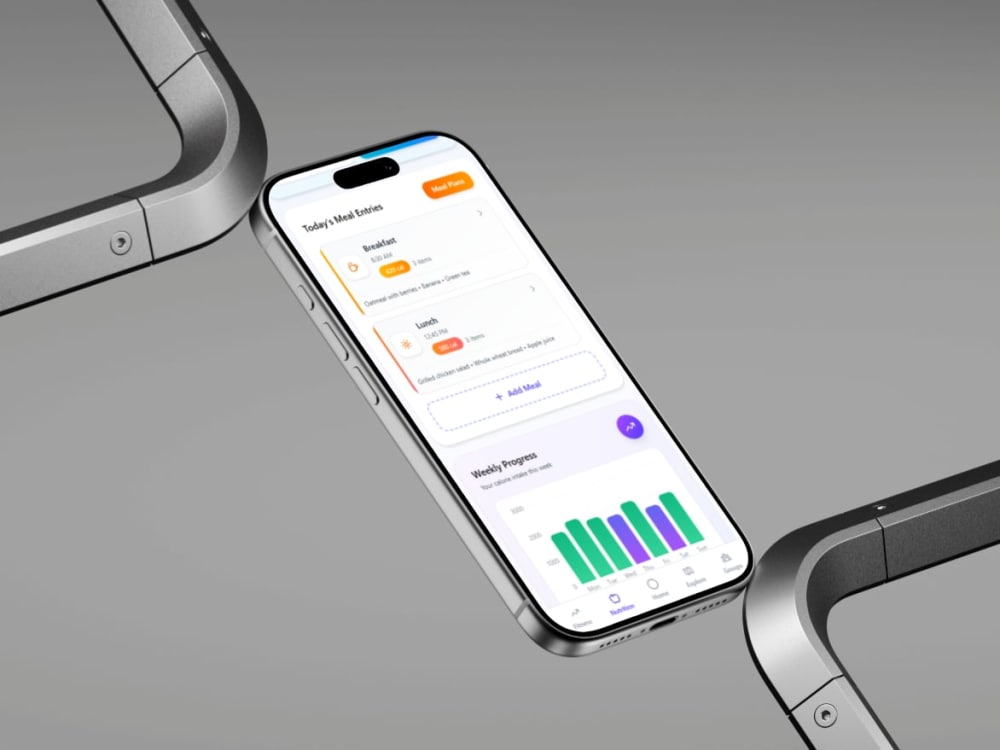
Secondary insights like meal logs and weekly progress are presented clearly to avoid overwhelm, while bottom navigation allows easy access to Fitness, Nutrition, Explore, and Groups.
Overall, the screen prioritizes visual clarity and actionable insights, making it easy for users to assess their health quickly.
Here is my latest logo design work, a testament to creativity and perseverance. This redesign represents my commitment to excellence in my assignment.
This screen features a streamlined nutrition dashboard for a quick overview of daily intake, with deeper details accessible through drill-downs.
At the top, users can toggle between daily and weekly views, with the main focus on a calorie progress card displaying calories consumed versus the goal, along with macro breakdowns (protein, carbs, fats).
The Water Intake section helps track hydration and includes quick buttons for adding or removing water intake.
Secondary insights like meal logs and weekly progress are presented clearly to avoid overwhelm, while bottom navigation allows easy access to Fitness, Nutrition, Explore, and Groups.
Overall, the screen prioritizes visual clarity and actionable insights, making it easy for users to assess their health quickly.
Here is my latest logo design work, a testament to creativity and perseverance. This redesign represents my commitment to excellence in my assignment.
Main Type
Email Templates, Landing Pages, Mobile Apps, Web Apps, WebsiteFile Format
JPG, PDF, PNG, AI, SVGWhat's included
| Service Tiers |
Starter
$15
|
Standard
$35
|
Advanced
$70
|
|---|---|---|---|
| Delivery Time | 3 days | 5 days | 7 days |
Number of Pages | 1 | 3 | 6 |
Number of Revisions | 1 | 2 | 3 |
Source Files | - | ||
Commercial Use | - | - | |
Convert to HTML/CSS | - | - | - |
Responsive Design | |||
Interactive Mockup |
Optional add-ons
You can add these on the next page.
Additional Page
(+ 3 Days)
+$18
Additional Revision
+$30
Source File
(+ 2 Days)
+$20
Commercial Use
(+ 5 Days)
+$30Frequently asked questions
About Dolly
UI/UX Designer
New Delhi, India - 9:26 pm local time
What sets me apart is my ability to combine visual design with usability. I focus on creating clean, intuitive, and accessible interfaces while following design systems, grid structures (8pt/4pt), and UX laws. I have worked on mobile apps and web interfaces and documented my design process through structured case studies on my portfolio.
I am excited about this internship because it will allow me to work on real product challenges, learn from experienced designers, and contribute meaningfully to the team. I am highly motivated, open to feedback, and eager to grow as a designer while delivering value to Samplify.
Steps for completing your project
After purchasing the project, send requirements so Dolly can start the project.
Delivery time starts when Dolly receives requirements from you.
Dolly works on your project following the steps below.
Revisions may occur after the delivery date.
Step 1: Requirement Collection
Client shares project brief, goals, references, and brand details.
Step 2: Research & Planning
I analyze requirements and plan layout and user flow.