You will get Mobile App UI/UX Design with Figma Prototype

Project details
Special for new clients:
For a limited time, I offer a small starter package (2 app screens) at a low price so you can test my design style before committing to a full project.
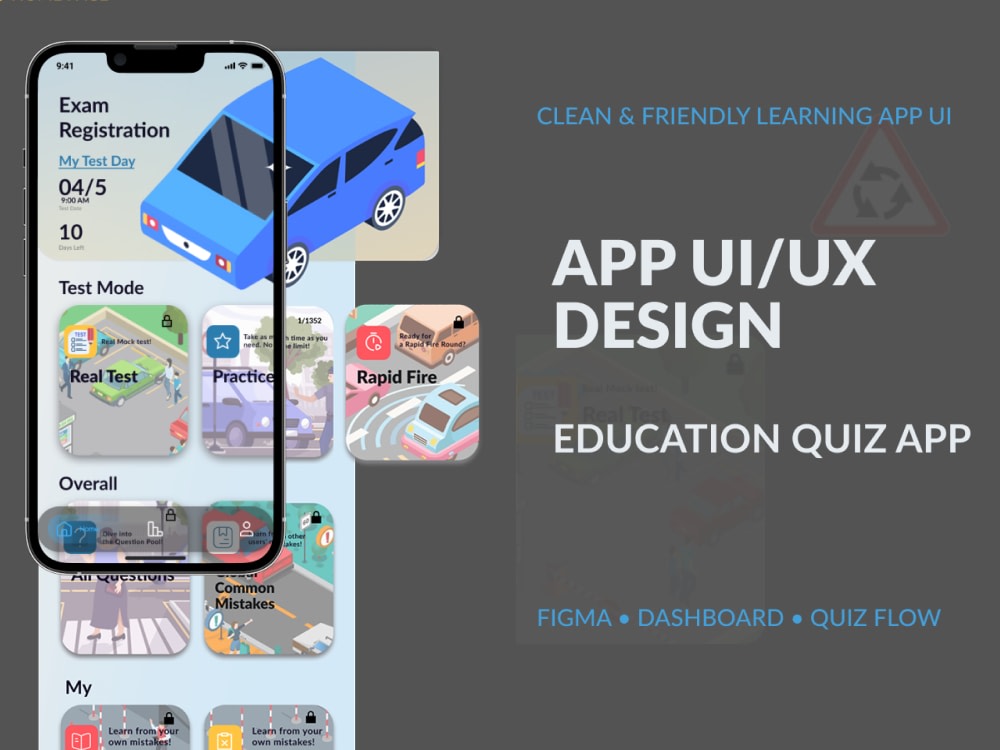
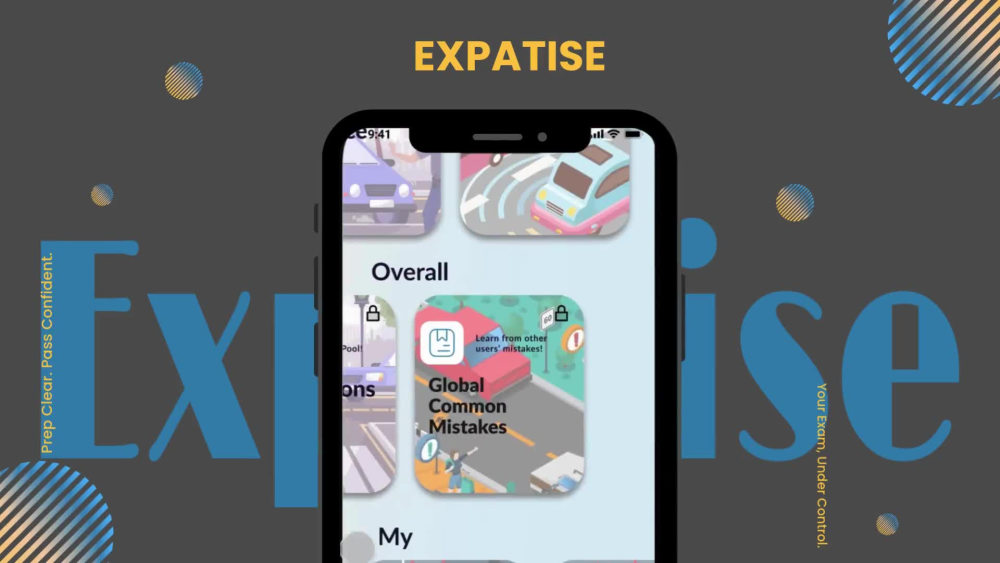
I design modern, intuitive mobile app UI/UX with interactive Figma prototypes.
This project is for founders, product teams, or agencies who need clear flows and polished screens before development.
What you’ll get
• Wireframes for key flows (optional, depending on tier)
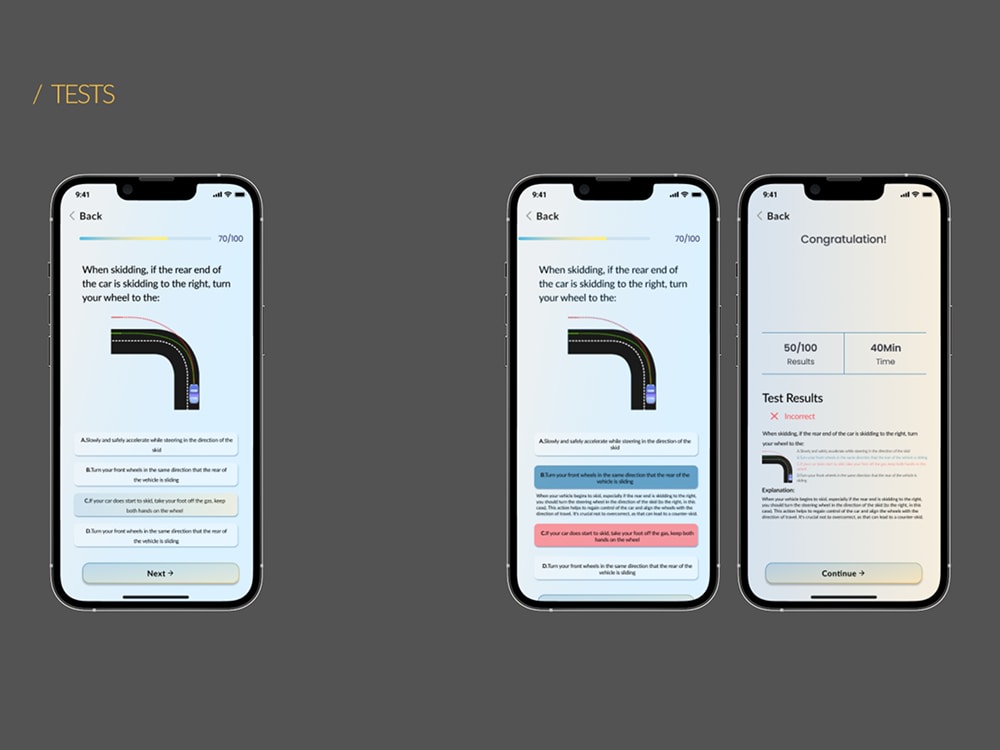
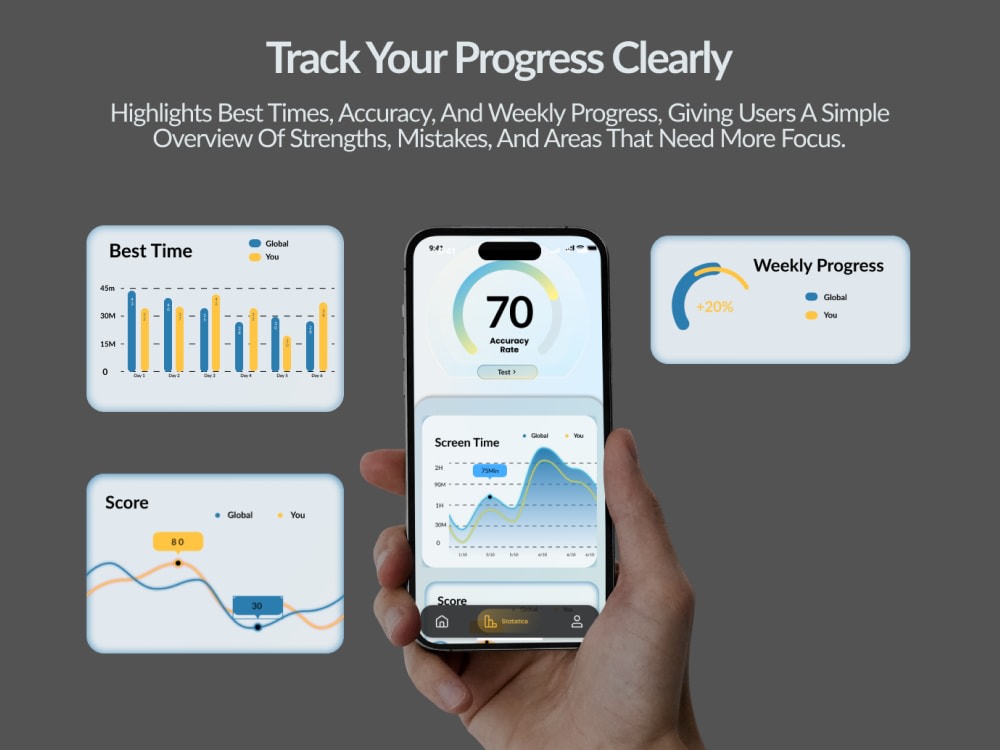
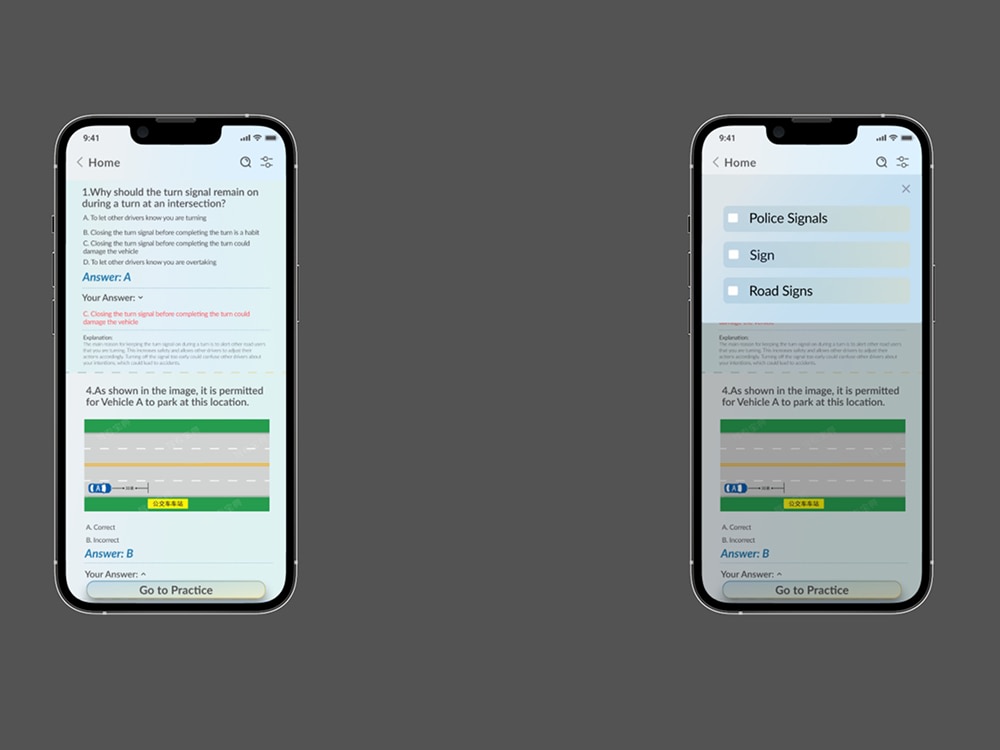
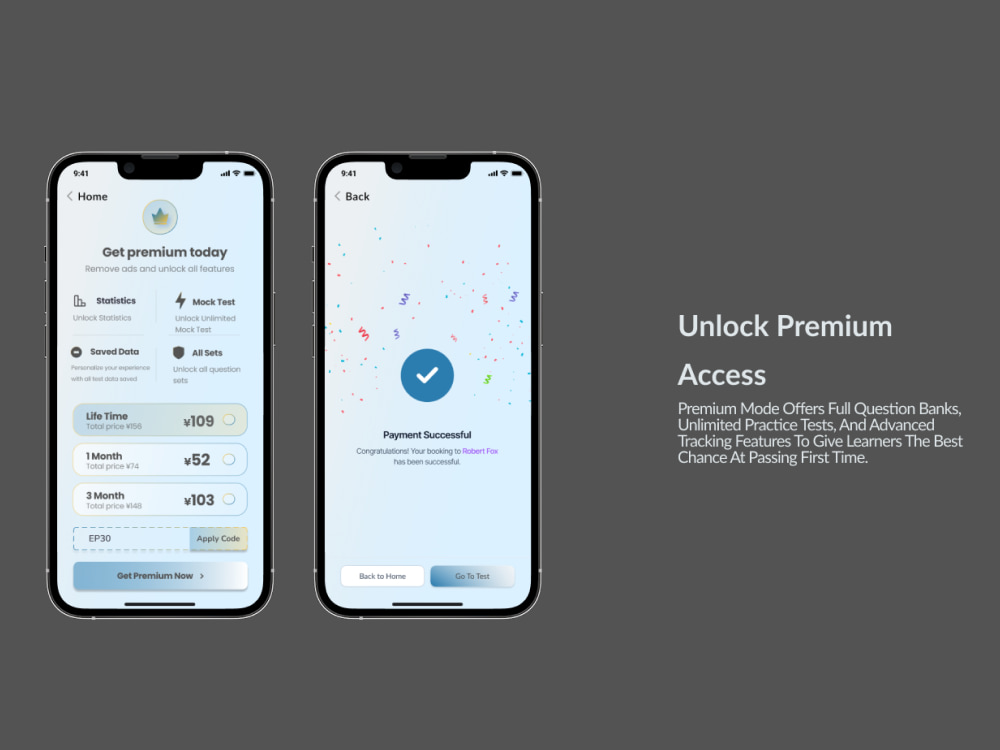
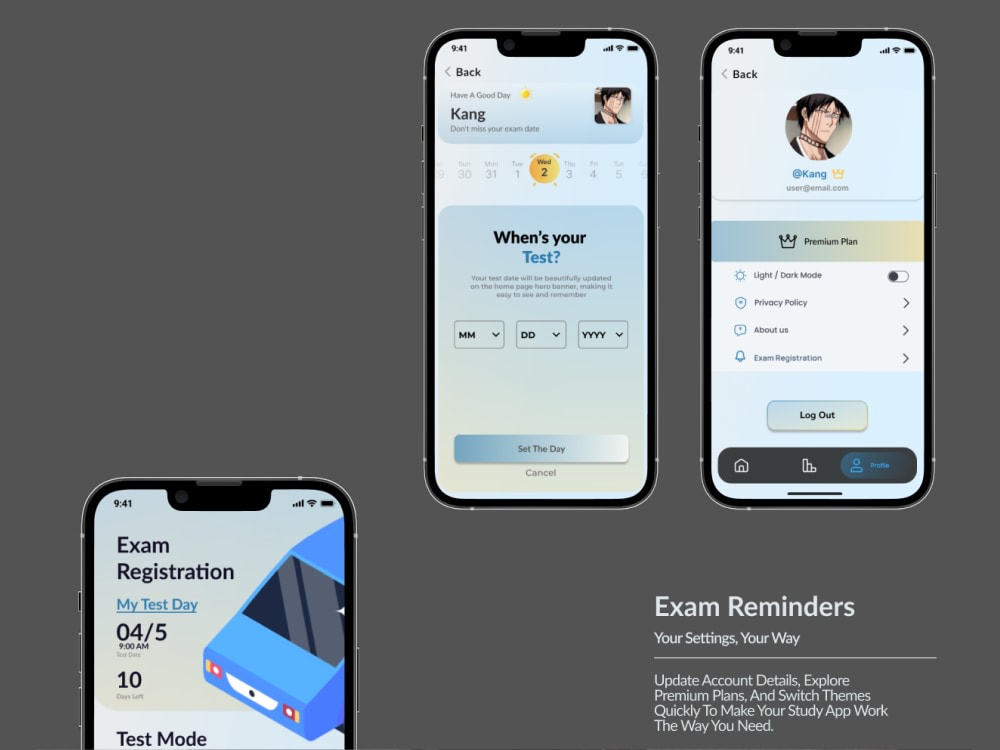
• High-fidelity UI design for core screens
• Consistent components (buttons, cards, inputs, tabs, etc.)
• iOS / Android-friendly layout and spacing
• Clickable Figma prototype that demonstrates the main user journey
Tiers example
• Starter – 3–5 core screens (e.g. onboarding + main screen)
• Standard – 8–10 screens for one main flow
• Advanced – 12–15+ screens and additional states
Before I start, we’ll clarify your app goals, main use cases, and reference apps you like. Then I’ll create a structure that feels familiar to users but still reflects your brand.
If you have an existing app, I can also work as a redesign to improve clarity and visual quality.
For a limited time, I offer a small starter package (2 app screens) at a low price so you can test my design style before committing to a full project.
I design modern, intuitive mobile app UI/UX with interactive Figma prototypes.
This project is for founders, product teams, or agencies who need clear flows and polished screens before development.
What you’ll get
• Wireframes for key flows (optional, depending on tier)
• High-fidelity UI design for core screens
• Consistent components (buttons, cards, inputs, tabs, etc.)
• iOS / Android-friendly layout and spacing
• Clickable Figma prototype that demonstrates the main user journey
Tiers example
• Starter – 3–5 core screens (e.g. onboarding + main screen)
• Standard – 8–10 screens for one main flow
• Advanced – 12–15+ screens and additional states
Before I start, we’ll clarify your app goals, main use cases, and reference apps you like. Then I’ll create a structure that feels familiar to users but still reflects your brand.
If you have an existing app, I can also work as a redesign to improve clarity and visual quality.
Main Type
Landing Pages, Mobile Apps, OtherFile Format
JPG, PDF, PNG, PSD, SVG, ICO, OtherWhat's included
| Service Tiers |
Starter
$80
|
Standard
$100
|
Advanced
$200
|
|---|---|---|---|
| Delivery Time | 5 days | 10 days | 14 days |
Number of Revisions | 2 | 2 | 3 |
Source Files |
Optional add-ons
You can add these on the next page.
Fast Delivery
+$50 - $70
Additional Revision
+$20Frequently asked questions
About Tomao
Mobile App & Web UI/UX Designer
Sichuan, China - 7:04 pm local time
Portfolio: behance.net/TomaoKat
What I do
• Website UI/UX in Figma (landing pages, multi-page sites, SaaS, e-commerce)
• Full WordPress websites with Elementor (design → build → responsive setup)
• Mobile app UI/UX with interactive Figma prototypes
• Layout systems, components, and simple brand visuals to keep everything consistent
What you get
• Clean, modern design that feels professional
• Clear information architecture and user flows
• Responsive layouts for desktop & mobile
• Organized Figma / WordPress structure that developers and teams can easily work with
Typical projects
• Launch landing page for a SaaS, startup, or service business
• Multi-page marketing website (Home, About, Services, Blog, Contact, etc.)
• Mobile app flows and screens with a clickable prototype
• Redesign of an outdated website into a modern, high-converting layout
Workflow
Discovery – goals, audience, content, references
Wireframes – structure & user flow
Visual design – typography, color, components
Prototype / build – clickable Figma or live WordPress site
Handoff – assets, notes, and basic guidelines
If you’d like a designer who cares about both visuals and structure (and can communicate clearly with developers), send me a message and tell me briefly about your product, timeline, and budget.
Steps for completing your project
After purchasing the project, send requirements so Tomao can start the project.
Delivery time starts when Tomao receives requirements from you.
Tomao works on your project following the steps below.
Revisions may occur after the delivery date.
Discovery & Requirements
Collect client’s project details, content, branding, and goals.
Wireframe / Layout Draft
Create basic wireframe or layout to show structure and navigation.