You will get Modern SaaS, CRM & Admin Dashboard UI/UX Design in Figma
Project details
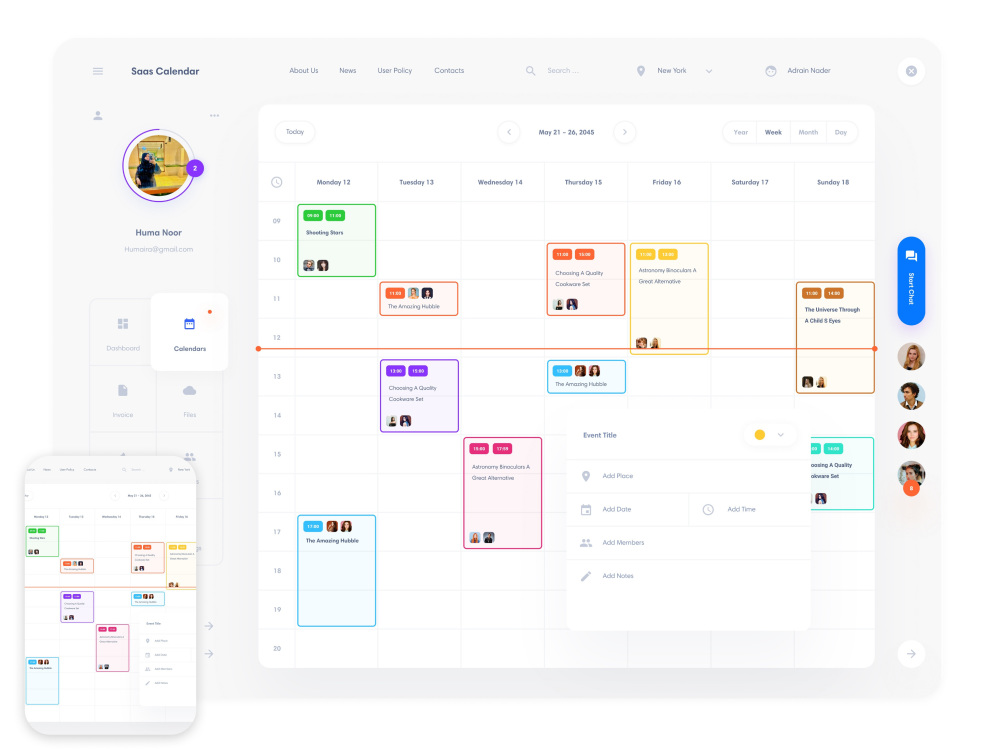
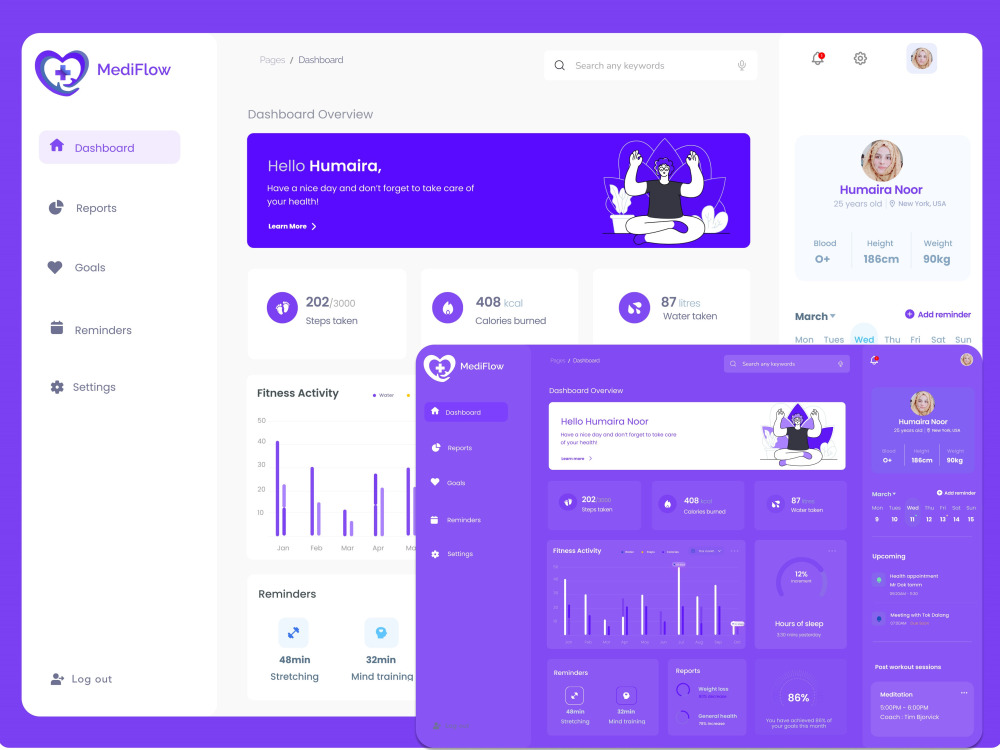
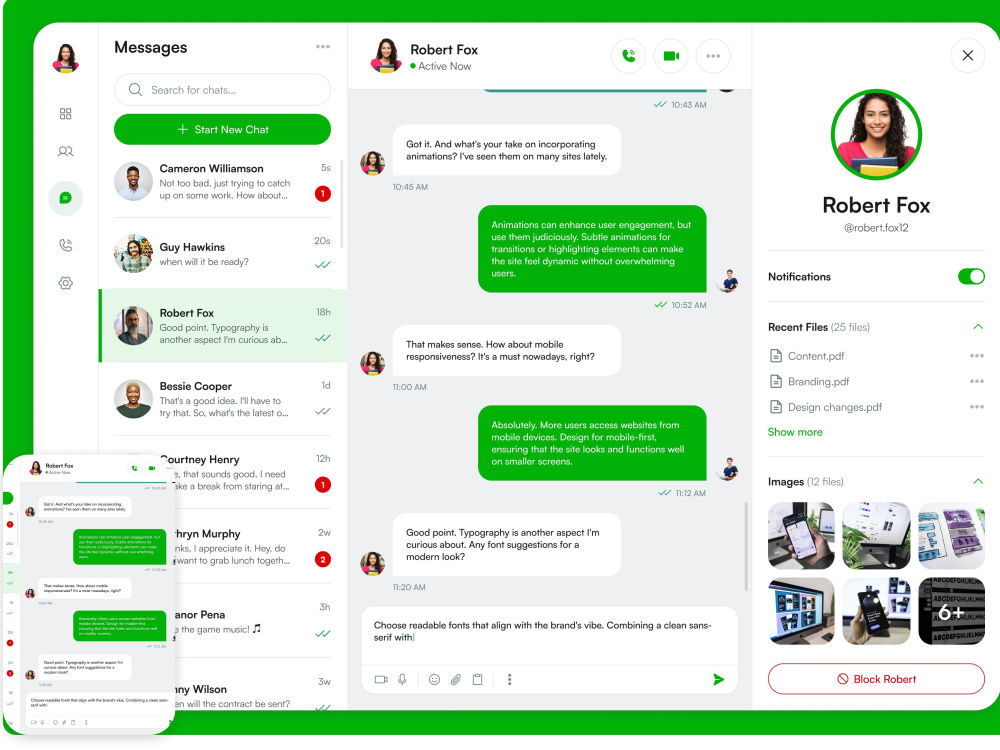
I will design a clean, modern, and user-friendly SaaS or Admin Dashboard UI in Figma that helps your users manage data easily and makes your product stand out.
With 4+ years of experience in UI/UX design for SaaS, CRM, and web apps, I create designs that are not only beautiful but also focused on usability and consistency.
What You’ll Get:
✅ Custom-designed SaaS or CRM dashboard in Figma
✅ Responsive layouts for desktop & tablet
✅ Design system and style guide
✅ Interactive prototype (on request)
✅ 100% editable Figma file
Why Choose Me:
🌟 4+ years of experience in UI/UX design
🎨 Focus on clarity, accessibility, and clean visuals
⚡ Fast communication & pixel-perfect design
Let’s turn your SaaS idea into a stunning, high-performing interface that users will love.
With 4+ years of experience in UI/UX design for SaaS, CRM, and web apps, I create designs that are not only beautiful but also focused on usability and consistency.
What You’ll Get:
✅ Custom-designed SaaS or CRM dashboard in Figma
✅ Responsive layouts for desktop & tablet
✅ Design system and style guide
✅ Interactive prototype (on request)
✅ 100% editable Figma file
Why Choose Me:
🌟 4+ years of experience in UI/UX design
🎨 Focus on clarity, accessibility, and clean visuals
⚡ Fast communication & pixel-perfect design
Let’s turn your SaaS idea into a stunning, high-performing interface that users will love.
Main Type
Email Templates, Landing Pages, Mobile Apps, Web Apps, Website, OtherFile Format
Figma, PDF, JPG, OtherWhat's included
| Service Tiers |
Starter
$30
|
Standard
$55
|
Advanced
$80
|
|---|---|---|---|
| Delivery Time | 2 days | 2 days | 3 days |
Number of Revisions | 2 | 3 | Unlimited |
Number of Pages | 1 | 3 | 5 |
Source Files | |||
Commercial Use | - | - | - |
Responsive Design | |||
Interactive Mockup |
9 reviews
(9)
(0)
(0)
(0)
(0)
This project doesn't have any reviews.
SK
Sultan K.
Sep 18, 2023
Mobile App Designer (2 Screen Design)
It was a pleasure working with Humaira. Completed everything on time and as requested. Will definitely work with her again.
KN
Kouser N.
Feb 15, 2023
Need a figma designer for splash screen design
UI/UX Figma Design delivery is satisfactory, Job well done!
KB
Ken B.
Oct 24, 2021
Looking for UI/UX Designer
Thank you.
AP
Adam P.
Oct 23, 2021
High fidelity design of mobile app
Humaira worked well and delivered to expectations. She engaged on the brief well, took instructions and improved with own experience and expertise.
AH
Abdi H.
Apr 1, 2021
Redesign 3 screens on iOS App
Humaira is an amazing designer. She really knows what she is doing. She is very professional and is exceptional at her job. She understood the requirements and went above and beyond until we were satisfied with the end results. The turnaround was wonderful, she works very fast. We definitely recommend Humaira to anyone looking for a designer and we guarantee that you will not be disappointed. It was a pleasure working with Humaira, thank you.
About Humaira
UI/UX Designer | Mobile App & SaaS Design | Figma Expert
Multan Cantt, Pakistan - 7:17 pm local time
With 4+ years of experience in UI/UX design, I specialize in creating intuitive, conversion-focused interfaces using Figma. I focus on simplifying complex user flows, improving usability, and delivering modern, visually consistent designs.
💼 What I can help you with:
• Mobile App UI/UX Design (iOS & Android)
• SaaS Dashboard & Web App Design
• Website & Landing Page Design
• Wireframes, User Flows & Prototypes
• UX Audits & Redesigns
🛠 Tools I use:
Figma (Auto Layout, Components, Prototyping), Adobe Illustrator, Photoshop
Steps for completing your project
After purchasing the project, send requirements so Humaira can start the project.
Delivery time starts when Humaira receives requirements from you.
Humaira works on your project following the steps below.
Revisions may occur after the delivery date.
Initial Consultation & Requirements Gathering
Discuss project goals, target audience, and specific needs. Collect all necessary information, including data sources, design preferences, and functionality requirements.
Research & Analysis
Conduct user research to understand the target audience. Analyze competitors' dashboards and industry trends. Define key performance indicators (KPIs) and metrics to be displayed.