Daniel isn't taking new orders for this project right now. Here are some similar projects to explore.
You will get a button triggered timesheet
Top Rated
Project details
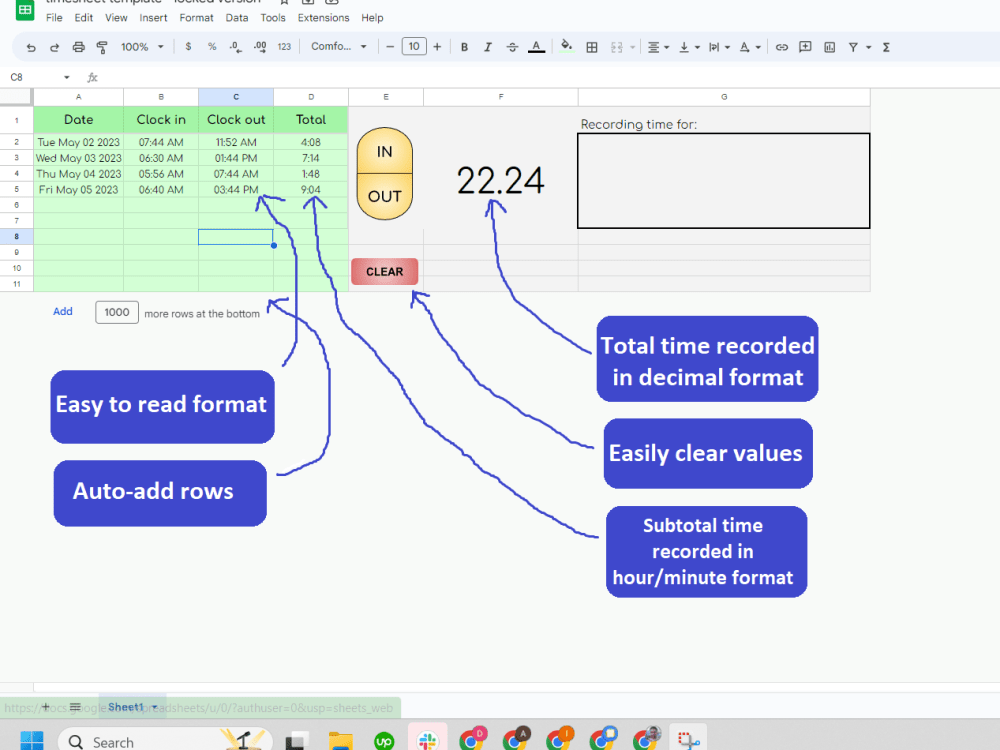
This timesheet may look simple, but if you have worked with time tracking before, you know the headache of formatting a visually acceptable yet time-accurate date. This timesheet does both.
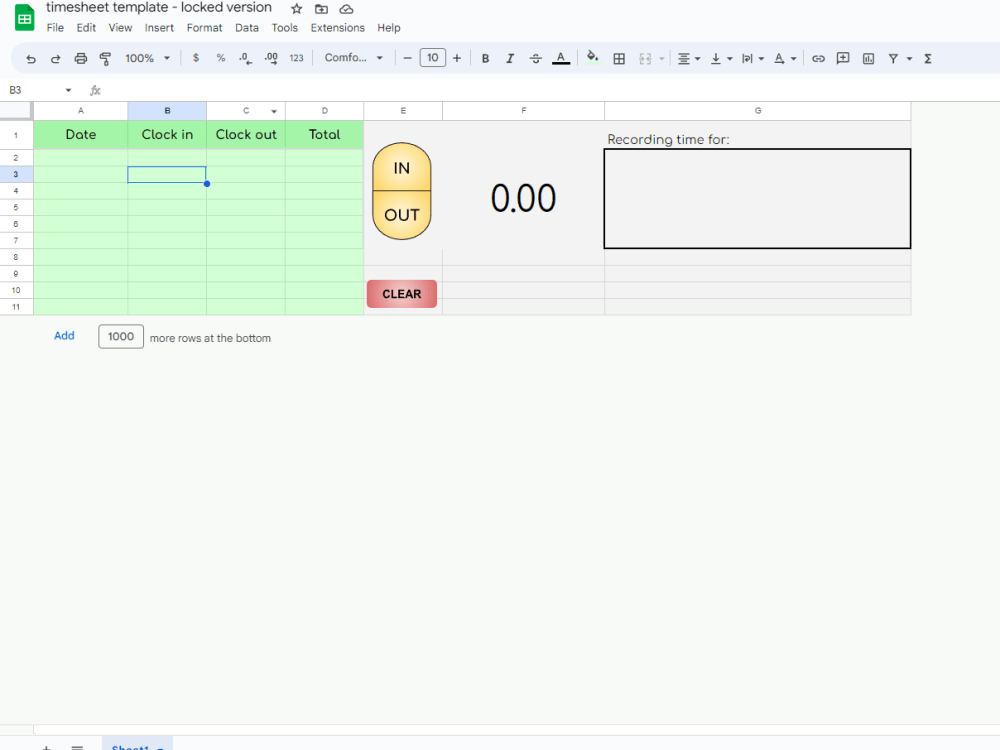
The main quality of this timesheet is that it's simple. You click a button, the button triggers a function that adds in the current time in the right place. When you want to clock out, it adds the clock-out time in the right place. Simple. the subtotal then shows up, and the overall total is then updated in a decimal format so that you can bill, or pay based on an actual number, not an hour-and-minute-based pseudo number (e.g. a total time of 7:53 will need to be billed or paid as 7.88 and not 7.53).
This timesheet can handle as many rows as you need, with no additional input from you. Just click "IN" and if there are no more rows below, one will be added. You can also use the "CLEAR" button to remove all values and start the time-tracking process over. And feel free to add notes in the "Recording time for:" cell.
Purchase of this timesheet gets you your own copy, along with authorization for the code to work.
The main quality of this timesheet is that it's simple. You click a button, the button triggers a function that adds in the current time in the right place. When you want to clock out, it adds the clock-out time in the right place. Simple. the subtotal then shows up, and the overall total is then updated in a decimal format so that you can bill, or pay based on an actual number, not an hour-and-minute-based pseudo number (e.g. a total time of 7:53 will need to be billed or paid as 7.88 and not 7.53).
This timesheet can handle as many rows as you need, with no additional input from you. Just click "IN" and if there are no more rows below, one will be added. You can also use the "CLEAR" button to remove all values and start the time-tracking process over. And feel free to add notes in the "Recording time for:" cell.
Purchase of this timesheet gets you your own copy, along with authorization for the code to work.
Programming Languages
JavaScriptCoding Expertise
Performance OptimizationWhat's included $40
These options are included with the project scope.
$40
- Delivery Time 3 days
- Number of Revisions 1
- Number of Pages 1
- Design Customization
Optional add-ons
You can add these on the next page.
Add Company Logo
(+ 2 Days)
+$60
45 reviews
(45)
(0)
(0)
(0)
(0)
This project doesn't have any reviews.
JO
Justin O.
Jun 10, 2026
Google Workspace Intake Automation (Apps Script – Fixed Scope)
CP
Chris P.
Dec 8, 2025
Benefits Summary to show benefits staff are covered for here in Canada (Chris Gory template)
Daniel is a US based freelancer who works with a team of tech people who were very approachable and who had a great understanding of project management and moreover of English. This made it very easy to work with him.
CG
Chris G.
Dec 5, 2025
I Have An Existing Google Form That Generates Summaries For Clients & I Need Updated Made
Daniel and his team are fantastic to work with. The quality of the work, the speed in which the work was done - all top notch. I wouldn't hesitate in recommending them to anyone!
AA
Amos Dvir A.
Oct 1, 2025
Google App Script Developer for Marketplace Publishing
MH
Matt H.
Sep 7, 2025
Develop two IT Google Forms
Daniel delivers high quality work with a focus on customer satisfaction. Highly recommend him.
About Daniel
Business Systems & Automation Expert | Custom Apps, AI, Full Stack
100%
Job Success
Spokane, United States - 2:10 am local time
How it works:
1. A short call first. I'll tell you honestly whether custom software is worth it for you. Sometimes the answer is "keep the spreadsheet," and I'll say so.
2. A plain-language plan, split into phases with a price on each one. You approve a phase before I build it, and you see working software early.
3. You own everything: the code, the data, the accounts. After launch I stay on call for upkeep.
I've built for 115+ small businesses: trades, clinics, service companies, and the operational jobs that never fit a template. Google Workspace, full-stack web apps, mobile, integrations with QuickBooks, Stripe, and whatever you already run.
Tell me the job that has to be right every time and where it lives today. That's enough to start.
Steps for completing your project
After purchasing the project, send requirements so Daniel can start the project.
Delivery time starts when Daniel receives requirements from you.
Daniel works on your project following the steps below.
Revisions may occur after the delivery date.
Share Timesheet With Client
Give Client Authorization To Code Functionality