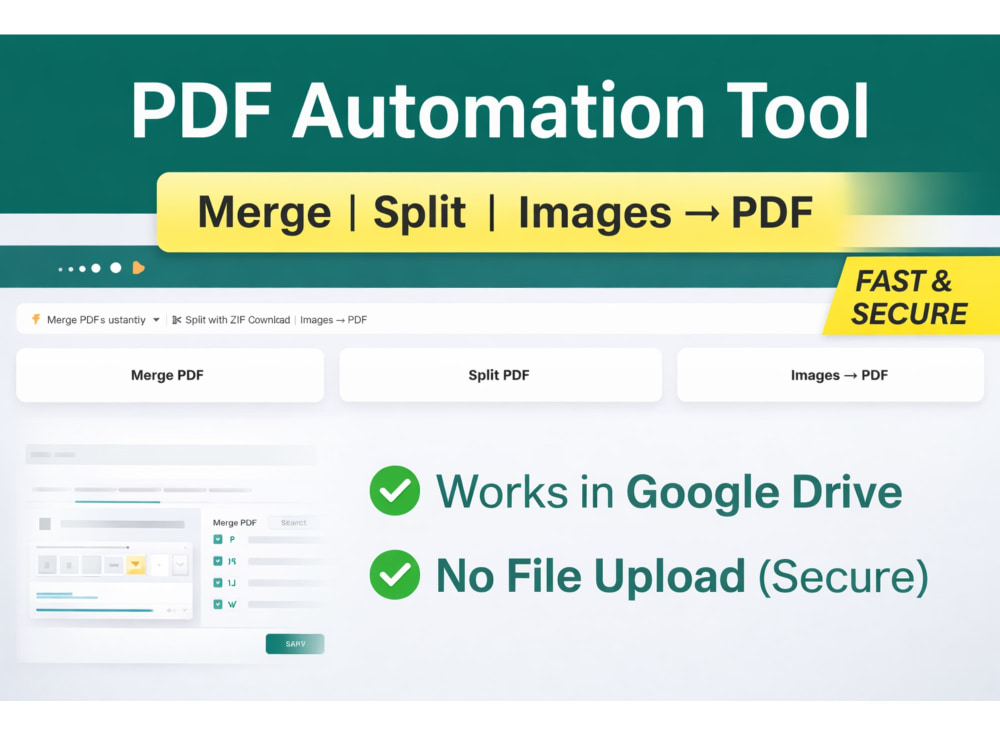
You will get a Google Drive PDF automation tool (merge, split, images to PDF)
Project details
I will build a powerful PDF management system inside Google Drive using Google Apps Script, enabling you to merge, split, and convert files efficiently without relying on external tools.
This system runs in Google Workspace, ensuring your files remain secure and never leave your Drive environment.
Core features:
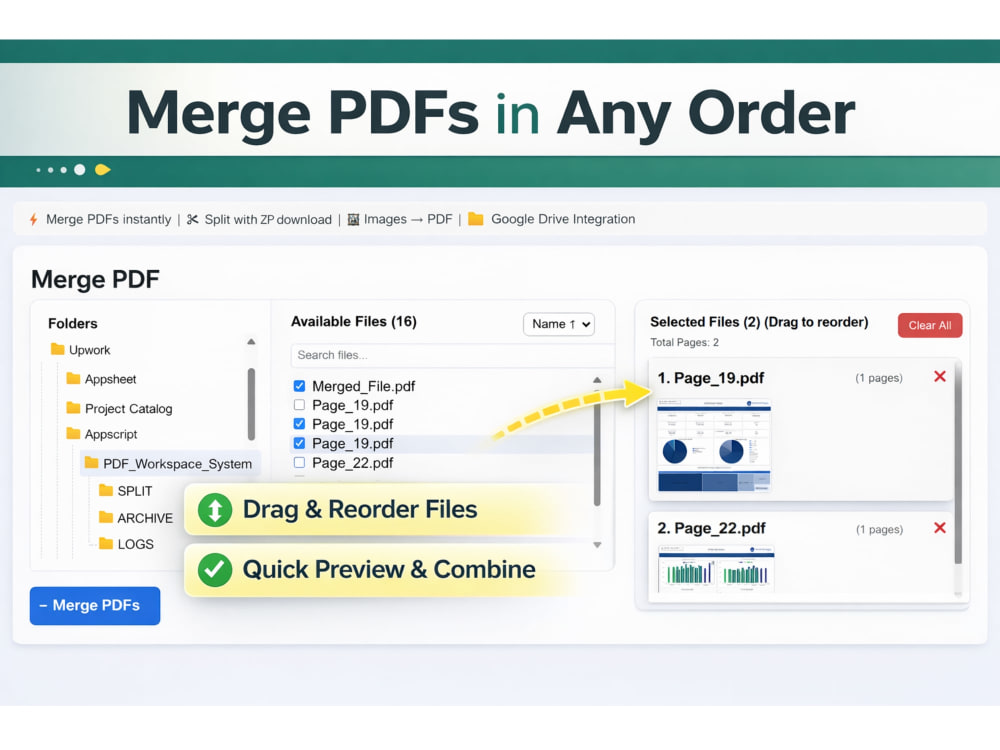
Merge multiple PDF files in any custom order
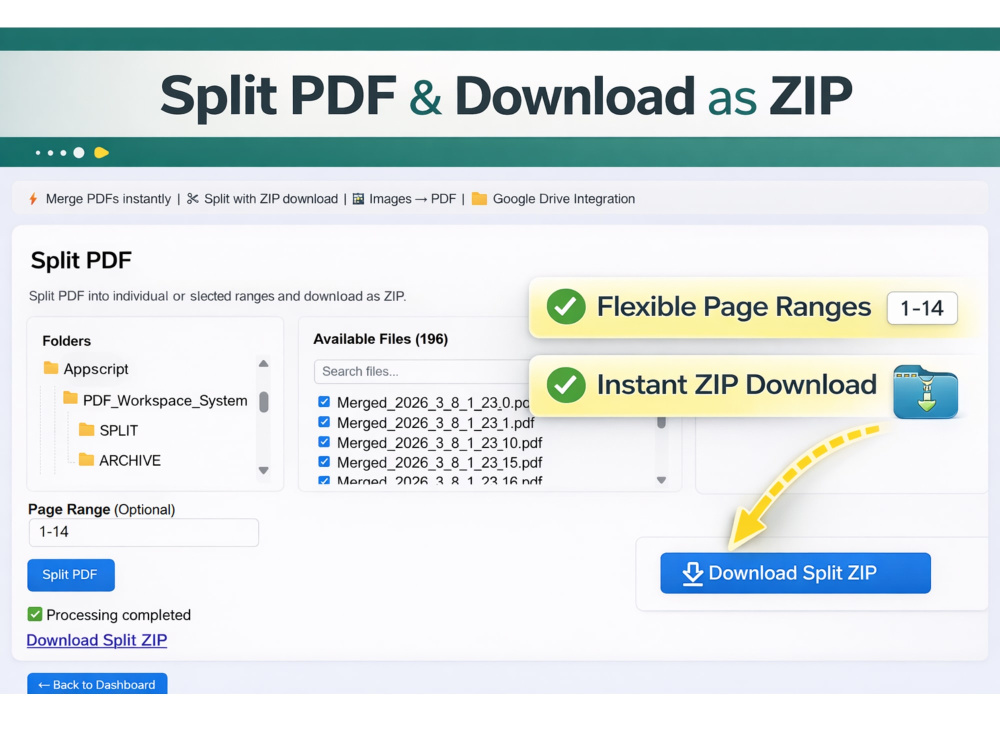
Split PDFs into individual pages or specific ranges
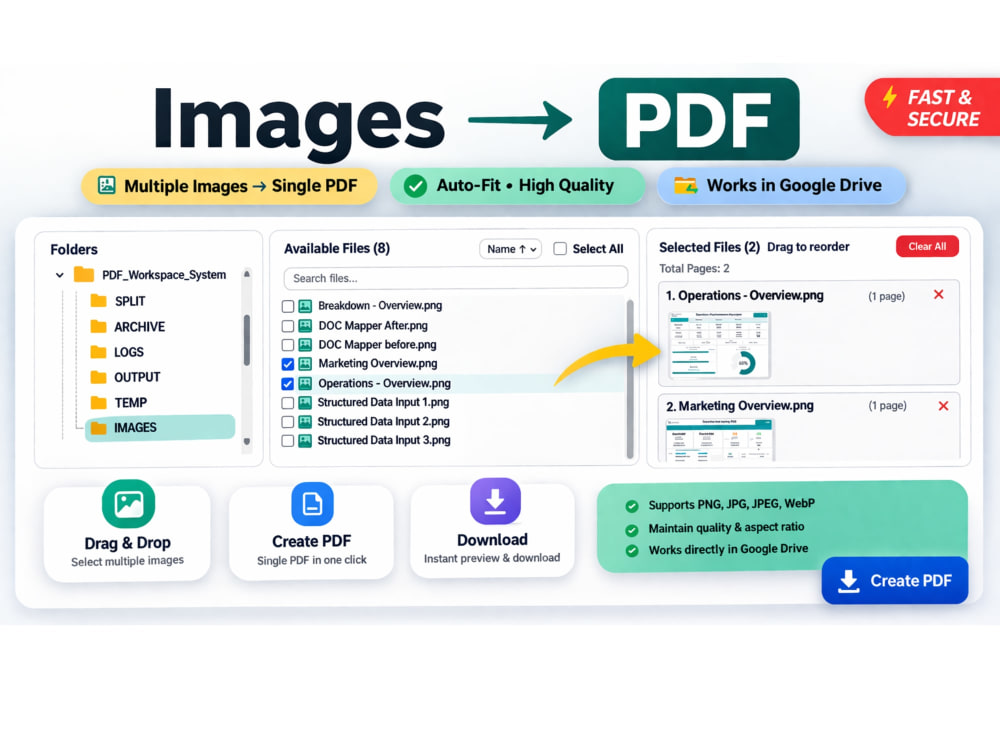
Convert images (JPG, PNG, JPEG, WebP) into a single PDF
Download split outputs as ZIP files
Drag-and-drop style file selection with preview
Clean and user-friendly interface inside Google Drive
Why this solution:
No third-party tools or file uploads required
100% secure processing within your Drive
Saves time on repetitive document handling
Easy to use for both technical and non-technical users
This system is ideal for teams and professionals in operations, finance, legal, real estate, education, and administration who manage large volumes of PDF files.
The solution is fully customizable based on your folder structure, workflow, and business needs.
If you have specific requirements, I can tailor the system to match your exact use case.
This system runs in Google Workspace, ensuring your files remain secure and never leave your Drive environment.
Core features:
Merge multiple PDF files in any custom order
Split PDFs into individual pages or specific ranges
Convert images (JPG, PNG, JPEG, WebP) into a single PDF
Download split outputs as ZIP files
Drag-and-drop style file selection with preview
Clean and user-friendly interface inside Google Drive
Why this solution:
No third-party tools or file uploads required
100% secure processing within your Drive
Saves time on repetitive document handling
Easy to use for both technical and non-technical users
This system is ideal for teams and professionals in operations, finance, legal, real estate, education, and administration who manage large volumes of PDF files.
The solution is fully customizable based on your folder structure, workflow, and business needs.
If you have specific requirements, I can tailor the system to match your exact use case.
Data Tool
Google SheetsWhat's included
| Service Tiers |
Starter
$29
|
Standard
$59
|
Advanced
$99
|
|---|---|---|---|
| Delivery Time | 2 days | 3 days | 5 days |
Number of Pages Mined/Scraped | 1 | 1 | 1 |
Number of Sources Mined/Scraped | 1 | 1 | 1 |
Number of Revisions | 1 | 2 | 3 |
Optional add-ons
You can add these on the next page.
Fast Delivery
+$20
Custom UI Branding
(+ 1 Day)
+$30
Workflow Automation Upgrade
(+ 2 Days)
+$40
Google Drive Setup & Deployment
(+ 1 Day)
+$25Frequently asked questions
1 review
(1)
(0)
(0)
(0)
(0)
This project doesn't have any reviews.
VK
Vedant K.
May 22, 2026
Excel Model for Sales Tracking
Understood my requirement and successfully completed the task in the best possible time frame.
About Kalaiselvan
Google Sheets Automation | Apps Script | Looker Studio Dashboards
Bengaluru, India - 8:39 am local time
I design structured Google Sheets systems and dashboards that replace manual work and bring clarity to operations.
Most spreadsheets fail over time because they’re not built with proper structure — I focus on clean data flow, controlled inputs, and automation so your system remains reliable as it grows.
🔹 What I Do
I help teams turn messy or manual processes into automated, scalable systems using:
• Google Sheets (advanced formulas, structured templates, validation)
• Looker Studio (KPI dashboards, operational reporting)
• Google Apps Script (automation, triggers, workflow logic)
🔹 Typical Problems I Solve
✔ Manual reports that take hours every week
✔ Sheets used by multiple people but breaking frequently
✔ No clear summary of operations or performance
✔ Repetitive tasks that should be automated
✔ Slow or complex spreadsheets that need restructuring
🔹 My Approach
I don’t just “fix formulas” — I design systems with:
• Clear separation of input → processing → reporting
• Minimal manual entry (dropdowns, validations)
• Stable formulas that don’t break when data grows
• Automation where it actually adds value
• Clean dashboards for quick decision-making
🔹 Relevant Experience
I’ve built operational systems where:
• Daily data from 50+ locations was captured in structured Sheets
• Data was automatically consolidated and processed
• KPIs were calculated without manual effort
• Looker Studio dashboards were used for management reporting
This type of setup is directly applicable to operations, manufacturing, services, and reporting workflows.
🔹 What You Can Expect
• Clean and easy-to-use systems
• Fast understanding of your workflow
• Practical solutions (not over-engineered)
• Clear communication and reliability
If you already have a Google Sheet or dashboard, I can quickly review it and suggest improvements before we start.
Steps for completing your project
After purchasing the project, send requirements so Kalaiselvan can start the project.
Delivery time starts when Kalaiselvan receives requirements from you.
Kalaiselvan works on your project following the steps below.
Revisions may occur after the delivery date.
Requirement Review & Setup
I will review your requirements, sample files, and Google Drive structure to understand your workflow and finalize the system design.
System Development
I will build your PDF system inside Google Drive, including merge, split, and image-to-PDF functionalities based on your needs.