You will get a Power Automate flow to send personalized bulk emails
Project details
Finance teams send hundreds of personalised emails every month - salary letters, aged receivable notices, payment confirmations, contract renewals. Most are still done by hand. Copy, paste, check, send. Repeat 200 times.
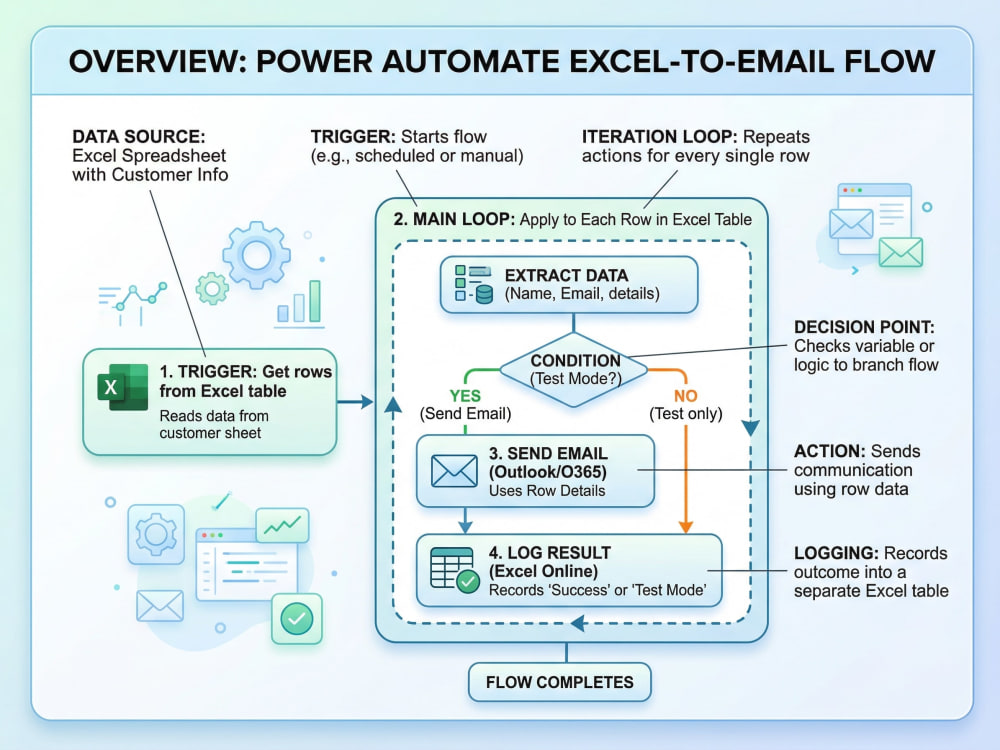
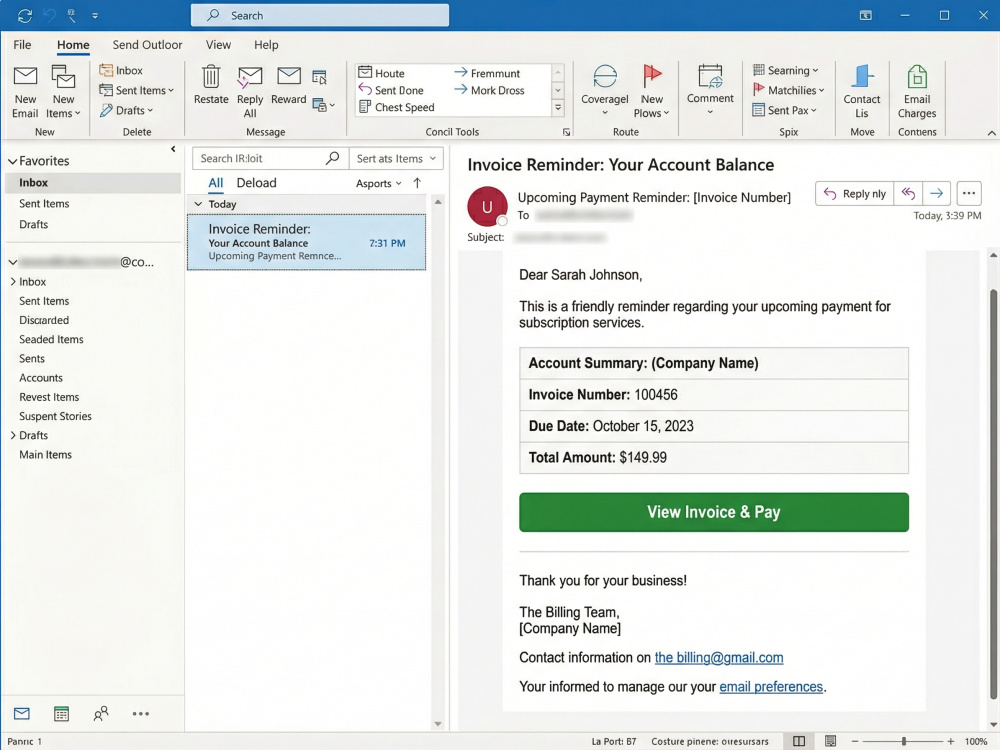
I'll build a Power Automate flow that reads your Excel mailing list and sends each email personalised with that person's data - name, amount, date, account number, whatever you need - in one automated run.
I'm a citizen developer with a background in finance operations. I've built this kind of automation for real teams, and I know the edge cases: approval gates, test modes, shared mailboxes, error logging, and the moment someone asks "how do I know it actually sent?" Everything I build handles that.
Every tier includes:
• Fully built and tested Power Automate flow
• Dynamic email template you control
• Test mode before live sending
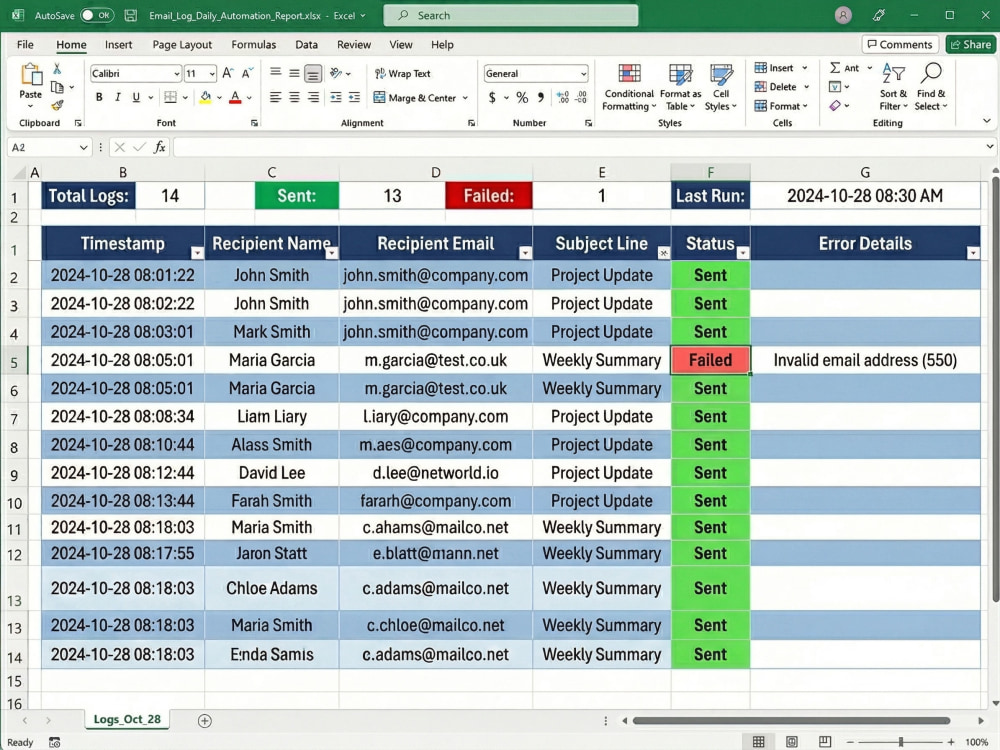
• Error handling and send logging in Excel
• Documentation so your team can run it independently
Your team shouldn't spend hours on manual email work. Let the flow do it.
I'll build a Power Automate flow that reads your Excel mailing list and sends each email personalised with that person's data - name, amount, date, account number, whatever you need - in one automated run.
I'm a citizen developer with a background in finance operations. I've built this kind of automation for real teams, and I know the edge cases: approval gates, test modes, shared mailboxes, error logging, and the moment someone asks "how do I know it actually sent?" Everything I build handles that.
Every tier includes:
• Fully built and tested Power Automate flow
• Dynamic email template you control
• Test mode before live sending
• Error handling and send logging in Excel
• Documentation so your team can run it independently
Your team shouldn't spend hours on manual email work. Let the flow do it.
Web Programming Project
API Development, API IntegrationProgramming Languages
HTML & CSS, JavaScript, TypeScriptCoding Expertise
Cross Browser & Device Compatibility, Performance Optimization, DesignWhat's included
| Service Tiers |
Starter
$250
|
Standard
$500
|
Advanced
$850
|
|---|---|---|---|
| Delivery Time | 4 days | 6 days | 8 days |
Number of Revisions | 1 | 2 | 3 |
Source Code |
Optional add-ons
You can add these on the next page.
Additional Revision
+$120Frequently asked questions
About Bianca
M365 enablement and adoption specialist for small teams
Caulfield North, Australia - 4:32 am local time
I'm a citizen developer. I bridge the gap between the business problem and the build that fixes it. Not by logging a ticket and waiting. By understanding what's actually broken and building the thing that solves it.
I started in 2012 with Excel and VBA, then SharePoint Lists, then the Power Platform, then Office Scripts and TypeScript when the platform ran out of road. Each version was the answer to a problem the previous one couldn't solve. I didn't plan to become a developer. I just kept running out of ways to make Excel do things it wasn't designed to do.
What I help with:
- Power Platform builds. Power Automate flows, Power Apps, Office Scripts. Anywhere from a single automation to a full multi-user system with its own data model, interface, and analytics.
- SharePoint and M365 enablement. Intranets that people actually use, governance that doesn't require a PhD to follow, and information architecture designed around how your team works, not how IT wishes they worked.
- Adoption and training. If you've rolled out M365 and half your team is still working the old way, I've run adoption programs for 2,000+ staff and I know the difference between a training event and a change that sticks.
- Excel and automation. When the right fix is a well-built spreadsheet or a formula someone should have written years ago, I'll build that too.
I'm Microsoft Certified (PL-300) and I've shipped a product to Microsoft AppSource. I document everything I build at bianca.codes, practical blueprints for business-side people who've been told something isn't possible by someone who hasn't tried.
If your tools aren't working like they should, let's talk.
Steps for completing your project
After purchasing the project, send requirements so Bianca can start the project.
Delivery time starts when Bianca receives requirements from you.
Bianca works on your project following the steps below.
Revisions may occur after the delivery date.
Gather your data and email template requirements
You send me your Excel file, describe the email format, and confirm who approves (if using approval gate). I clarify any merge fields needed and confirm the logic (conditions, date formats, special cases). No surprises here.
Build, test, and configure the flow in Power Automate
I build the flow with all connectors, create the email template, set up test mode, add error handling, and create the Excel logging table. I test with your sample data. You'll see everything working before final delivery.