You will get a Robust Project Budget Tracking and Alerts
Project details
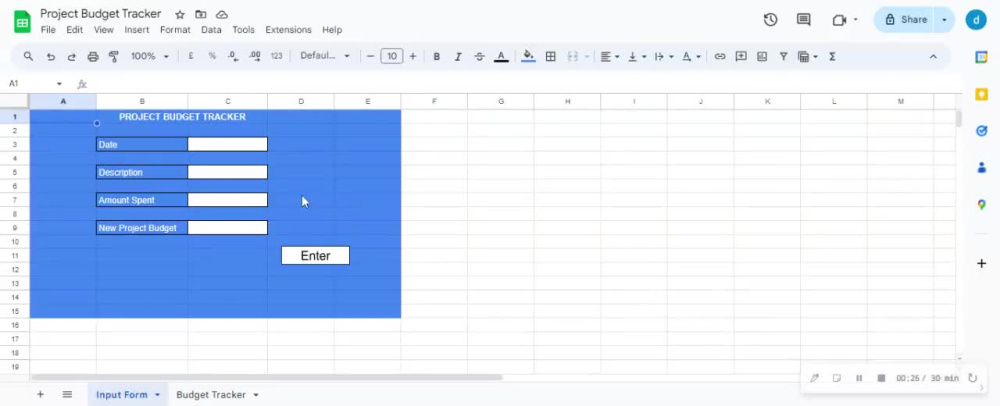
Keep your projects on track with automated budget tracking and alerts. Monitor spending, forecast costs, and stay within budget with tailored Google Sheets solutions
Programming Languages
JavaScriptWhat's included $20
These options are included with the project scope.
$20
- Delivery Time 2 days
- Number of Revisions 2
Optional add-ons
You can add these on the next page.
Fast 1 Day Delivery
+$10
Additional Revision
+$10About Divine
Google Sheets & Apps Script Expert | Fix Scripts & Automate Work
Abuja, Nigeria - 2:17 pm local time
If you're seeing "Script Error," "Exceeded Execution Time," or "API Error" — stop stressing. I can fix it, usually diagnosing the problem within 15 minutes.
I'm a Google Apps Script specialist. I help businesses that run on Google Sheets turn fragile, manual spreadsheets into automated systems that run themselves.
What I do:
🔧 Debug & Rescue — Fix broken scripts, 502 errors, timeout limits, and trigger failures that keep crashing your workflow.
🔗 Connect — Make your Sheets talk to Gmail, Twilio, WhatsApp, Slack, payment APIs, and CRMs so data moves automatically instead of by copy-paste.
⚡ Optimize — Rewrite slow, bloated scripts to run up to 10x faster and stay within Google's execution limits.
🤖 Automate — Build custom web apps, dashboards, and unattended automations that run 24/7 without you touching them.
Recent results:
Built a Twilio SMS automation handling thousands of triggers reliably, with zero crashes.
Deployed a custom web app for live inventory tracking.
Beyond Sheets, I build production Python automations deployed on cloud servers (VPS) that run continuously and call live APIs — so when your project outgrows Apps Script, I can take it further.
I work fast, communicate clearly, and I don't disappear mid-project.
Invite me to your job—I'll diagnose your error and tell you exactly what's wrong, often within 15 minutes.
Steps for completing your project
After purchasing the project, send requirements so Divine can start the project.
Delivery time starts when Divine receives requirements from you.
Divine works on your project following the steps below.
Revisions may occur after the delivery date.
Initial Consultation:
Discuss project requirements, objectives, and specific features needed. Review any existing budget data or systems for integration.
Requirement Analysis:
Gather detailed information on budget tracking needs, alert criteria, and reporting preferences. Finalize project scope and deliverables.