You will get automated PDF reports and email delivery from Google Sheets
Rising Talent
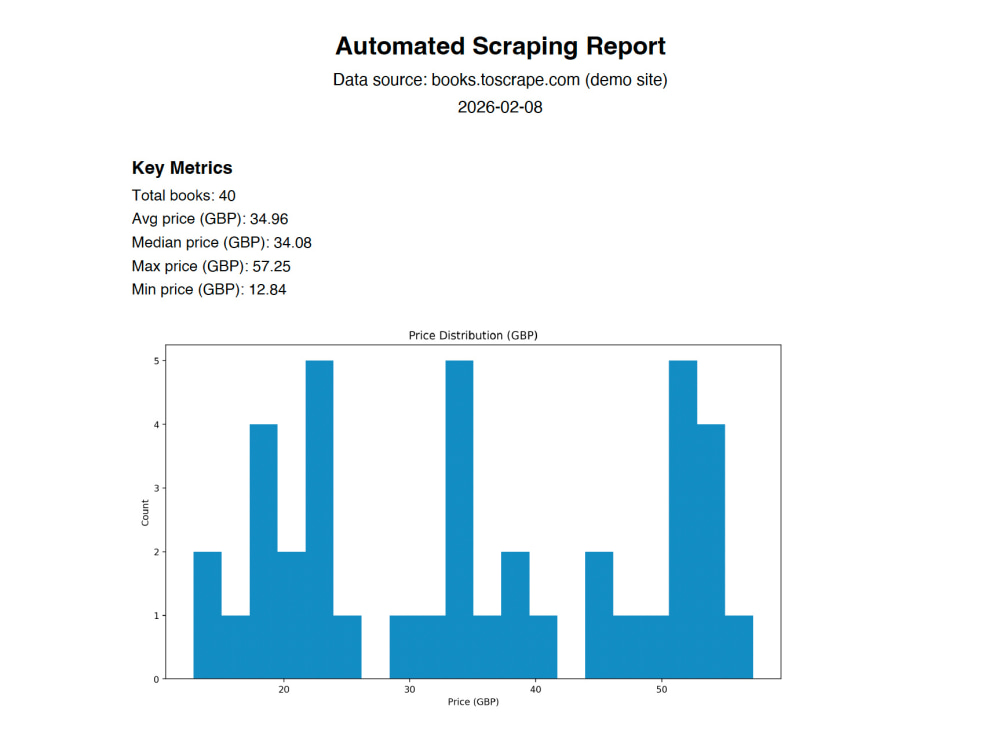
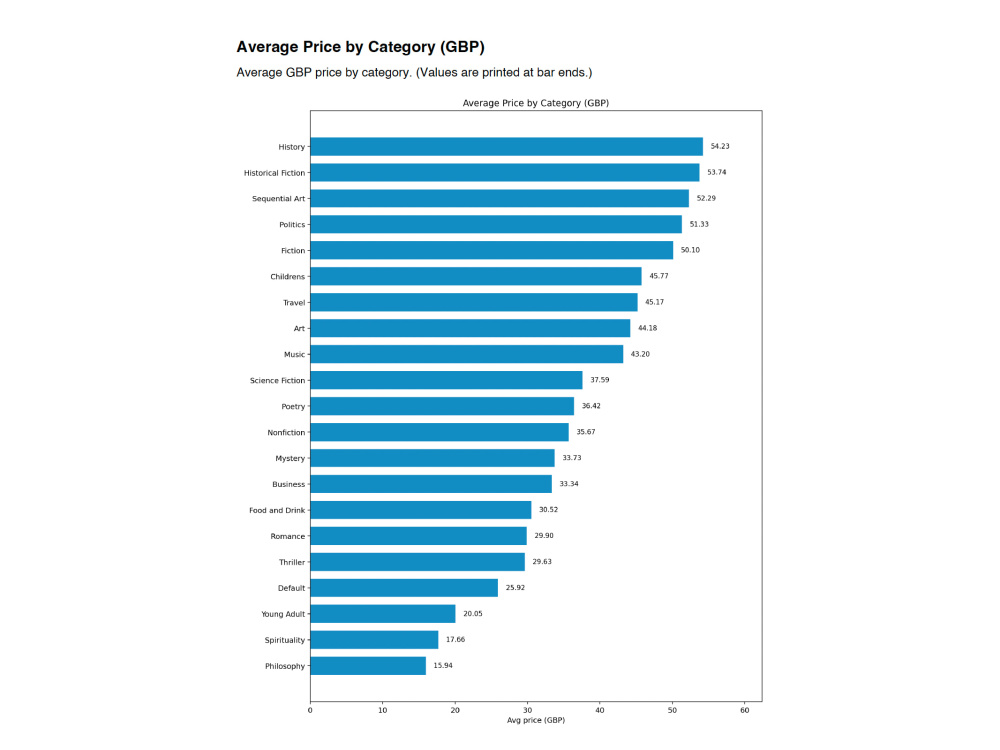
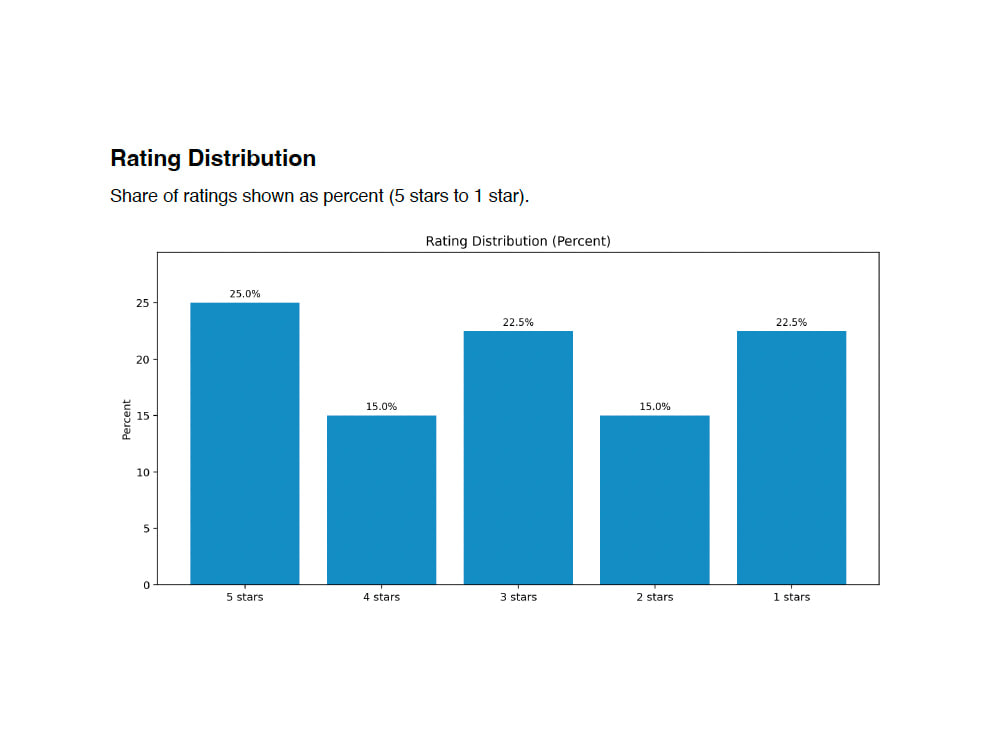
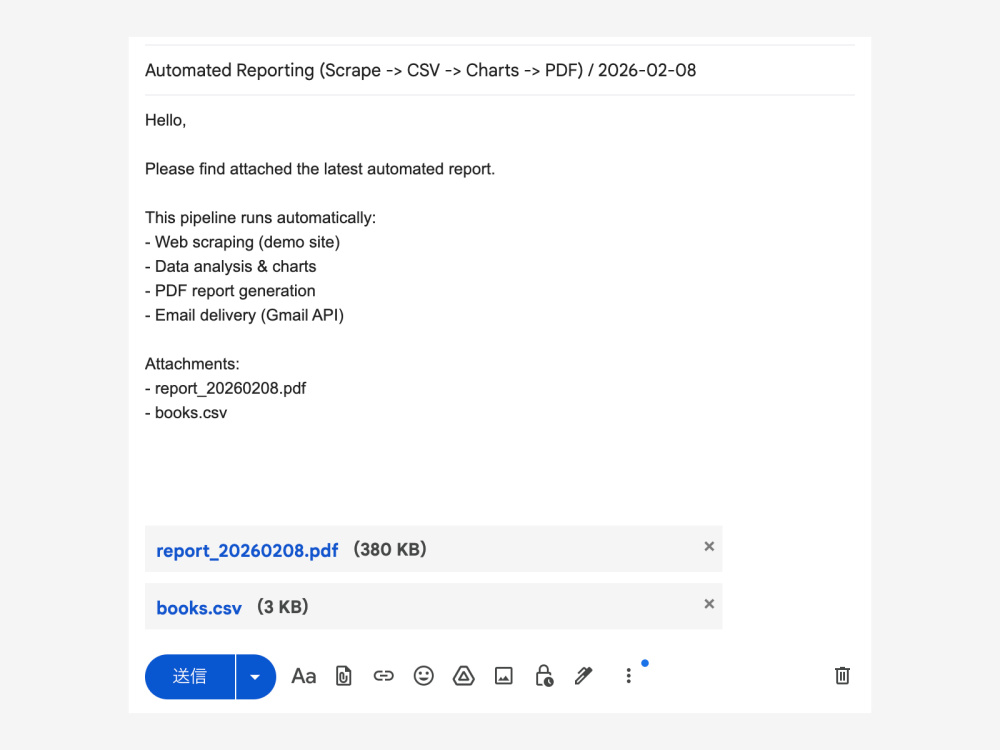
Rising Talent
Project details
I will automate your recurring reporting workflow using Python, with Google Sheets or CSV as the main input.
Typical workflow:
1) Read data from Google Sheets or CSV.
2) Clean/transform data, generate charts, and build a PDF report.
3) Prepare email delivery with Gmail draft by default.
What you receive:
• A rerun-friendly mini-system with clear configuration
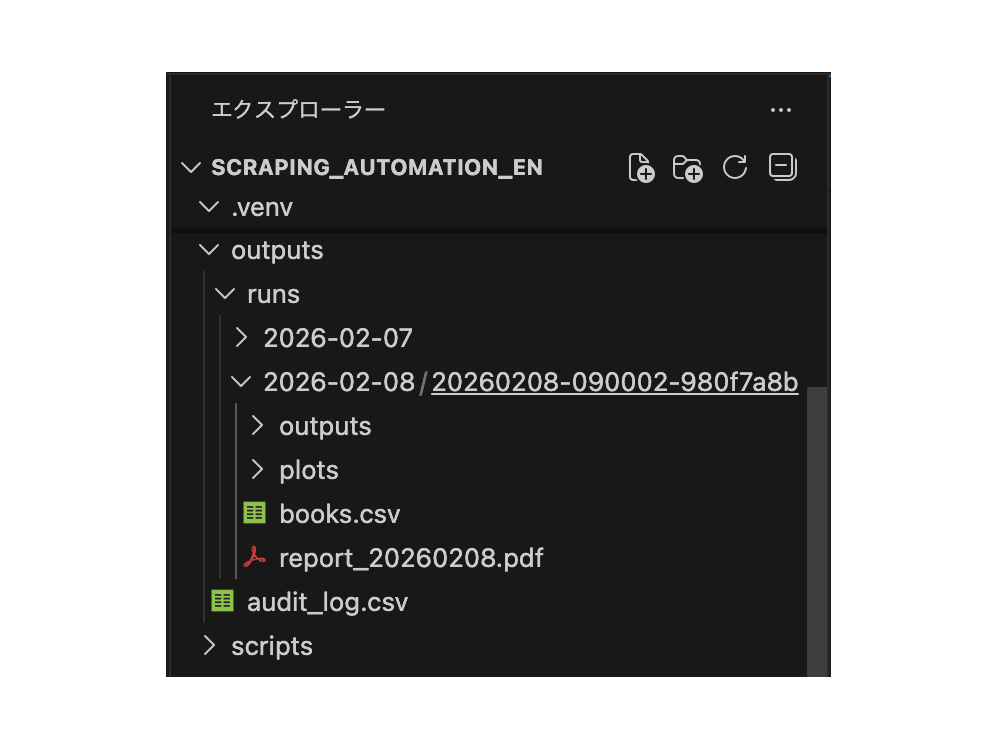
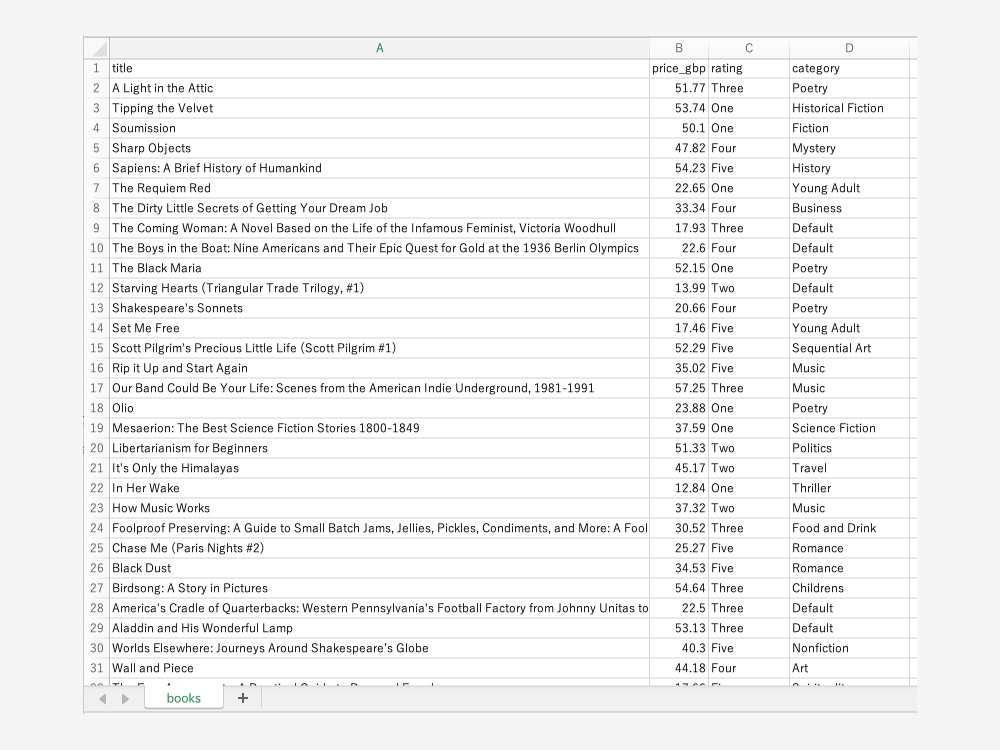
• Output artifacts such as CSV, charts, and PDF
• Basic status/error visibility and setup notes
Optional scope:
Web scraping or alternative delivery methods can be added if appropriate.
Typical workflow:
1) Read data from Google Sheets or CSV.
2) Clean/transform data, generate charts, and build a PDF report.
3) Prepare email delivery with Gmail draft by default.
What you receive:
• A rerun-friendly mini-system with clear configuration
• Output artifacts such as CSV, charts, and PDF
• Basic status/error visibility and setup notes
Optional scope:
Web scraping or alternative delivery methods can be added if appropriate.
Programming Languages
PythonWhat's included
| Service Tiers |
Starter
$299
|
Standard
$499
|
Advanced
$799
|
|---|---|---|---|
| Delivery Time | 5 days | 7 days | 10 days |
Number of Revisions | 1 | 2 | 2 |
Number of Pages Mined/Scraped | 1 | 3 | 5 |
Number of Sources Mined/Scraped | 1 | 1 | 2 |
Install Script | |||
Test Script | |||
Task Automation |
Optional add-ons
You can add these on the next page.
Fast Delivery
+$80 - $180
Additional Revision
+$50
Additional Page Mined/Scraped
(+ 1 Day)
+$60
Additional Source Mined/Scraped
(+ 1 Day)
+$120Frequently asked questions
About Shigeru
Python & Google Apps Script Automation for Sheets, PDF, Gmail
Chiba, Japan - 6:13 am local time
My core specialty is Google Sheets-centered automation: ingesting data from Gmail/API sources, extracting and normalizing structured fields (including AI-assisted extraction when useful), generating outputs (PDFs/reports), and preparing or sending email delivery workflows.
I focus on practical operations, not just scripts:
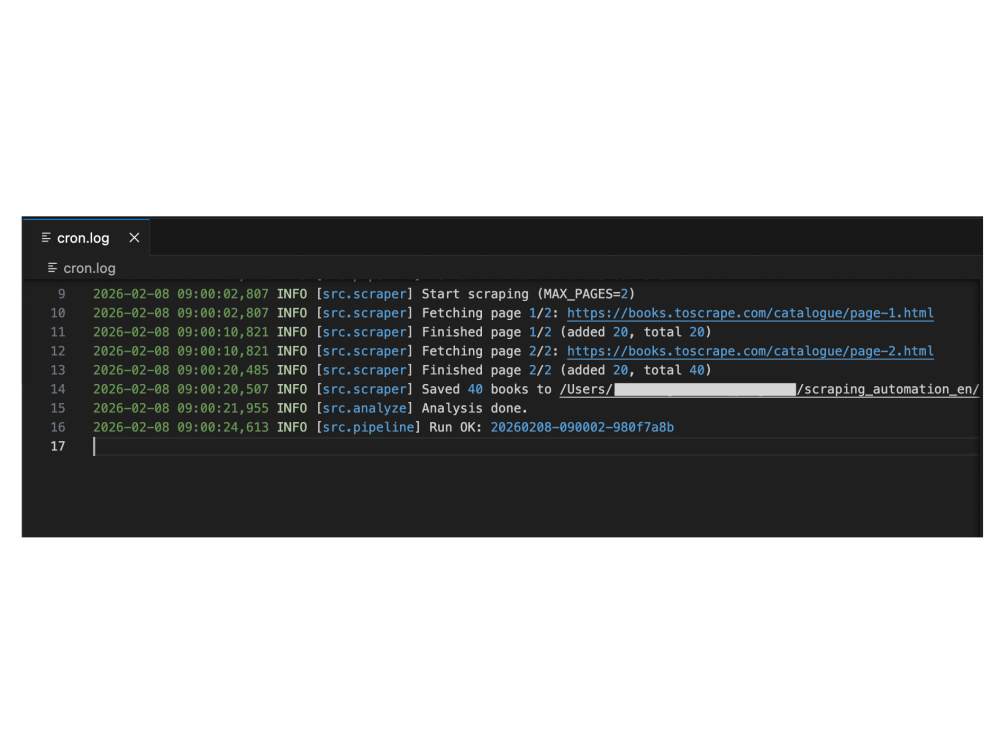
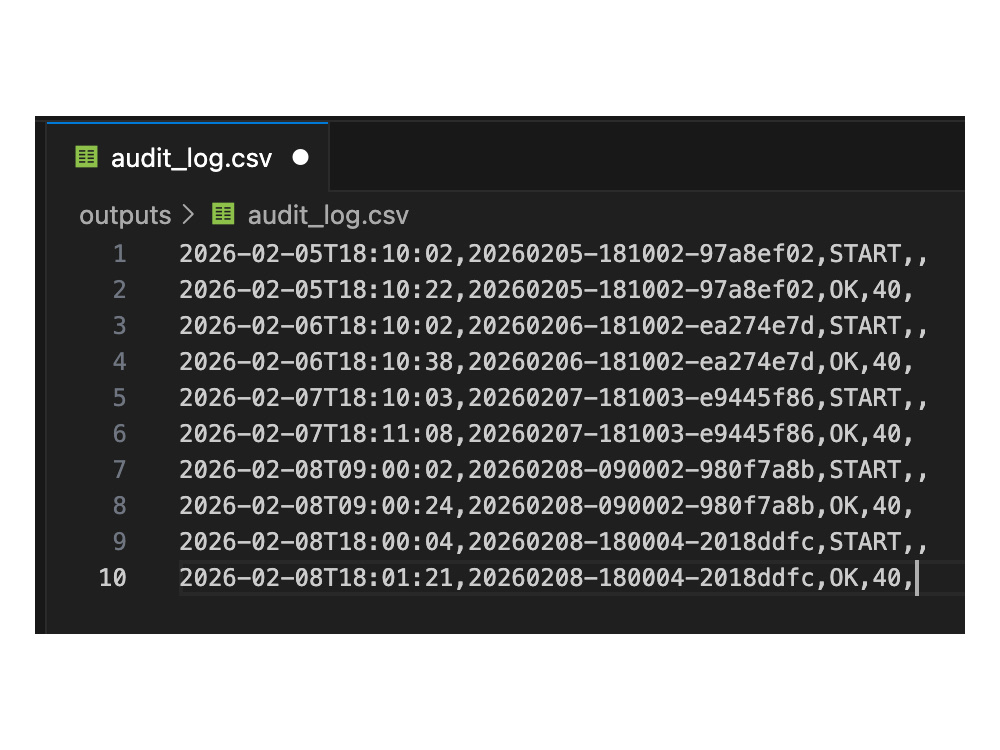
- audit-ready logs (run_id, status/error tracking)
- duplicate prevention and rerun-safe design
- clear configuration and maintainable structure
- lightweight systems for teams before ERP/CRM adoption
---
Core workflows I build:
- Google Sheets → PDF (invoices, receipts, reports)
- Gmail/API → Google Sheets intake automation
- Scheduled reporting pipelines (ingest → transform → output)
- Email delivery automation (Gmail API drafts/send, optional SMTP)
- Google Apps Script automations with time-driven triggers
---
Recent portfolio work:
- Python Automation: scrape/ingest data → CSV → charts → multi-page PDF → email workflow (logged, reproducible, auditable)
- Gmail to Sheets AI Intake Automation (Google Apps Script + Gemini): scheduled Gmail query, structured extraction, append-only audit log, duplicate prevention (label + msg_id checkpoint), and status/error tracking
- Google Sheets → PDF invoice / receipt automation (Drive + Gmail integration)
---
Typical problems I solve:
- “We use Google Sheets but still create PDFs and emails manually.”
- “We need weekly/monthly reports generated and delivered automatically.”
- “We need a Google Apps Script workflow with logs and safe re-runs.”
- “We want a lightweight system before moving to a full ERP/CRM.”
---
What you get:
- Maintainable Python and/or Google Apps Script code
- Clear configuration and setup instructions
- Operationally usable outputs (Sheets/PDF/email flow)
- Documentation (README + setup + run procedure)
- Basic audit logging and rerun guidance
---
How I work:
- Communication: Upwork messages only (async, written-first)
- Timezone: JST (UTC+9), weekday response within 24 hours
- Process:
1) Confirm inputs/outputs and one sample (redacted is OK)
2) Build the end-to-end automation
3) Deliver a documented mini-system you can run and maintain
If you share your workflow and one sample file/email/report, I can propose the simplest build plan with a clear scope.
Steps for completing your project
After purchasing the project, send requirements so Shigeru can start the project.
Delivery time starts when Shigeru receives requirements from you.
Shigeru works on your project following the steps below.
Revisions may occur after the delivery date.
Confirm report layout, data source, and delivery rules
We confirm report sections, required columns, chart needs, and the delivery method. Please share one sample Google Sheet or CSV and one sample output report (redacted is fine).
Build and test the reporting automation
I build the workflow for data cleanup, chart generation, PDF report creation, and email delivery preparation. We test with your sample data and refine the output based on the selected tier.