Alexander isn't taking new orders for this project right now. Here are some similar projects to explore.
You will get client intake automation with qualification routing
Project details
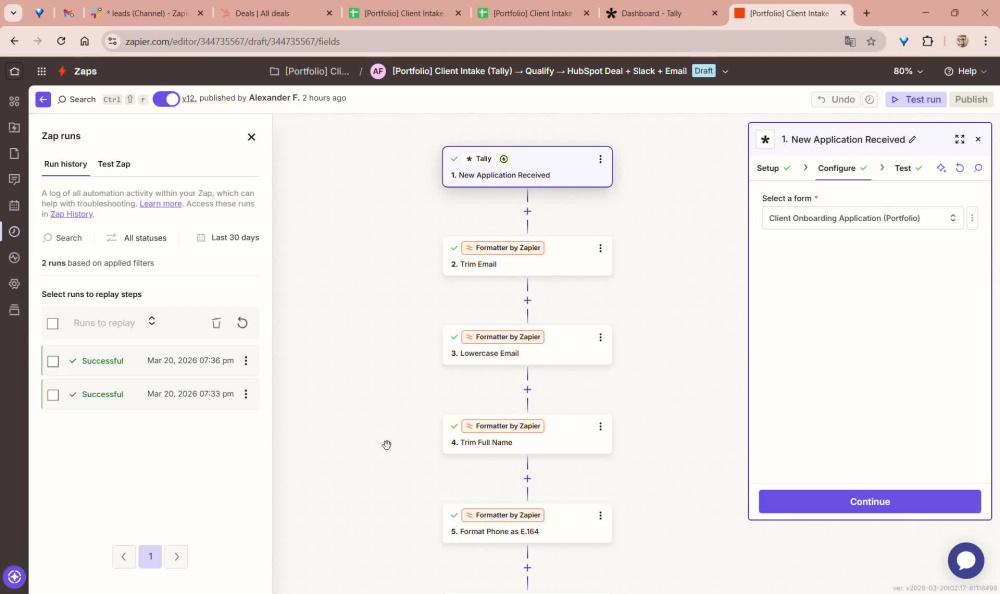
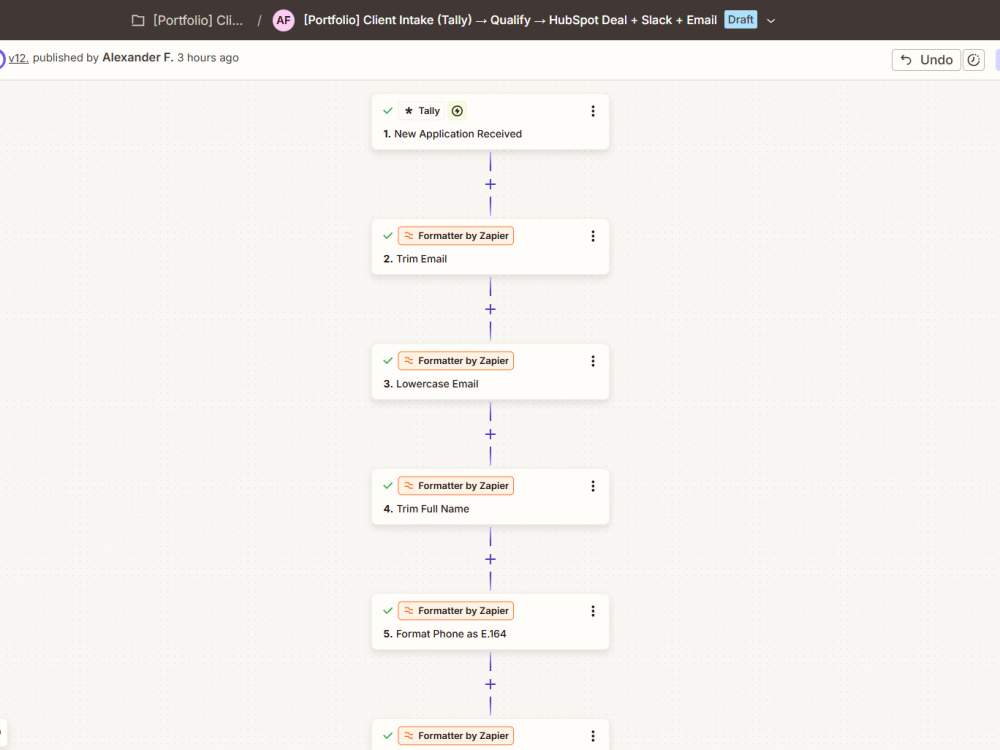
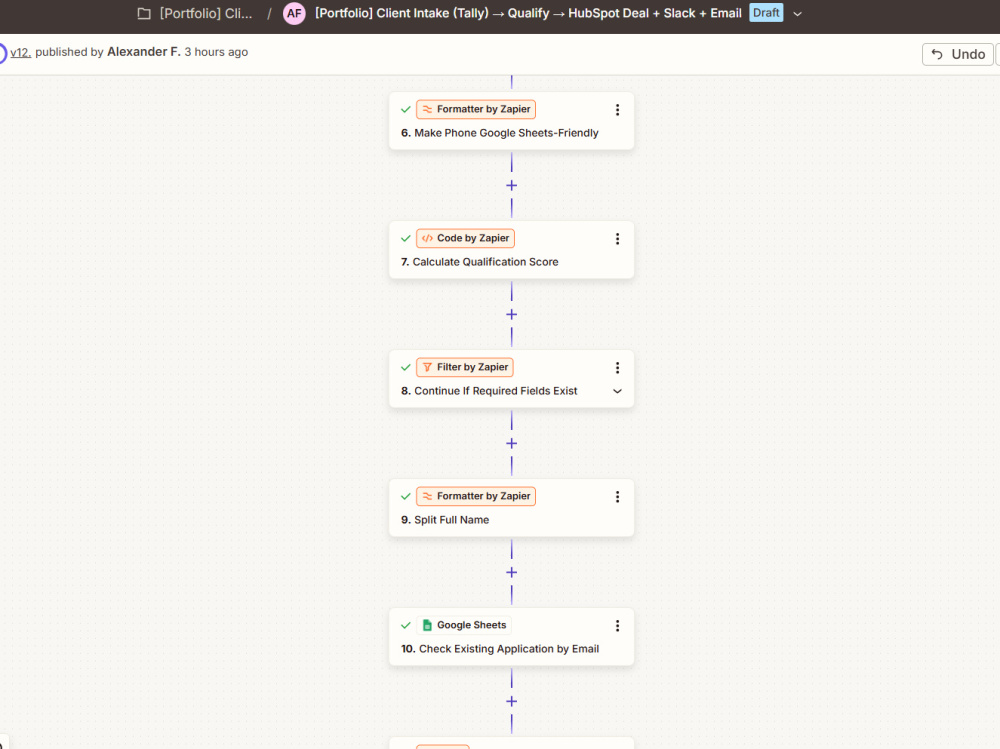
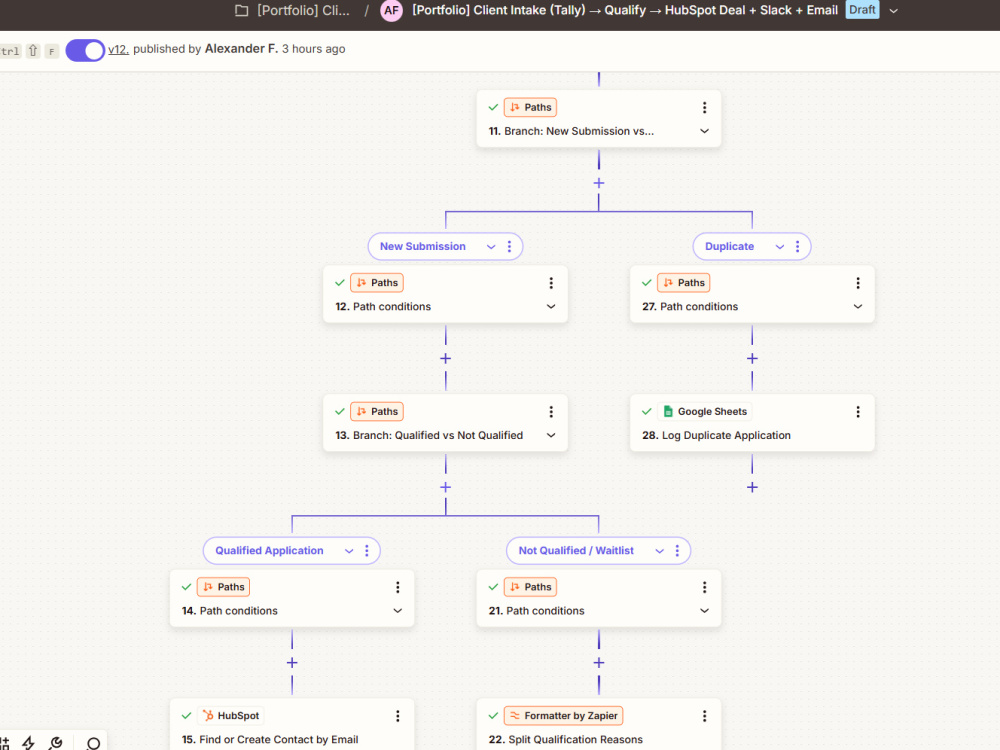
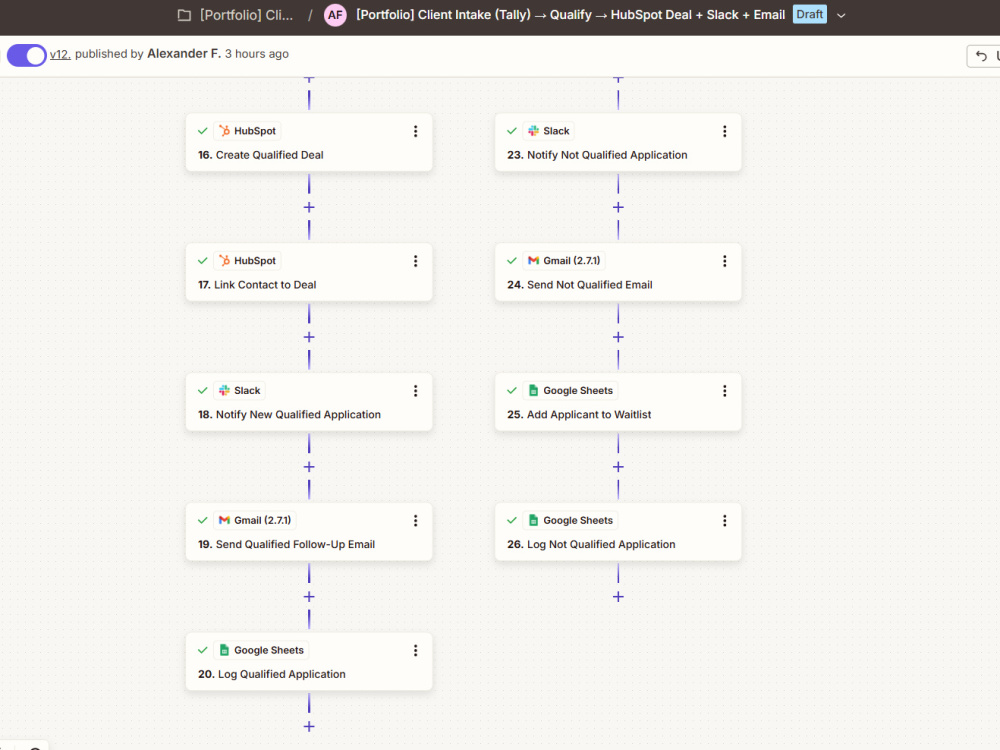
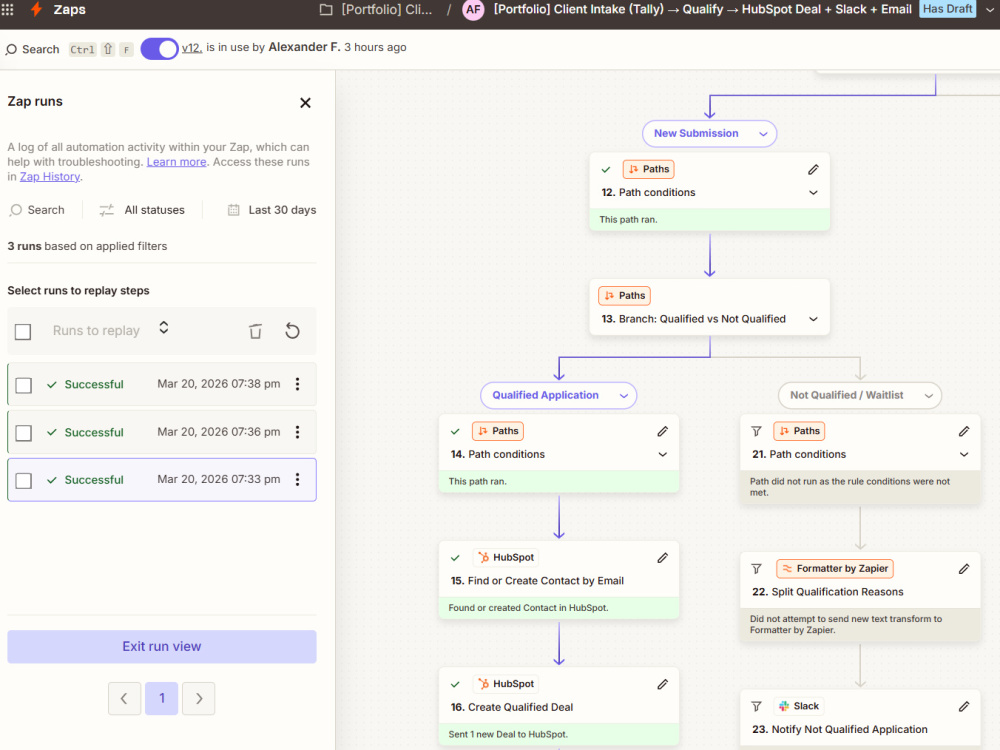
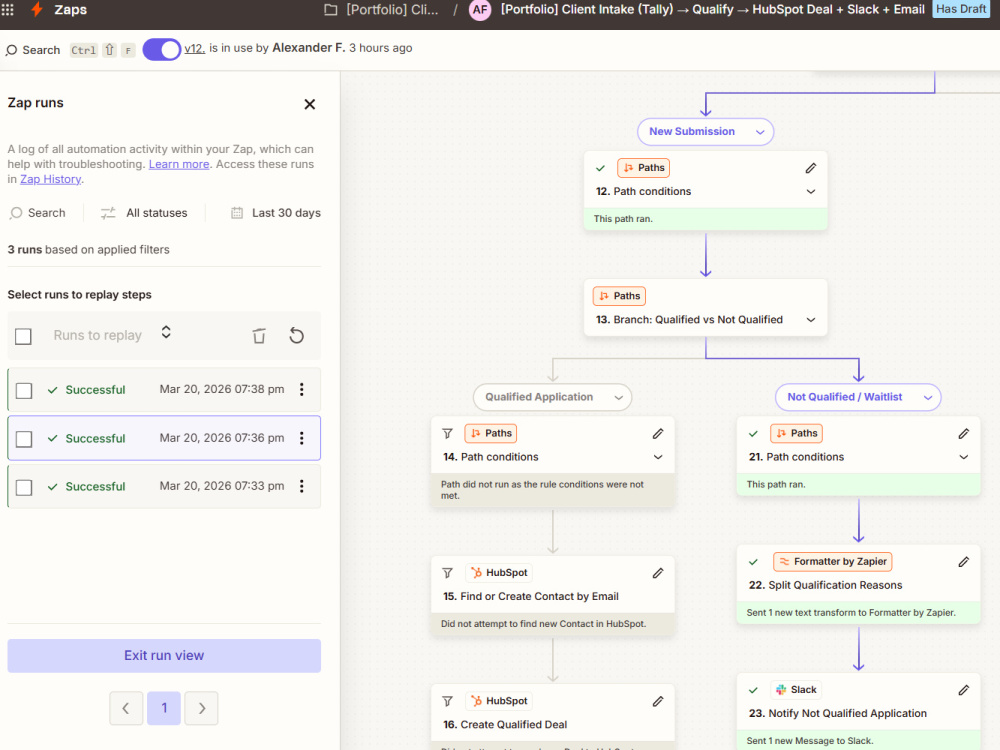
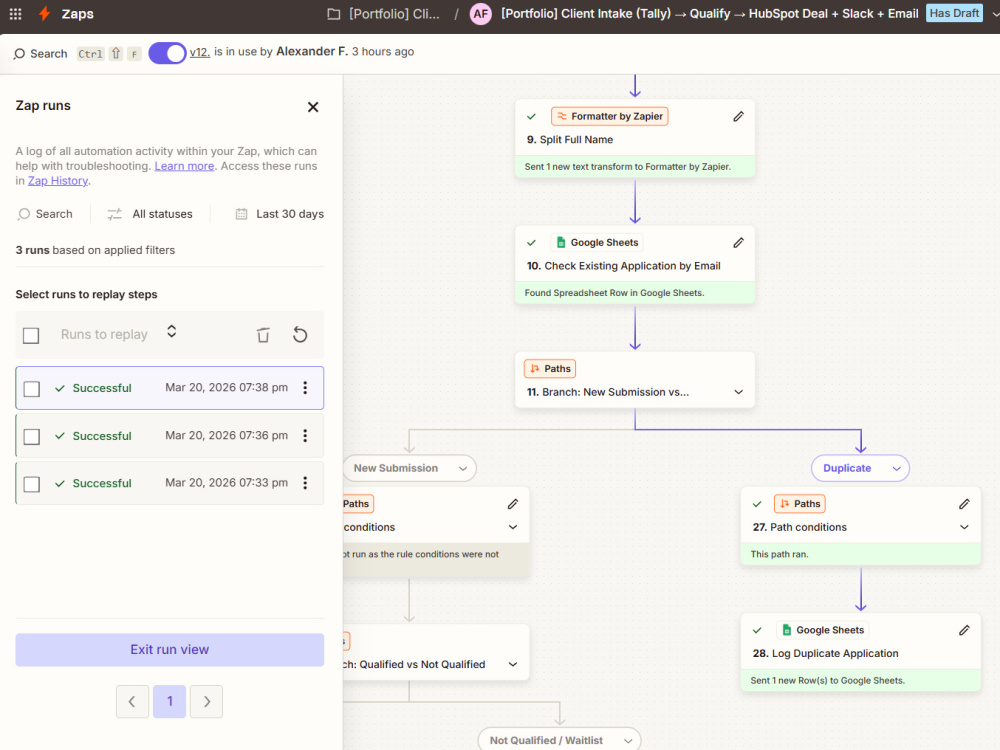
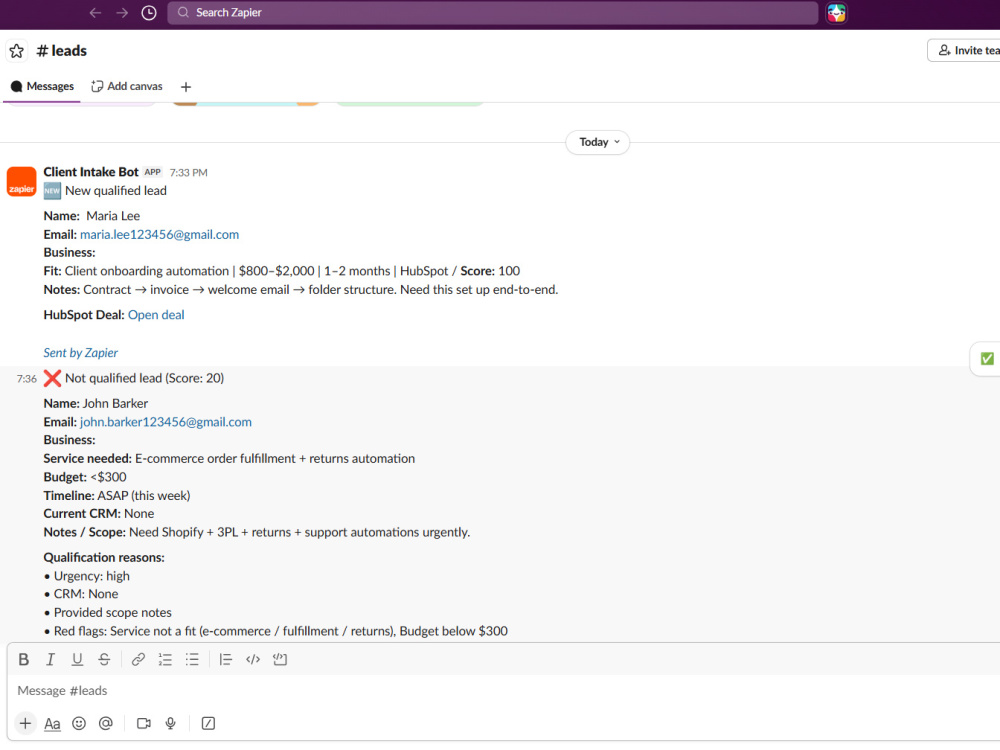
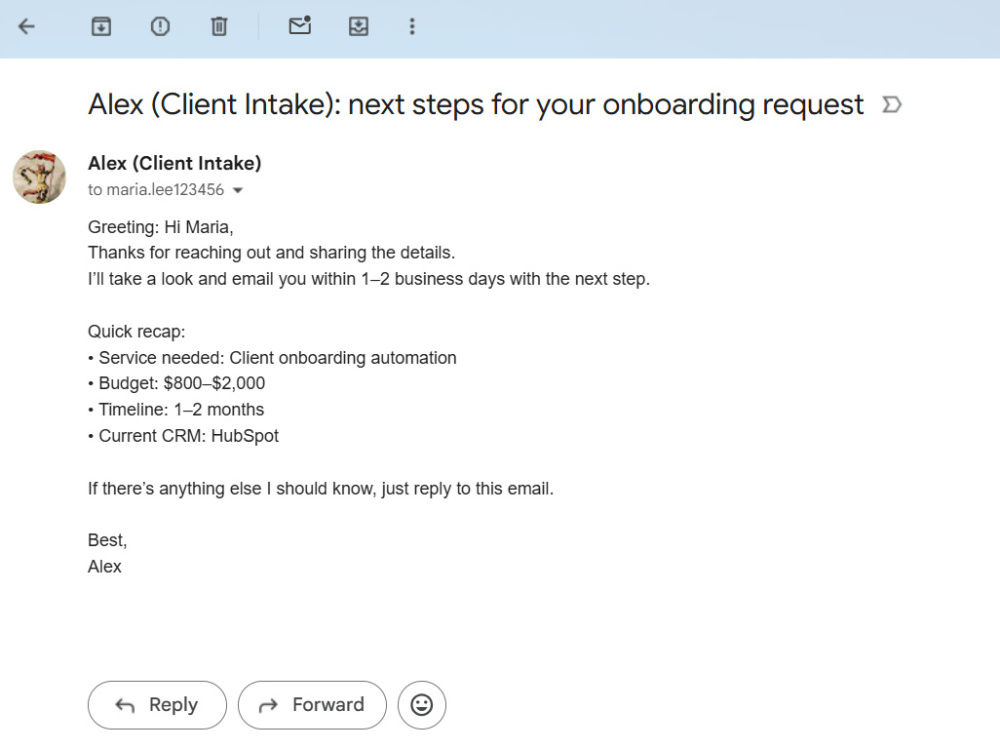
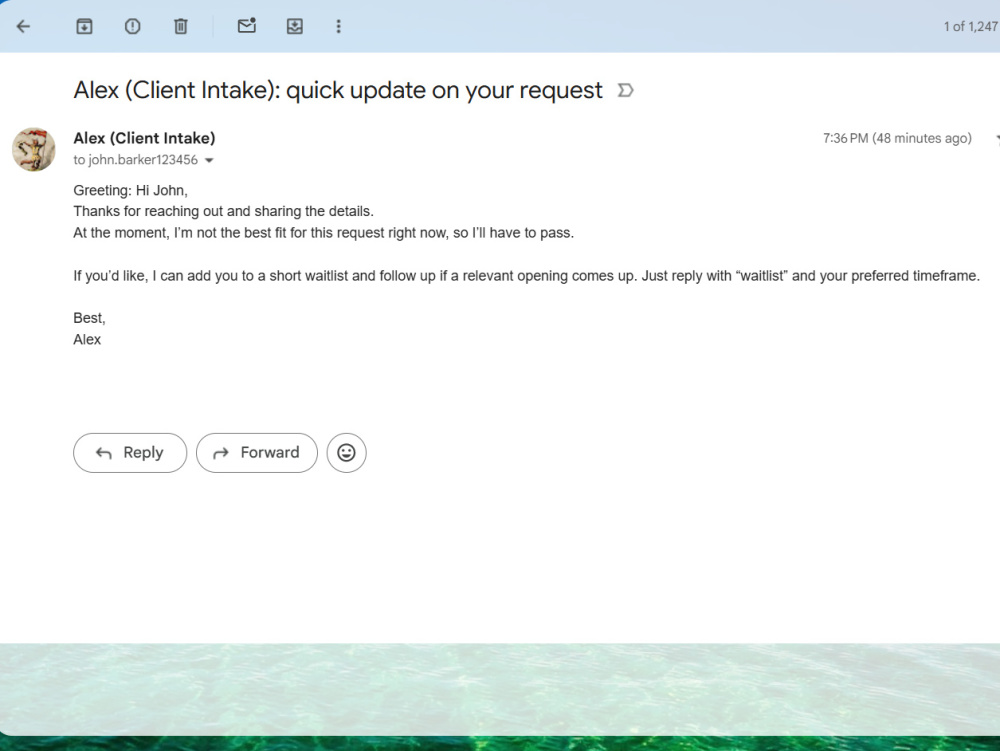
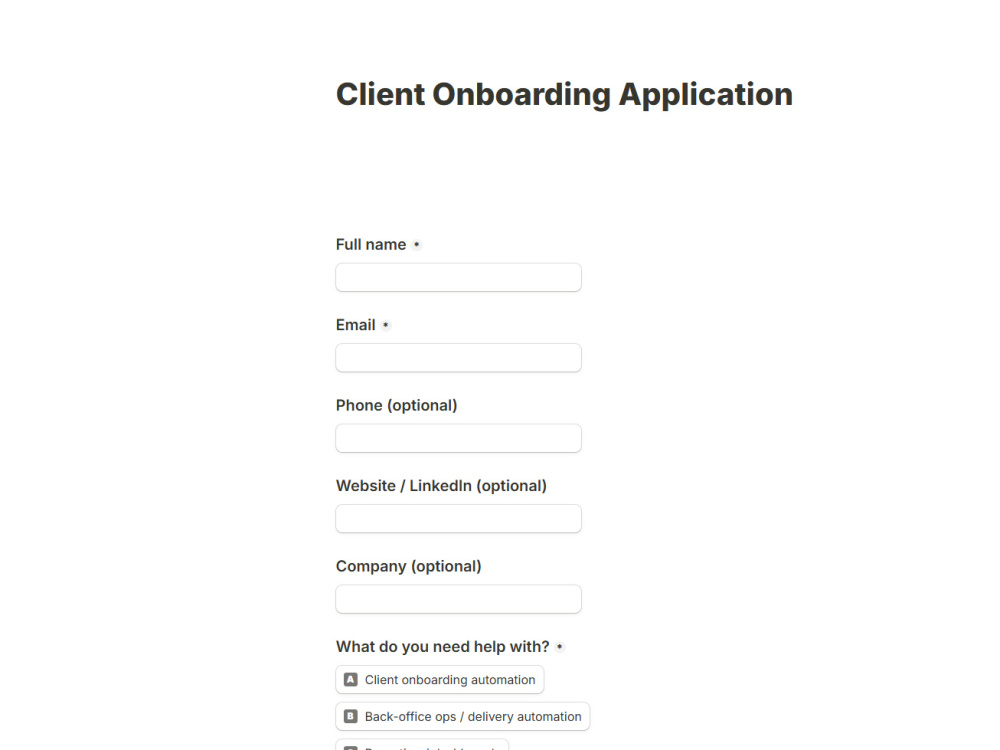
I will build a client intake automation that captures new form submissions, checks qualification criteria, routes each application to the right outcome, and sends the needed follow-up automatically.
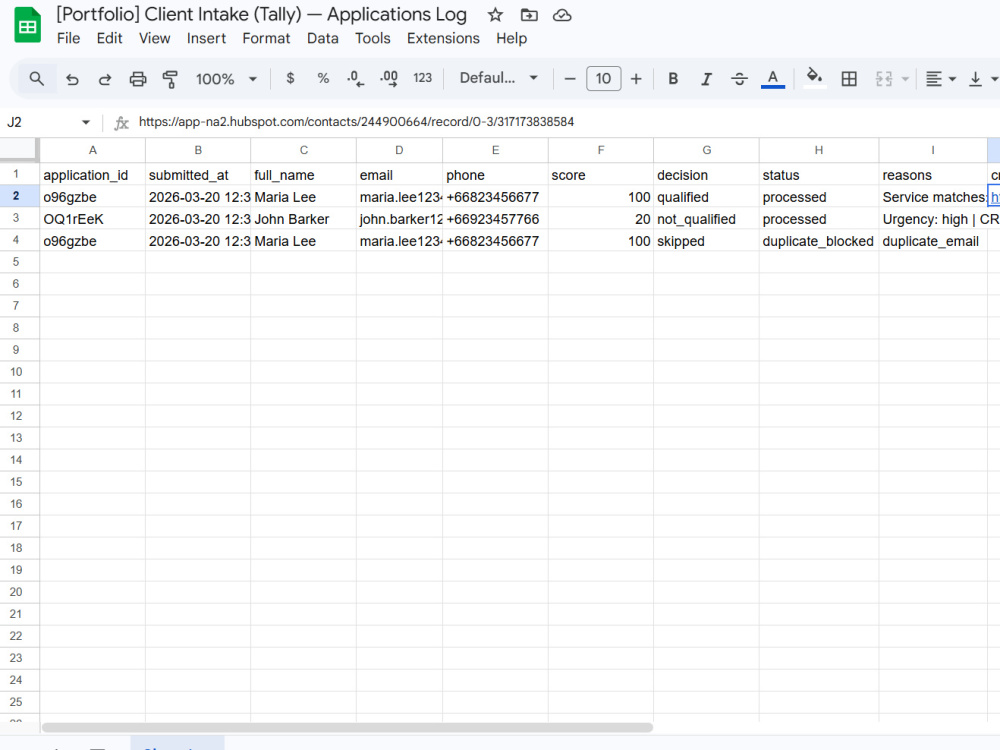
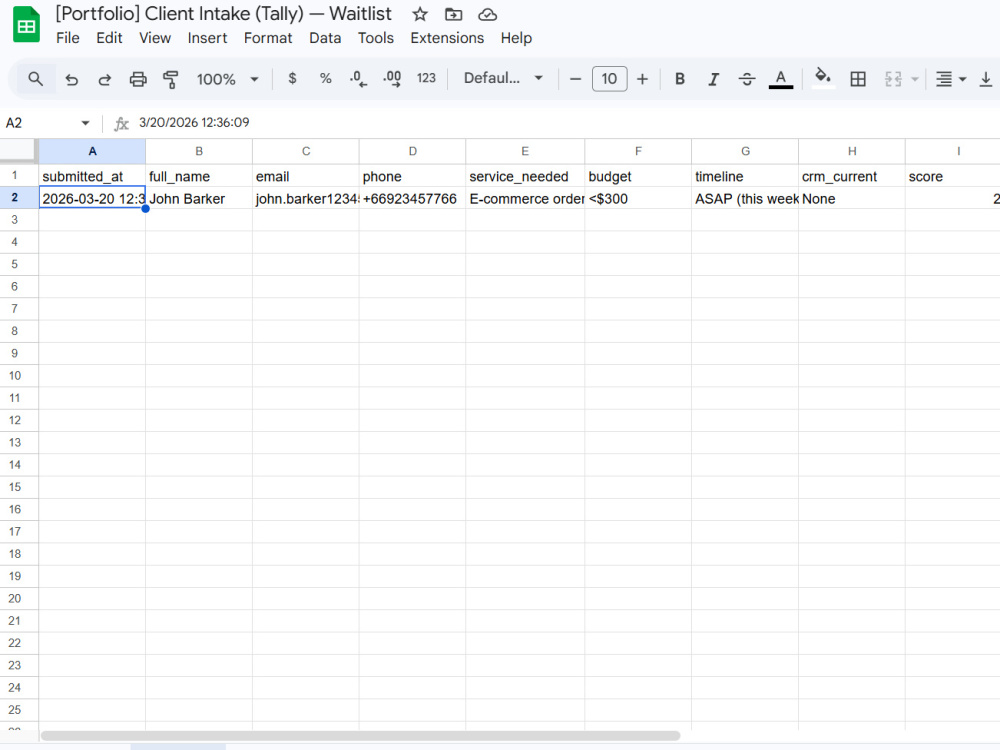
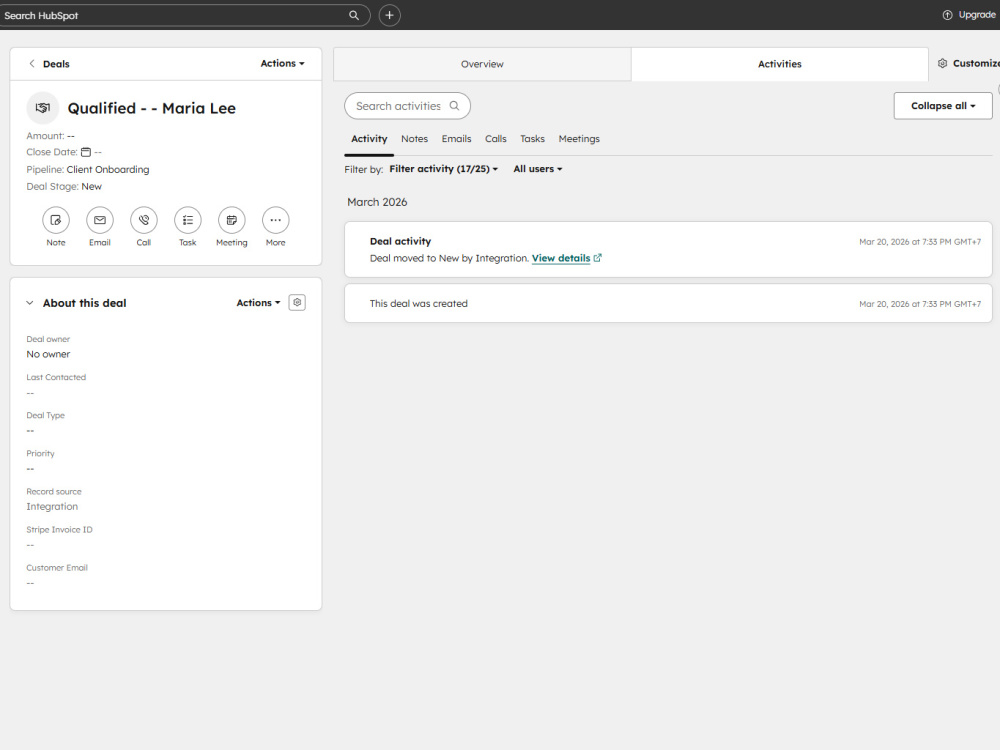
This type of workflow is useful when you want to stop handling intake manually, reduce duplicate submissions, keep your CRM cleaner, and make sure qualified leads are not missed. Depending on scope, the automation can include form intake, scoring or qualification logic, duplicate checks, CRM actions, internal alerts, applicant emails, waitlist handling, and Google Sheets logging.
The example in this project uses Tally, HubSpot, Slack, Gmail, and Google Sheets, but I can also work with equivalent tools in your stack. That includes alternatives for forms, CRMs, spreadsheets, and team notifications, as long as they support the required automation steps.
You’ll get a structured intake workflow, clear routing logic, end-to-end setup, and tested handoff so the process is easier to run and maintain.
This type of workflow is useful when you want to stop handling intake manually, reduce duplicate submissions, keep your CRM cleaner, and make sure qualified leads are not missed. Depending on scope, the automation can include form intake, scoring or qualification logic, duplicate checks, CRM actions, internal alerts, applicant emails, waitlist handling, and Google Sheets logging.
The example in this project uses Tally, HubSpot, Slack, Gmail, and Google Sheets, but I can also work with equivalent tools in your stack. That includes alternatives for forms, CRMs, spreadsheets, and team notifications, as long as they support the required automation steps.
You’ll get a structured intake workflow, clear routing logic, end-to-end setup, and tested handoff so the process is easier to run and maintain.
What's included
| Service Tiers |
Starter
$99
|
Standard
$199
|
Advanced
$329
|
|---|---|---|---|
| Delivery Time | 3 days | 5 days | 7 days |
Number of Revisions | 1 | 2 | 3 |
Number of Pages | 1 | 1 | 1 |
Design Customization | - | - | - |
Content Upload | - | - | - |
Responsive Design | - | - | - |
Source Code | - | - | - |
Optional add-ons
You can add these on the next page.
Fast Delivery
+$35 - $85
Additional Revision
+$30
Extra routing path
(+ 2 Days)
+$60
Extra app action
(+ 1 Day)
+$50Frequently asked questions
About Alexander
Business Process Automation (Zapier-based)
Chiang Mai, Thailand - 11:41 am local time
Typical outcomes: fewer manual steps, faster response times, cleaner CRM data, and consistent client communication.
You get a working automation, tested workflows, clear documentation, and a clean handoff.
What I build in Zapier:
▪︎ Lead capture → CRM → qualification → follow-up workflows, adapted to your current tools
▪︎ Client onboarding workflows across email, chat, file storage, task management, and internal handoff
▪︎ Finance ops automations for invoices, reminders, payment-status sync, and record updates
▪︎ Ops reporting, alerts, and audit trails for better visibility across your workflows
▪︎ Support intake, routing, SLA reminders, and team notification workflows
▪︎ Data hygiene workflows: deduplication, tagging, validation, and enrichment-ready pipelines
▪︎ Webhook-based integrations and reliable “glue” between the tools you already use
▪︎ AI onboarding assistants with FAQ resolution, human handoff, transcript logging, and follow-up
How I work (fixed-price friendly): I map your process and edge cases → build in Zapier → test → document → handoff.
Core stack: Zapier (Paths, Filters, Formatter, Webhooks), HubSpot, Slack, Gmail, Stripe, Google Drive, ClickUp, Zoho Desk, Zapier Tables, Airtable, Google Sheets, or equivalents.
If you’re looking for a practical automation setup that saves time and reduces manual work, let’s discuss it.
Steps for completing your project
After purchasing the project, send requirements so Alexander can start the project.
Delivery time starts when Alexander receives requirements from you.
Alexander works on your project following the steps below.
Revisions may occur after the delivery date.
Review intake flow and requirements
I review your current intake process, qualification logic, tools, and desired outcomes to confirm the workflow scope before setup.
Build and connect the automation
I set up the Zapier workflow, connect your form, CRM, notifications, and logging tools, and configure the routing logic for each outcome.