You will get Excel tables merging in one click using VBA



Project details
I propose a solution that will enable you to automatically combine data from several Excel tabs based on a specified rule.
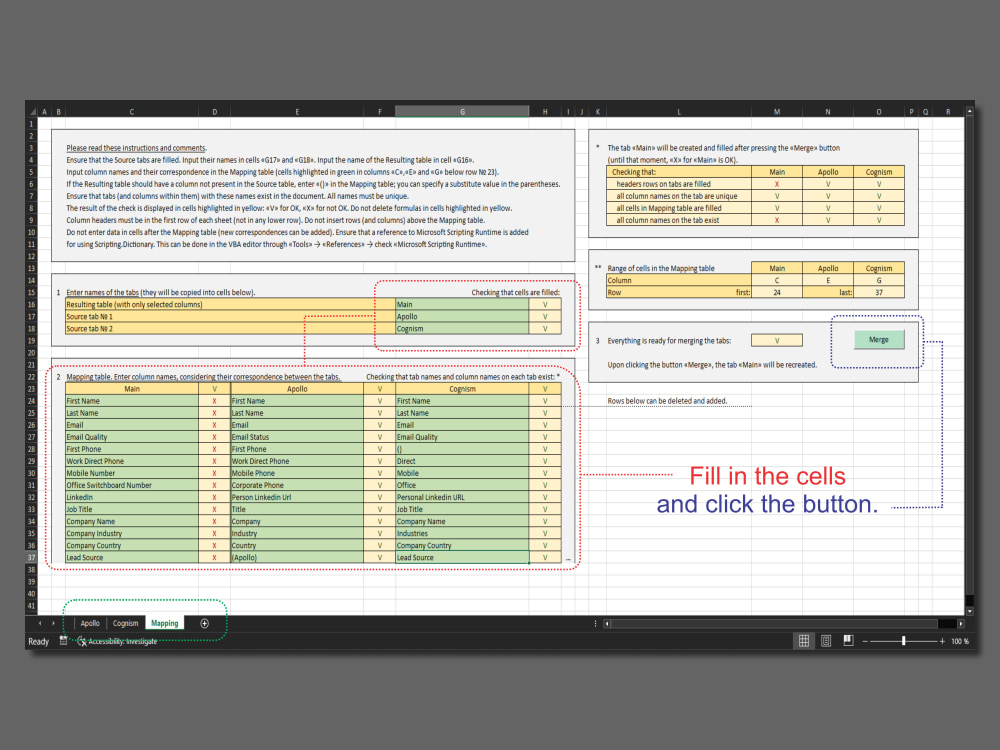
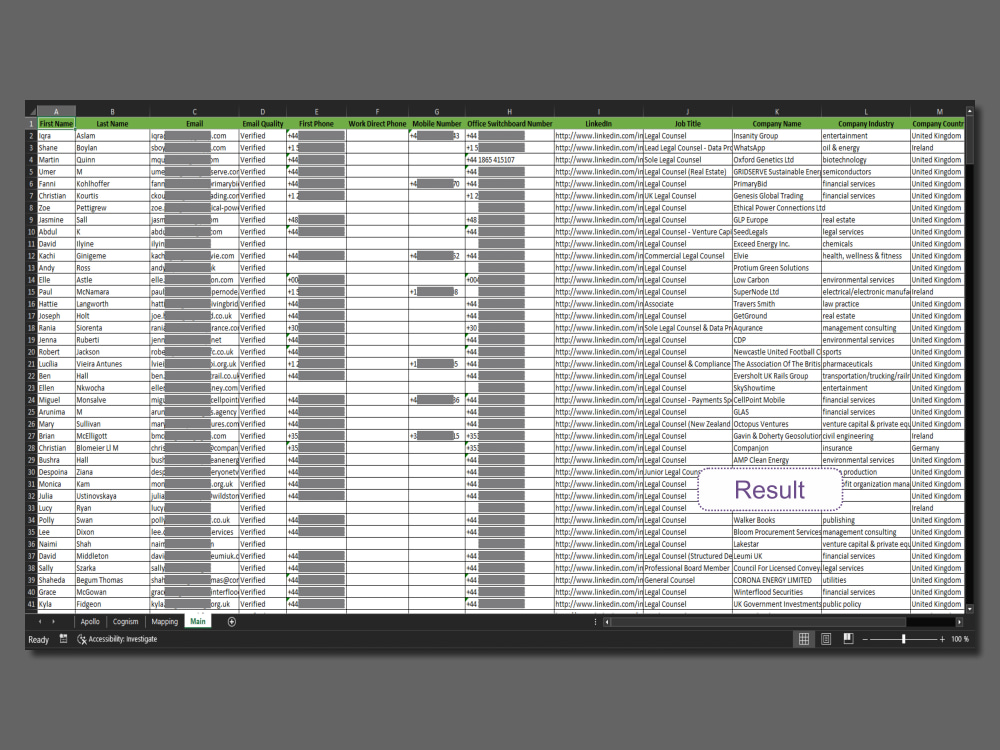
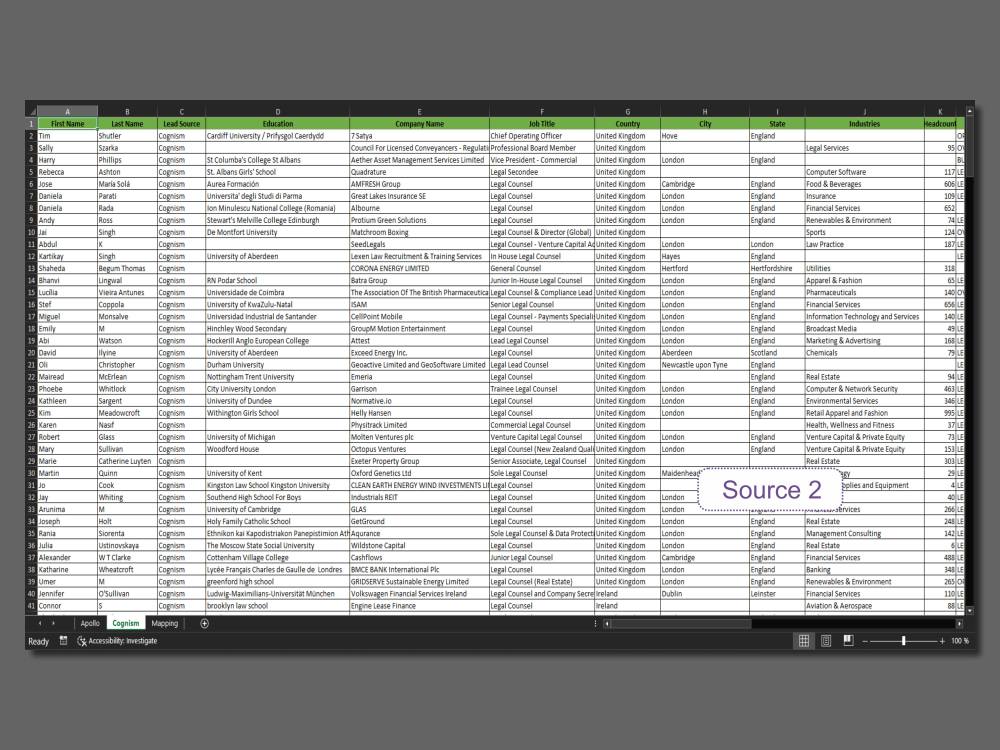
The application of this solution is illustrated in the images accompanying this project. The file "LeadsData.xlsm" contains data exported from the Apollo and Cognism platforms. The tabs are appropriately named. Each tab has more than 50 columns, but not all of them are currently needed. The requirement is to gather all rows from specified columns from both tabs onto a new "Main" tab. The rule for this operation is set on the Mapping table.
The result is only the necessary data in a format that is convenient for analysis.
You will have at your disposal a universal tool that you can use independently:
– add sheets with source data;
– add data to the sheets with source data;
– set new correspondences;
– use the combined sheet as the source.
The application of this solution is illustrated in the images accompanying this project. The file "LeadsData.xlsm" contains data exported from the Apollo and Cognism platforms. The tabs are appropriately named. Each tab has more than 50 columns, but not all of them are currently needed. The requirement is to gather all rows from specified columns from both tabs onto a new "Main" tab. The rule for this operation is set on the Mapping table.
The result is only the necessary data in a format that is convenient for analysis.
You will have at your disposal a universal tool that you can use independently:
– add sheets with source data;
– add data to the sheets with source data;
– set new correspondences;
– use the combined sheet as the source.
Data Tool
Microsoft ExcelWhat's included $10
These options are included with the project scope.
$10
- Delivery Time 3 days
- Number of Revisions 1
- Number of Pages Mined/Scraped 2
- Number of Sources Mined/Scraped 1
Optional add-ons
You can add these on the next page.
Fast 1 Day Delivery
+$20About Andrei
Excel Modeling || Data analysis || Web scraping || Python
Kutaisi, Georgia - 12:45 pm local time
I have over 15 years of experience working in financial organisations and consulting firms as a property valuation expert. This role involves regular data collection and analysis, as well as the development of financial and mathematical models based on this information. So I am highly proficient in Excel (formulas, pivot tables, dashboards, macros) and Google Sheets for data analysis. Additionally, I possess programming skills in Python.
I will be glad to be of help to you.
Steps for completing your project
After purchasing the project, send requirements so Andrei can start the project.
Delivery time starts when Andrei receives requirements from you.
Andrei works on your project following the steps below.
Revisions may occur after the delivery date.
Input the names of the tabs
that need to be merged (Source tabs) and the one that should result from the merge (Resulting tab).
Fill in the Mapping table
which contains the correspondence of column names in the Source tabs and the Resulting tab.