You will get I will convert your Excel process into a Power App with SharePoint backend
Rising Talent
Project details
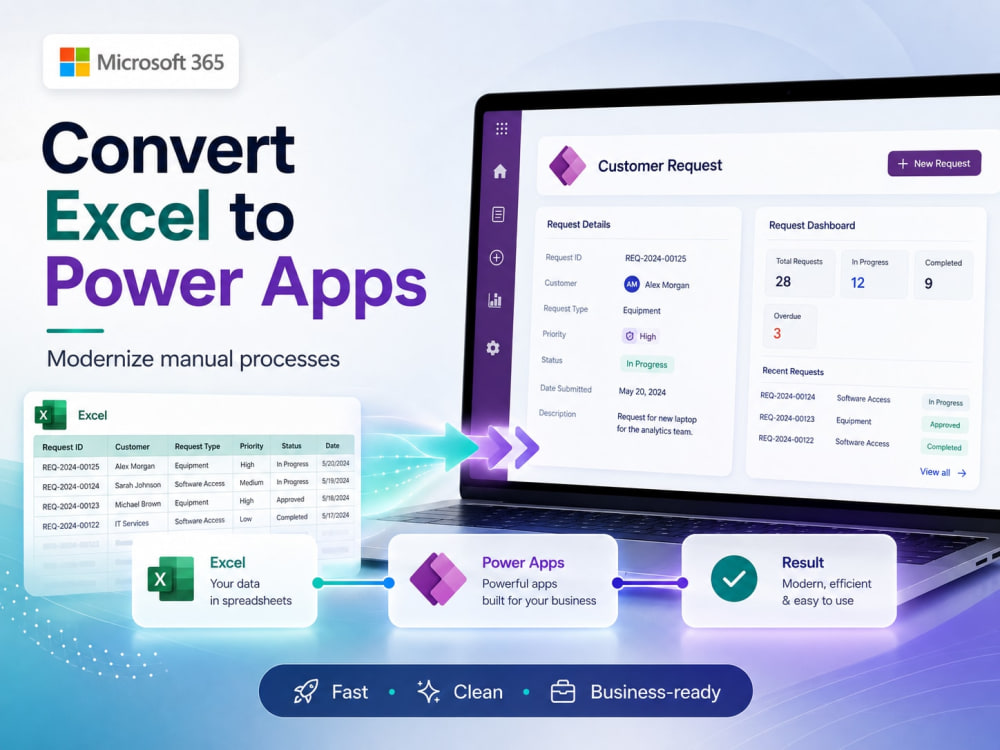
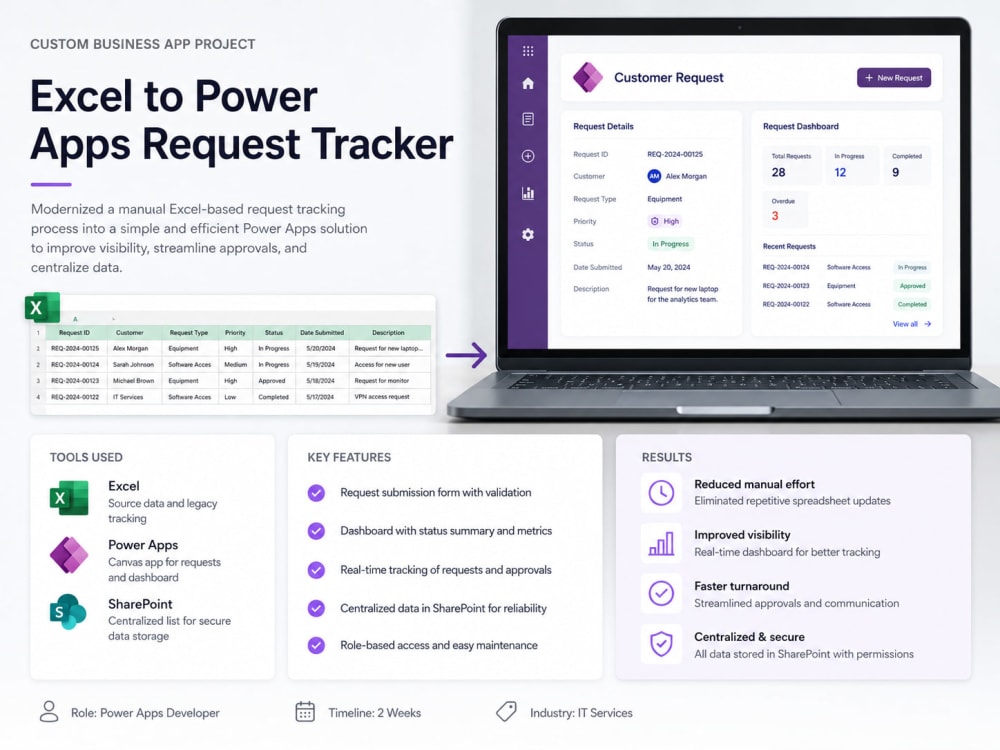
I will convert your Excel-based business process into a simple, structured, and easy-to-use Power App with a SharePoint backend.
This project is ideal if your team currently manages requests, approvals, tracking, or internal records through spreadsheets and wants a more reliable Microsoft 365 solution. I can help you turn your Excel file into a Power Apps form or tracker, store the data securely in SharePoint, and optionally add status tracking, role-based access, dashboards, and Power Automate notifications.
The goal is to help your team reduce manual spreadsheet updates, improve visibility, centralize data, and make the process easier to manage. I focus on practical business apps that are clean, maintainable, and suitable for day-to-day operations.
This project is ideal if your team currently manages requests, approvals, tracking, or internal records through spreadsheets and wants a more reliable Microsoft 365 solution. I can help you turn your Excel file into a Power Apps form or tracker, store the data securely in SharePoint, and optionally add status tracking, role-based access, dashboards, and Power Automate notifications.
The goal is to help your team reduce manual spreadsheet updates, improve visibility, centralize data, and make the process easier to manage. I focus on practical business apps that are clean, maintainable, and suitable for day-to-day operations.
What's included
| Service Tiers |
Starter
$400
|
Standard
$700
|
Advanced
$1,200
|
|---|---|---|---|
| Delivery Time | 5 days | 10 days | 15 days |
Number of Revisions | 1 | 2 | 3 |
Number of Pages | 2 | 4 | 6 |
Design Customization | |||
Content Upload | - | - | - |
Responsive Design | - | - | - |
Source Code |
Optional add-ons
You can add these on the next page.
Fast Delivery
+$75 - $200
Additional Page
+$50
3 reviews
(3)
(0)
(0)
(0)
(0)
This project doesn't have any reviews.
TB
Tandy B.
Nov 21, 2024
Vietnamese Translation Needed for Open Source Project - GitHub Issue Resolution (Immediate Start)
FL
Filemon L.
Mar 26, 2024
Talent Store: AI Training - Coding | Bee Coders (SCA019)
TH
Thekeunpie H.
Jul 25, 2023
Google my business data entry job
Cool.
About Tien
M365 Consultant | SharePoint Workflows, Approvals & Teams Automation
Hanoi, Vietnam - 4:53 am local time
My strongest areas are:
• Approval workflows for HR, Finance, Procurement, and Operations
• SharePoint document approval and document control
• Power Apps forms connected to SharePoint Lists
• Teams notifications and approval flows
• Excel-to-Power-App conversion
• SharePoint permissions, metadata, views, and process tracking
• Handover documentation for internal IT teams
Recent example:
I designed a SharePoint and Power Automate review/approval workflow with Teams integration, including working/final document libraries, approval status tracking, reviewer notifications, and a reusable structure that can be copied across departments.
I focus on practical business solutions, not overcomplicated systems. If your team is currently using Excel, email, or manual follow-up to manage requests, approvals, or documents, I can help you build a simple and maintainable Microsoft 365 solution.
Typical projects I can help with:
• Leave request or HR request apps
• Purchase request approval flows
• Contract/document review workflows
• Department approval systems
• SharePoint document libraries with metadata and permissions
• Power Automate troubleshooting and optimization
• Power Platform handover documentation
I can also provide clear documentation so your internal team can maintain the solution after delivery.
Steps for completing your project
After purchasing the project, send requirements so Tien can start the project.
Delivery time starts when Tien receives requirements from you.
Tien works on your project following the steps below.
Revisions may occur after the delivery date.
Requirement review
Client shares the Excel file, current process, required fields, user roles, and any workflow or reporting requirements.
Data structure design
I review the Excel file and design the SharePoint list structure, including columns, data types, status values, and relationships if needed.