You will get a Google Apps Script to automate and merge your spreadsheets
Rising Talent
Rising Talent
Project details
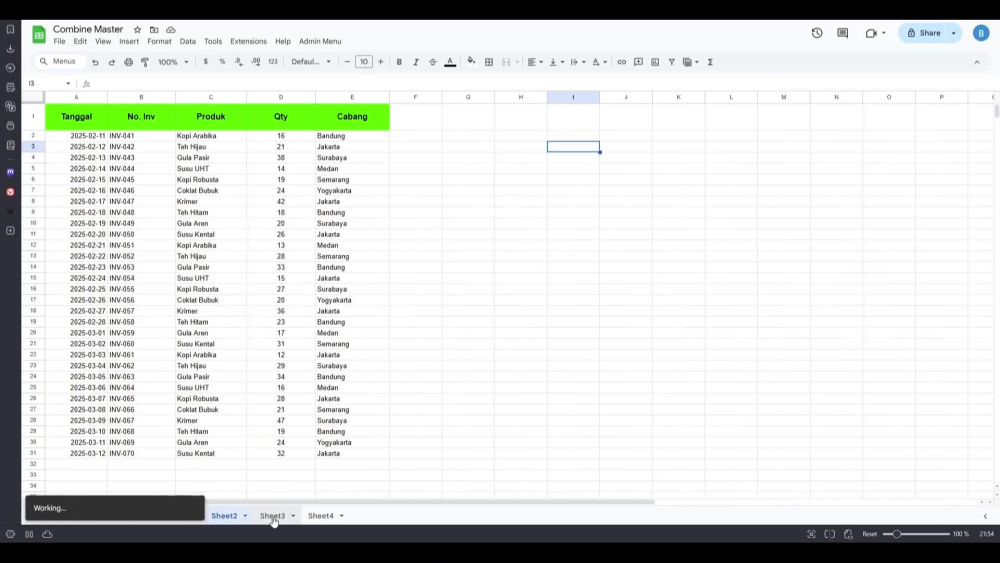
Stop wasting hours manually copy-pasting data! I will build a custom Google Apps Script that automatically merges data from multiple tabs (Sheet 1-5) into a single Master Database with just one click. Save time, eliminate human error, and keep your reports up-to-date instantly.
Data Tool
Google SheetsWhat's included $25
These options are included with the project scope.
$25
- Delivery Time 1 day
- Number of Revisions 1
About Budi
Automation Specialist (Google Apps Script) and Web GIS Developer
Yogyakarta, Indonesia - 10:00 pm local time
About Me
I am a Technical Creative with a unique background in Civil Construction and Telecommunications (FTTH). I bridge the gap between complex spatial data and business efficiency.
Unlike typical developers who suggest expensive servers, I specialize in building Serverless & Low-Cost Solutions using Open Source tools. I help businesses automate workflows and visualize assets without heavy monthly operational costs.
What I Bring to the Table:
Web GIS Solutions: Custom "Check Coverage" apps, Interactive Maps, and Asset Visualization using Leaflet JS, QGIS, and PostGIS.
Business Automation: turning Google Sheets into powerful CRMs, Inventory Systems, and Automated Report Generators using Google Apps Script (GAS) & JavaScript.
Tech Stack:
📍 GIS & Mapping: QGIS, Leaflet JS, PostGIS (Spatial Database)
⚙️ Code & Automation: JavaScript, Google Apps Script, Google Sheets Integration
Steps for completing your project
After purchasing the project, send requirements so Budi can start the project.
Delivery time starts when Budi receives requirements from you.
Budi works on your project following the steps below.
Revisions may occur after the delivery date.
Access & Requirement Analysis
I will review the Google Sheet link you provided. I will check the structure of your source tabs to ensure the column headers are consistent. If there are any discrepancies or clarifications needed regarding which data to include/exclude
Script Development & Setup
I will open your spreadsheet and write the custom code. I will set up the logic to dynamically fetch data, handle headers (preventing duplicates), and create the custom "Admin Menu" or buttons in your toolbar so you can run the script easily.