You will get Invoice Reminder Autopilot in 48h (Sheets+Gmail, No Zapier/APIs)
Project details
Stop chasing invoices manually. I install an “Invoice Reminder Autopilot” inside Google Workspace (Google Sheets + Gmail + Apps Script) so you get paid faster with a clean, repeatable process.
What you get:
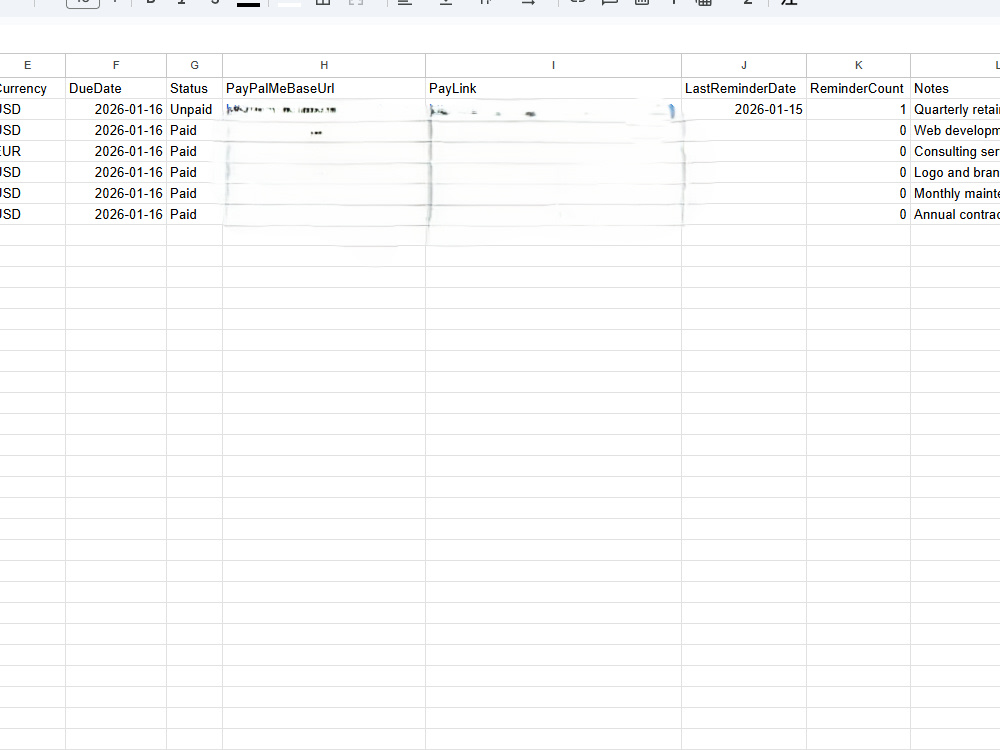
• A Google Sheets AR tracker (due dates, status, PayLink, reminder history)
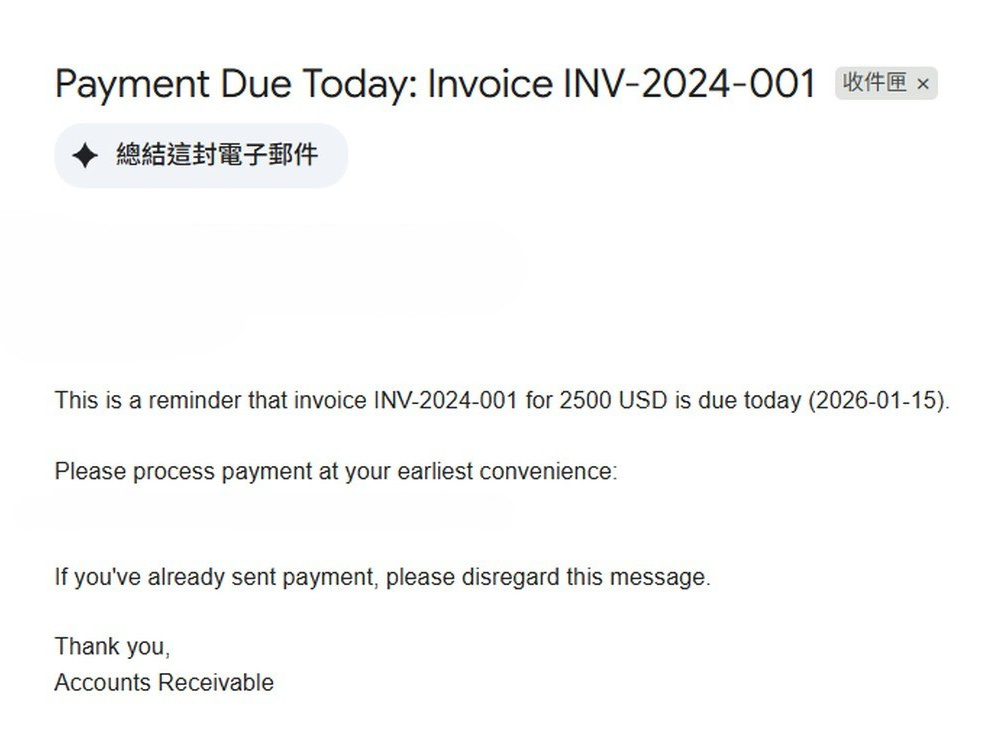
• A scheduled reminder sequence (pre-due / due today / overdue / final notice)
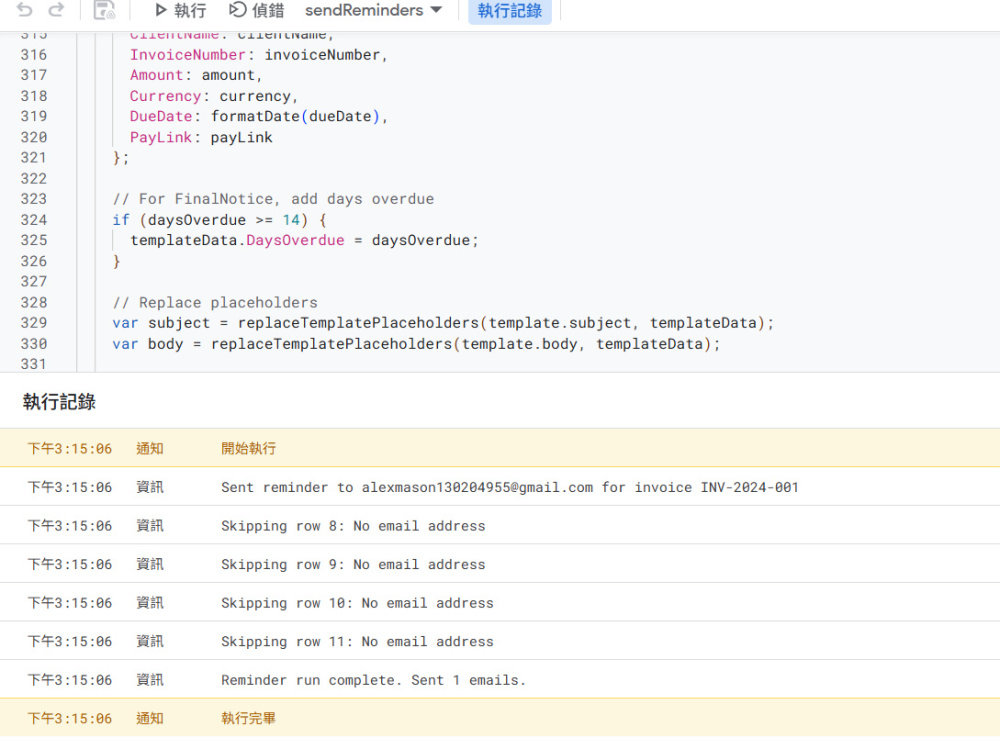
• Anti-duplicate protection (no resend on the same day)
• Logging back to the sheet (LastReminderDate + ReminderCount)
• 1-page handoff guide so your team can maintain it
No paid APIs. No Zapier subscription required. Fast setup with clear testing and one revision included.
What you get:
• A Google Sheets AR tracker (due dates, status, PayLink, reminder history)
• A scheduled reminder sequence (pre-due / due today / overdue / final notice)
• Anti-duplicate protection (no resend on the same day)
• Logging back to the sheet (LastReminderDate + ReminderCount)
• 1-page handoff guide so your team can maintain it
No paid APIs. No Zapier subscription required. Fast setup with clear testing and one revision included.
Programming Languages
JavaWhat's included
| Service Tiers |
Starter
$199
|
Standard
$499
|
Advanced
$799
|
|---|---|---|---|
| Delivery Time | 1 day | 2 days | 3 days |
Number of Revisions | 1 | 1 | 2 |
Number of Pages Mined/Scraped | 0 | 0 | 0 |
Number of Sources Mined/Scraped | 0 | 0 | 0 |
Install Script | |||
Test Script | |||
Task Automation | - |
Frequently asked questions
About Alex
Google Sheets & Apps Script Automation | Invoice Reminders + AR Tracke
Keelung, Taiwan - 4:14 am local time
If overdue invoices are hurting cash flow, I can set up a hands-free payment reminder system in 48 hours.
What you get:
• A Google Sheets AR dashboard (due dates, status, reminder history, notes)
• Automated Gmail reminder sequence (pre-due → due → overdue → final notice)
• PayPal payment links embedded for 1-click payment
• Logging + stop rules (paid invoices won’t get reminded)
• A simple handoff guide so your team can maintain it
Typical use cases:
• Invoice/payment reminder automation
• Accounts receivable follow-up tracker
• Google Sheets + Gmail workflow automation
• Apps Script automation for recurring admin tasks
To start, I only need:
1) A sample invoice list (Sheet/CSV or 5 sample rows)
2) Your reminder cadence (Net-7/Net-14/Net-30, and how many reminders)
3) Your preferred tone (friendly vs. firm)
4) Your PayPal.Me link (base URL)
Fast, practical, and reliable. First working version delivered within 48 hours, with 1 revision included.
Steps for completing your project
After purchasing the project, send requirements so Alex can start the project.
Delivery time starts when Alex receives requirements from you.
Alex works on your project following the steps below.
Revisions may occur after the delivery date.
Setup & import invoice data
I import your invoice list into a clean Google Sheet tracker and validate columns/due dates.
Build reminder automation (Apps Script)
I install Apps Script to send scheduled reminders, add anti-duplicate logic, and log history.