You will get Lead Tracker + Auto Follow-Ups in Google Sheets (No CRM Needed)
Project details
This service automates lead tracking and follow-ups — it does not generate new leads.
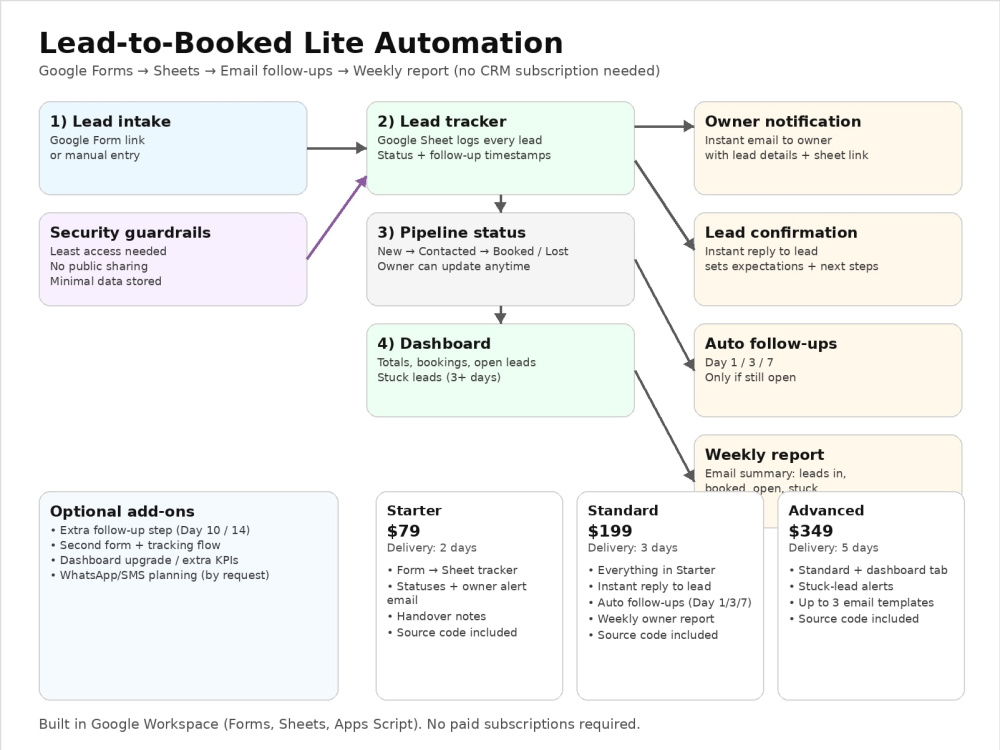
If your leads are coming in via email, a simple form, WhatsApp, or manual notes, I’ll set up a lightweight Google system that ensures every inquiry gets logged, followed up, and reported on—without paying for a CRM subscription.
What you get (Google Forms + Sheets + Apps Script):
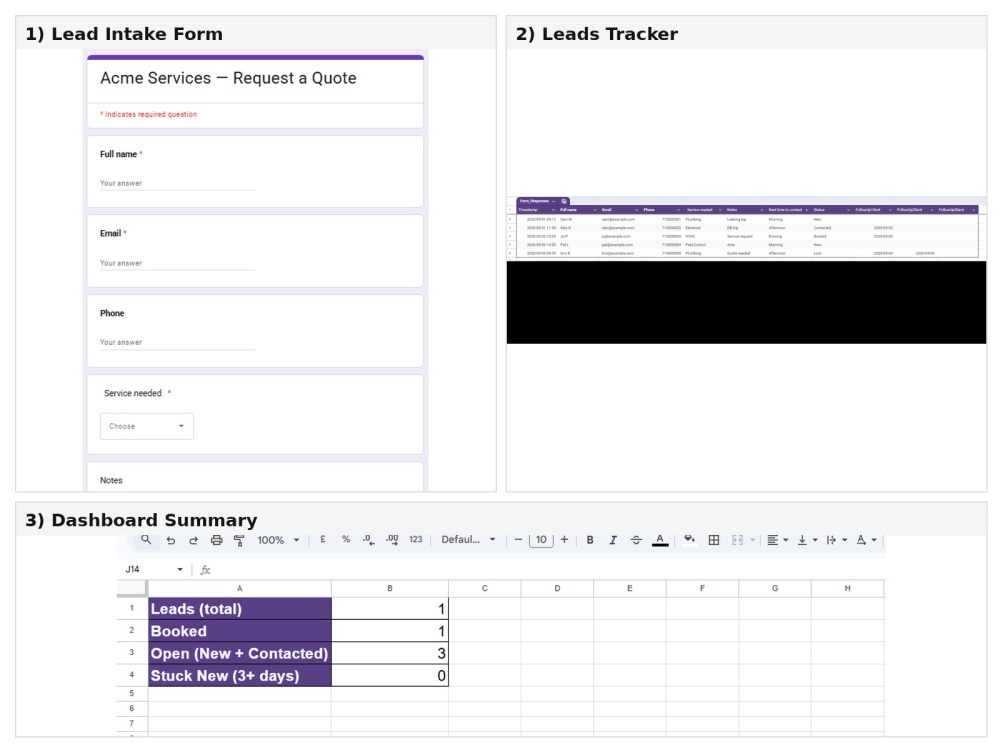
Lead tracker in Google Sheets with clear statuses: New / Contacted / Booked / Lost
Instant owner notification email when a new lead arrives
Instant confirmation email to the lead (Standard/Advanced)
Automatic follow-ups on Day 1 / Day 3 / Day 7 for open leads (Standard/Advanced)
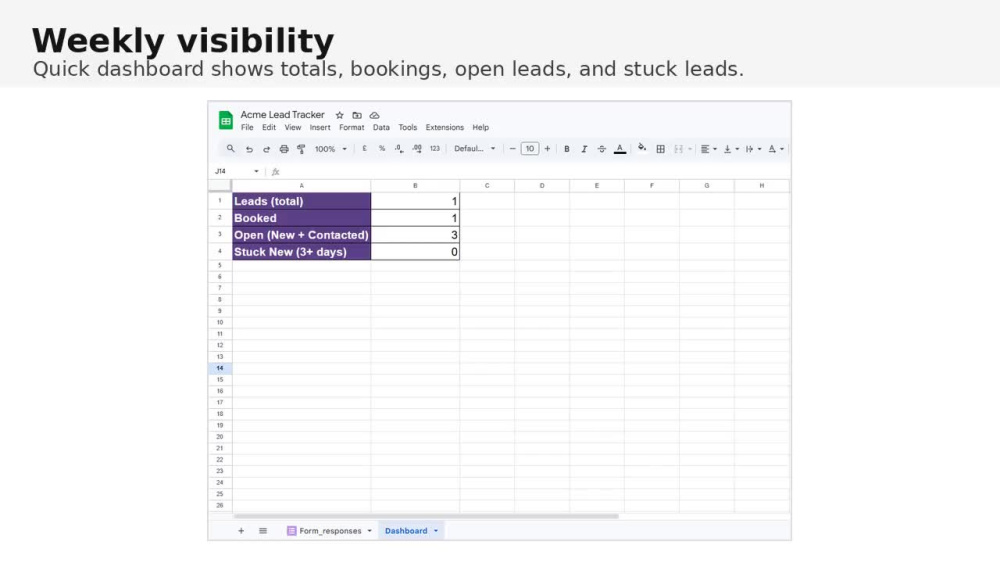
Dashboard tab (Advanced) + stuck-lead alerts (Advanced)
Weekly owner report email (Standard/Advanced)
Clean handover notes + source code included
I’m security-minded (cybersecurity background), so access and sharing are set up responsibly (least access needed, no public links, minimal data exposure).
This is built inside your Google account (recommended) so you own everything.
If your leads are coming in via email, a simple form, WhatsApp, or manual notes, I’ll set up a lightweight Google system that ensures every inquiry gets logged, followed up, and reported on—without paying for a CRM subscription.
What you get (Google Forms + Sheets + Apps Script):
Lead tracker in Google Sheets with clear statuses: New / Contacted / Booked / Lost
Instant owner notification email when a new lead arrives
Instant confirmation email to the lead (Standard/Advanced)
Automatic follow-ups on Day 1 / Day 3 / Day 7 for open leads (Standard/Advanced)
Dashboard tab (Advanced) + stuck-lead alerts (Advanced)
Weekly owner report email (Standard/Advanced)
Clean handover notes + source code included
I’m security-minded (cybersecurity background), so access and sharing are set up responsibly (least access needed, no public links, minimal data exposure).
This is built inside your Google account (recommended) so you own everything.
Programming Languages
JavaScriptCoding Expertise
SecurityWhat's included
| Service Tiers |
Starter
$79
|
Standard
$199
|
Advanced
$349
|
|---|---|---|---|
| Delivery Time | 2 days | 3 days | 5 days |
Number of Revisions | 1 | 2 | 2 |
Number of Pages | 1 | 2 | 3 |
Design Customization | - | - | - |
Content Upload | - | - | - |
Responsive Design | - | - | - |
Source Code |
Optional add-ons
You can add these on the next page.
Extra follow-up step
(+ 1 Day)
+$25
Second form + tracking flow
(+ 1 Day)
+$50Frequently asked questions
About Patrick
Business Automation | Security-Minded
Cape Town, South Africa - 4:33 pm local time
Most small teams run on Gmail + Google Sheets and end up losing inquiries, forgetting follow-ups, and guessing what’s working. I set up a lightweight system using Google Forms/Sheets + Apps Script so the process runs automatically.
Typical automation I build (Google-only):
Lead intake (Google Form or manual entry) → Google Sheet tracker
Instant reply to the customer + notification to the owner
Automatic follow-ups (Day 1 / Day 3 / Day 7) for leads still open
Clear statuses: New → Contacted → Booked → Lost
Weekly owner report (how many leads came in, booked, and which ones are stuck)
Loom walkthrough + handover notes so you’re not dependent on me
Security-minded setup (my background is cybersecurity):
Correct access/sharing (no “everyone can view” disasters)
Minimal data stored, sensible permissions
Clean audit trail of what’s automated and who has access
If you tell me how leads arrive today (email, form, WhatsApp, phone), I’ll propose a simple workflow with fixed deliverables and get the first version running quickly.
Steps for completing your project
After purchasing the project, send requirements so Patrick can start the project.
Delivery time starts when Patrick receives requirements from you.
Patrick works on your project following the steps below.
Revisions may occur after the delivery date.
Scope & inputs
Confirm lead source + fields (form/email/manual) and who gets notifications.
Build tracker
Create/adjust the Google Sheet tracker (statuses + follow-up tracking columns).