You will get Merge & Match Excel Sheets with Power Query/XLOOKUP + Unmatched List
Project details
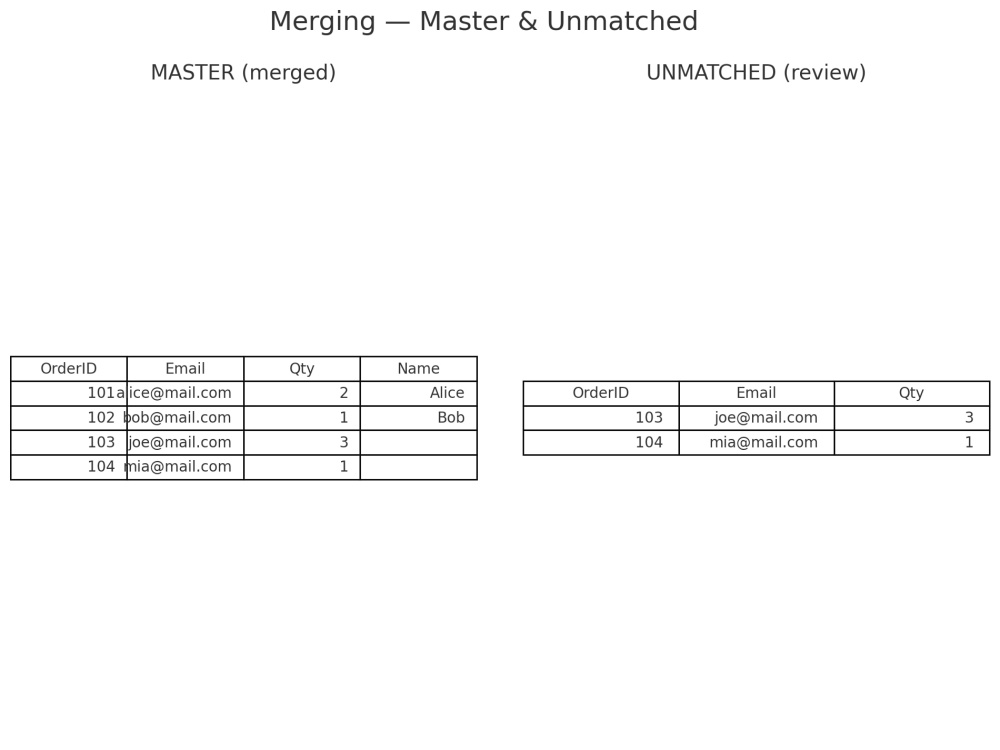
I consolidate multiple Excel/CSV sources into one reliable Merged.xlsx with a clear JoinSpec.md (keys & rules) and an Unmatched.xlsx for your review. I design robust keys, pre-clean headers and values (trim/invisible chars, casing, basic normalization), then join via Power Query with XLOOKUP/INDEX-MATCH as needed. You get auditable docs (match rate, row reconciliations) and a reusable output schema. Typical turnaround: 2 days for up to 4 sheets / 100k rows (expedite available). Privacy first (NDA-friendly).
Data Tool
Microsoft ExcelWhat's included
| Service Tiers |
Starter
$45
|
Standard
$120
|
Advanced
$240
|
|---|---|---|---|
| Delivery Time | 2 days | 2 days | 3 days |
Number of Revisions | 1 | 1 | 1 |
Optional add-ons
You can add these on the next page.
Additional Revision
+$25Frequently asked questions
About Dusha
Excel Data Cleaning & Merging | Power Query, XLOOKUP, Pivot
Liaocheng, China - 2:36 pm local time
What you get every time:
• Cleaned.xlsx (standardized dates/phones/emails/casing, dedup, separators/encoding fixed)
• DataDictionary.xlsx (field, type, format, definition)
• ChangeLog.txt (every rule clearly documented, auditable)
• For merges: Power Query + XLOOKUP/INDEX-MATCH and an Unmatched.xlsx for review
SLA & Quality:
• 24–48h turnaround for up to 50k rows (expedite available)
• Row-count reconciliation, unique-key checks, random sampling
• Privacy-first (NDA-friendly); no third-party uploads without permission
Next step:
Send 5 sample rows and your expected date/phone formats. I’ll confirm scope or return a free mini-sample before we start.
Replies within 12 hours (UTC+8). Privacy-first; NDA-friendly.
Steps for completing your project
After purchasing the project, send requirements so Dusha can start the project.
Delivery time starts when Dusha receives requirements from you.
Dusha works on your project following the steps below.
Revisions may occur after the delivery date.
Step 1 — Intake & scope confirm
Validate files, define BASE table for left join, confirm primary/composite key and target output columns.
Step 2 — Pre-clean & normalize
Standardize headers and values (trim/invisible, casing; light date/phone normalization if required) to improve match quality.