You will get Price to text - tool for getting a text interpretation of a price

Project details
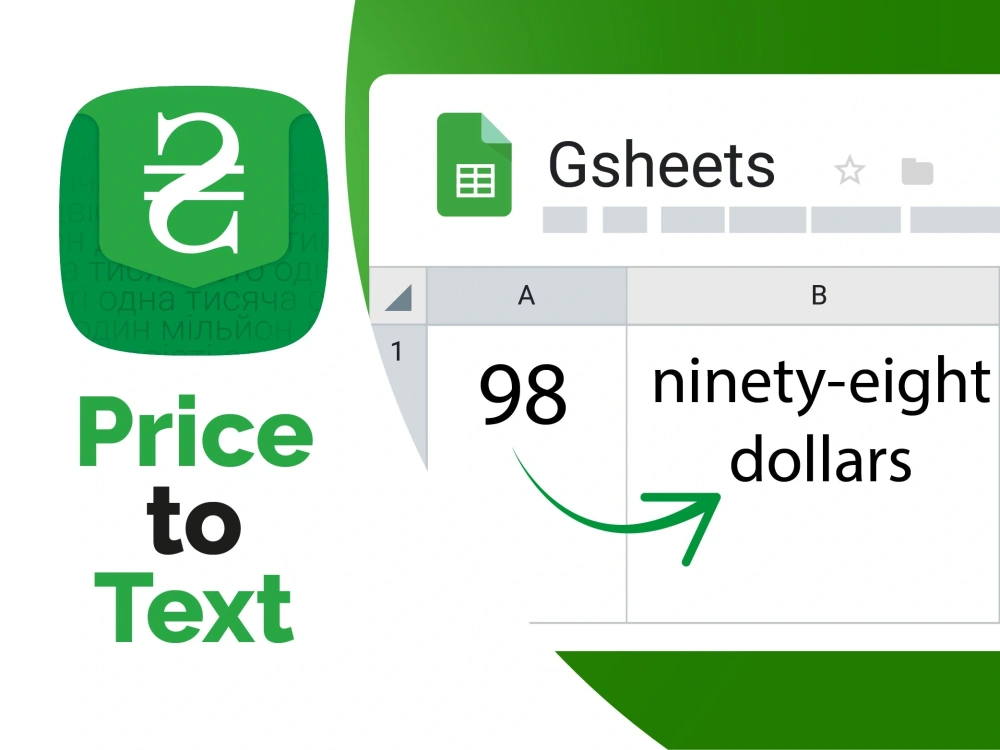
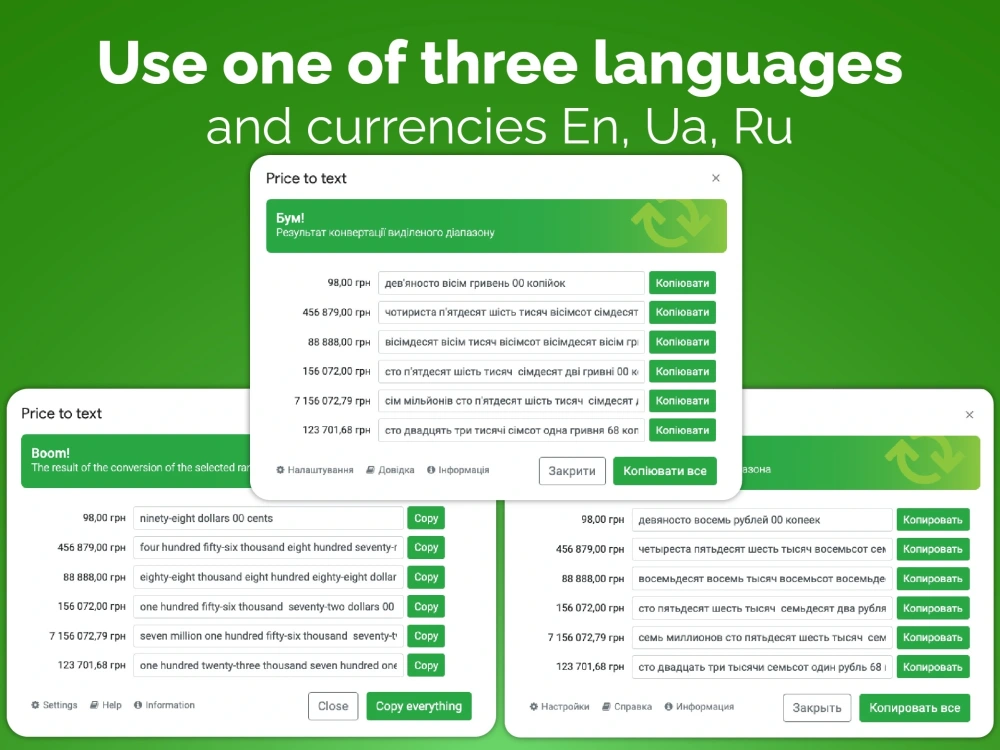
Price to text is the quick way to get a text interpretation of a numbered price in English, Ukrainian or Russian languages and currencies. Price to text works using Google Sheet functions or a special window that you can run from the menu bar.
PRICE TO TEXT BENEFITS
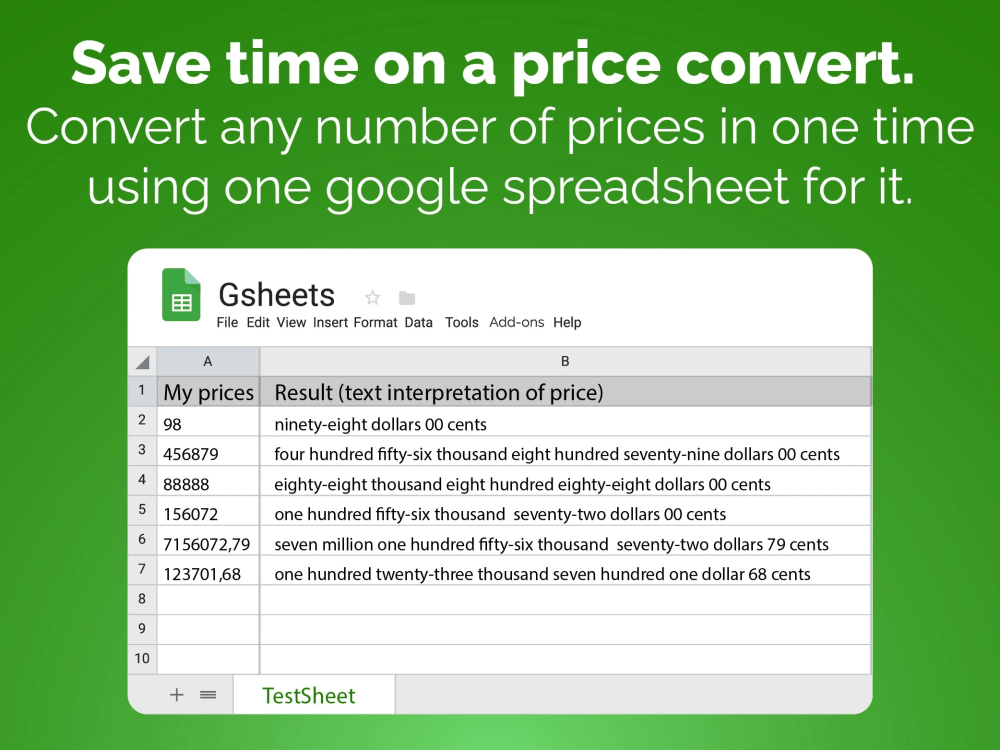
• Save time on a price convert. Convert any number of prices at one time using one google spreadsheet for it.
• Make sure that your text variant of a price is correct. We do all and you get fewer mistakes.
• Designed to respect your privacy. PRICE TO TEXT needs only minimal permissions. And developers don't get any data from you.
FEATURES
• One-time payment and no tool limits.
• Available in English, Ukrainian and Russian
GET STARTED
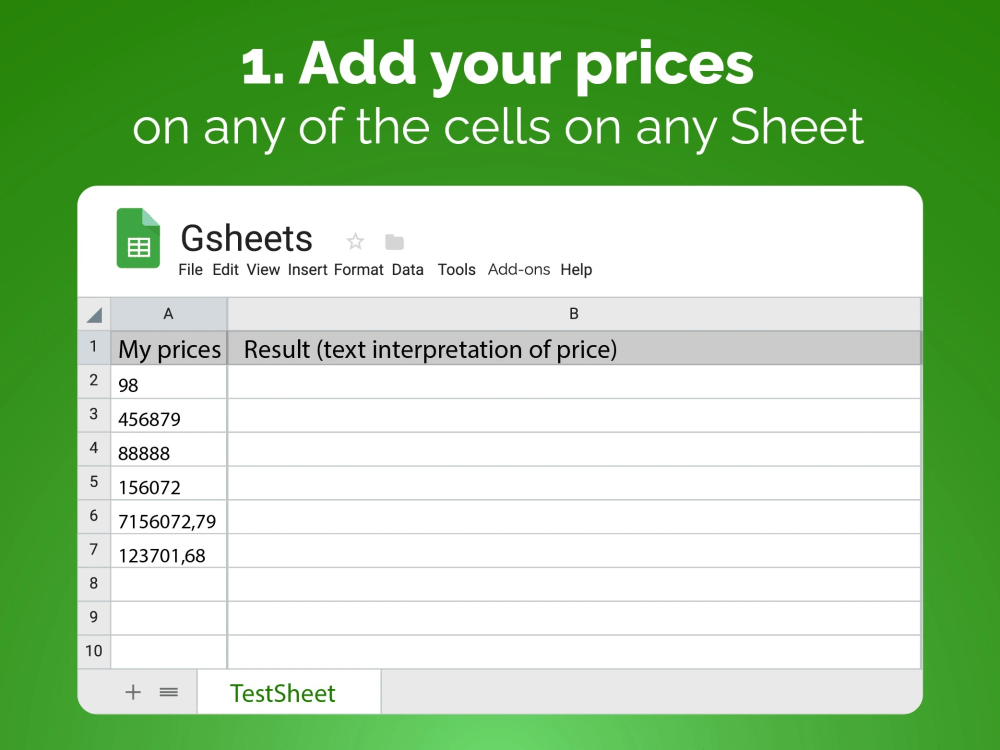
1. Open Google Spreadsheet with PRICE TO TEXT extension, then add your prices on any of the cells on any Sheet.
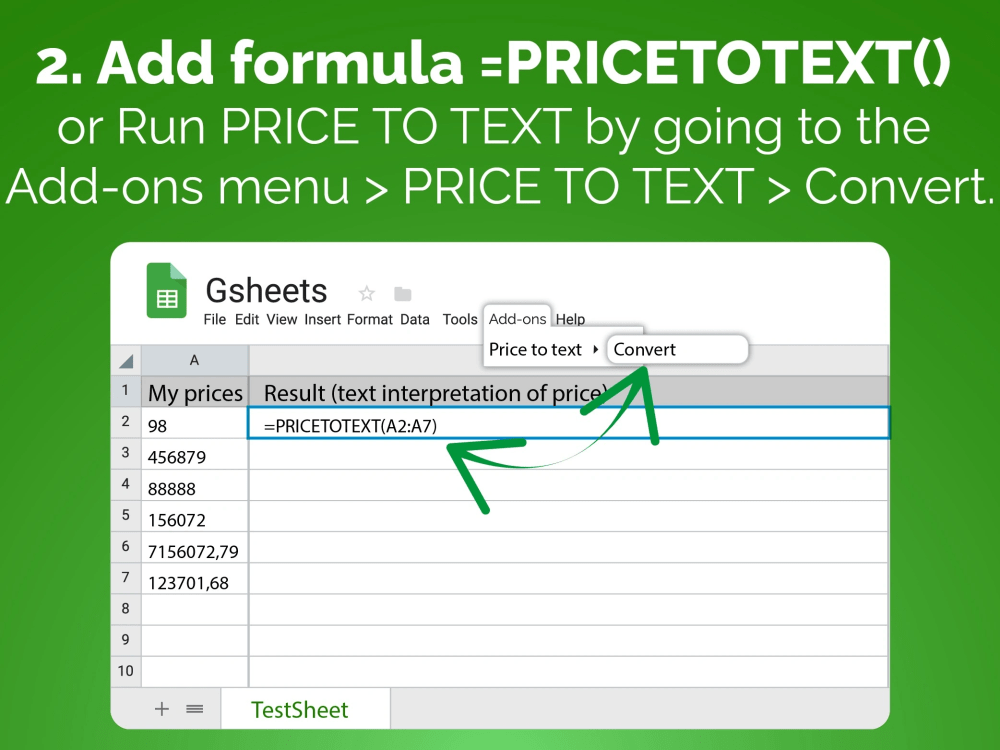
2. Add formula =PRICETOTEXT() with linking it to the cell or cells with prices to convert, OR select cell or cells with prices and Run PRICE TO TEXT by going to the Add-ons menu > PRICE TO TEXT > Convert.
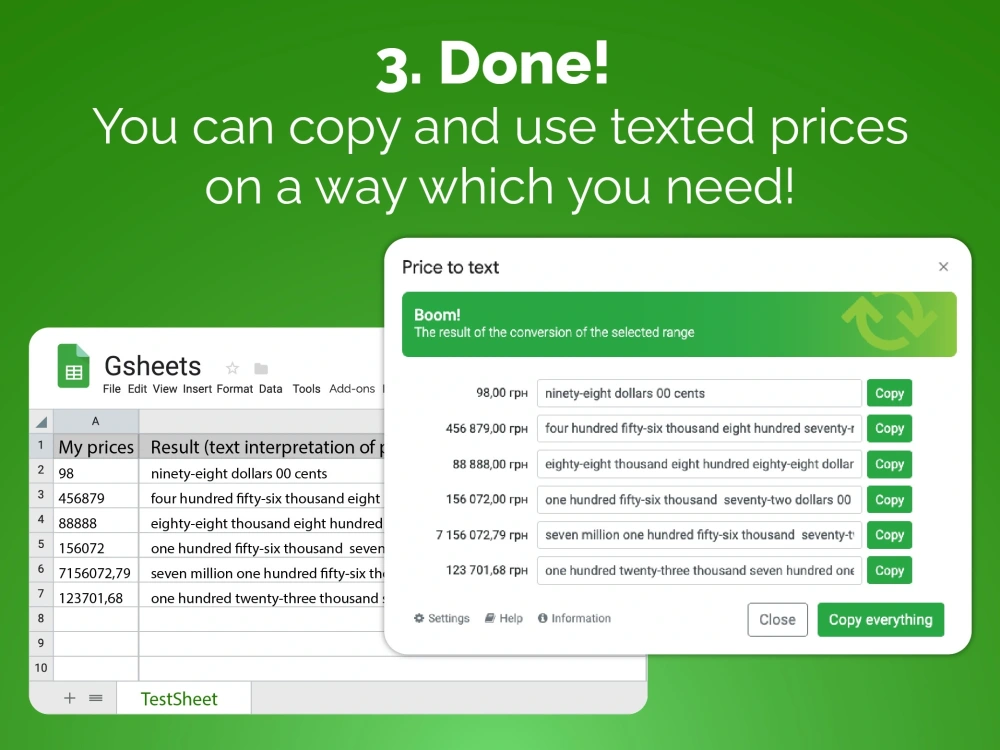
3. Done! You can copy and use texted prices in a way that you need!
PRICE TO TEXT BENEFITS
• Save time on a price convert. Convert any number of prices at one time using one google spreadsheet for it.
• Make sure that your text variant of a price is correct. We do all and you get fewer mistakes.
• Designed to respect your privacy. PRICE TO TEXT needs only minimal permissions. And developers don't get any data from you.
FEATURES
• One-time payment and no tool limits.
• Available in English, Ukrainian and Russian
GET STARTED
1. Open Google Spreadsheet with PRICE TO TEXT extension, then add your prices on any of the cells on any Sheet.
2. Add formula =PRICETOTEXT() with linking it to the cell or cells with prices to convert, OR select cell or cells with prices and Run PRICE TO TEXT by going to the Add-ons menu > PRICE TO TEXT > Convert.
3. Done! You can copy and use texted prices in a way that you need!
Programming Languages
HTML & CSS, JavaScriptCoding Expertise
Localization, Performance Optimization, DesignWhat's included $9.99
These options are included with the project scope.
$9.99
- Delivery Time 1 day
- Number of Revisions Unlimited
- Number of Pages 1
- Design Customization
- Responsive Design
- Source Code
Frequently asked questions
21 reviews
(21)
(0)
(0)
(0)
(0)
This project doesn't have any reviews.
MM
Mitch M.
Feb 16, 2024
Need assistance in setup of Gsheet
DY
Dmytro Y.
May 25, 2023
Create calendar in Google Tables with auto-protection
Thanks Andriy for made my task fast and with high quality. I recommend him, if you need something with Google docs automatization.
BH
Benjamin H.
May 4, 2022
Create a RegEx functino to extract JSON formatted data in a google sheet cell
All fine. Fast and good results.
AP
Ami P.
Jun 30, 2021
Google Spreadsheet Organize
MG
Matt G.
Apr 28, 2021
Web scrapping into google sheets
good
About Andriy
Spreadsheets automatization expert
100%
Job Success
Kiev, Ukraine - 12:27 am local time
I have professional experience working with creating dynamic templates for print (price-tags, dynamic technical characteristics, posters and other print materials with dynamic variables), report automatization, building file architectures with real-time data meaning, writing scripts for VBA and GoogleScript (also I rewrite a lot of VBA scripts into the G Suite for retail company I worked), writing superstructures for EXCEL, can create presentation (Google Slides or PowerPoint) with unique template and then teach how to work with it if you need.
If your company will hiring me, I will use all my capacity to help your company and do my work best.
I also love to work with design on Photoshop, Illustrator, Indesign, Corel Draw, Blender 3d etc to create unique design and visualizations for projects in which I work. Also worked with web languages (HTML, CSS, PHP, js) for creation sites (back-end & front-end).
Thanks for your time spent on reading this text :)
Steps for completing your project
After purchasing the project, send requirements so Andriy can start the project.
Delivery time starts when Andriy receives requirements from you.
Andriy works on your project following the steps below.
Revisions may occur after the delivery date.
Gathering of Full Requirements
Gather full requirements via call, chat or email.
Creation of the Project Plan
Create the project plan, discuss and finalize it.