You will get Sales Data Cleaning & Automated Dashboard — Retail Store
Project details
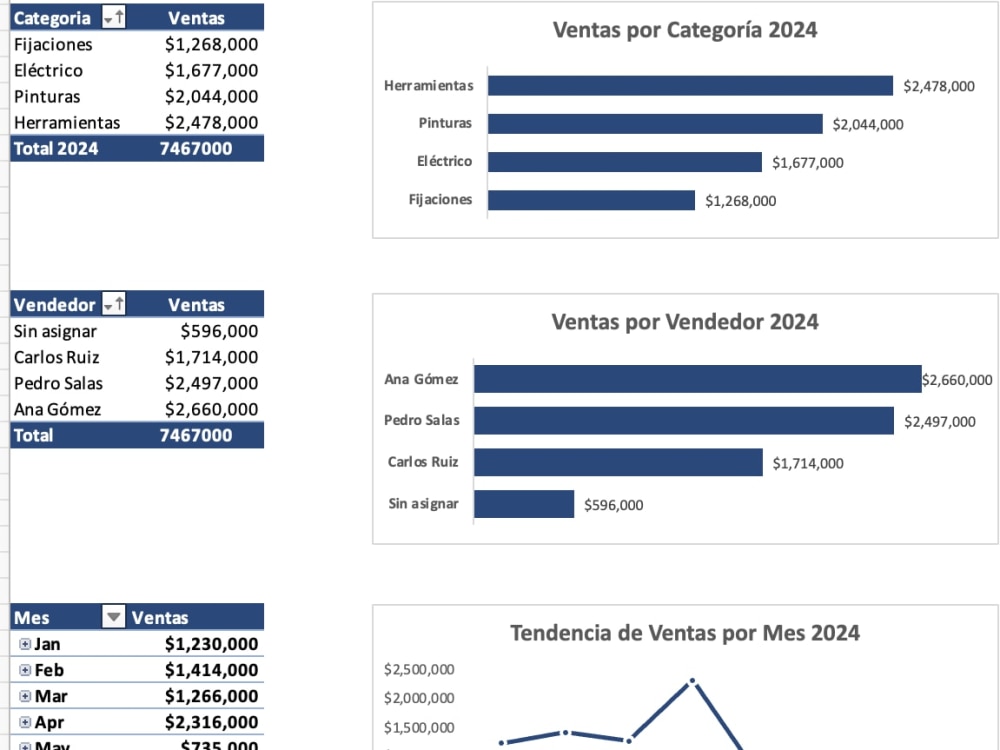
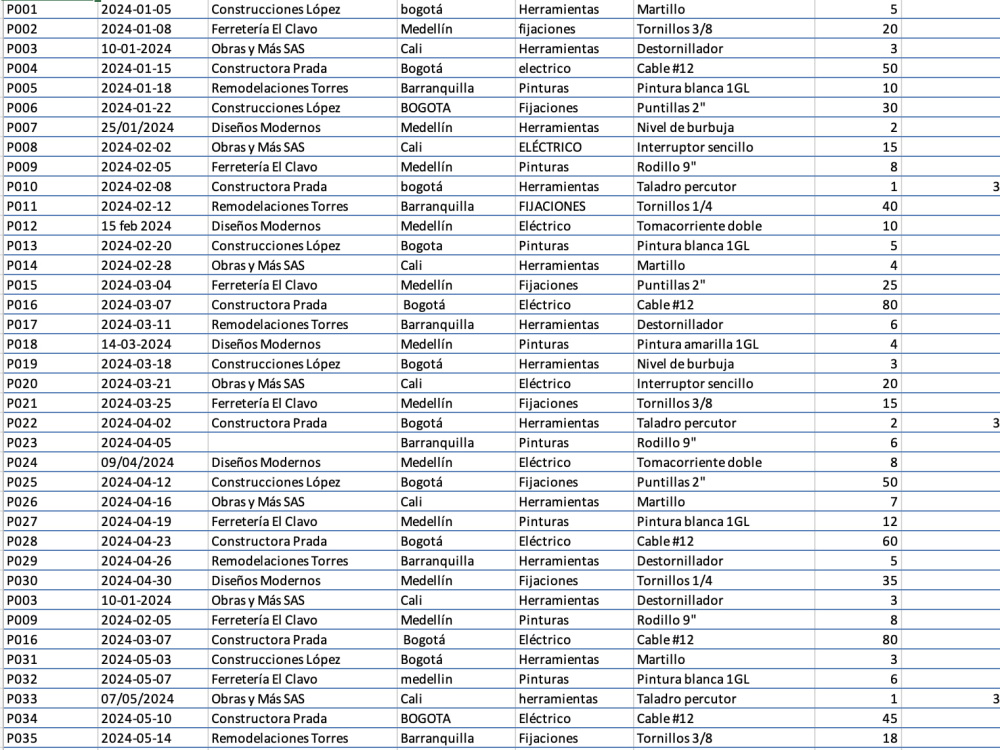
You will get a clean, structured Excel file — ready to analyze, filter, and report on. I specialize in transforming messy, inconsistent spreadsheets into reliable data using Excel and Power Query. With 8+ years of experience in data analysis and a Microsoft Office Specialist: Excel Expert certification, I deliver clean data, clear documentation, and — on Standard and Advanced tiers — an interactive dashboard with pivot tables so you can see your numbers at a glance. No more wasted time fixing errors manually.
Data Tool
Microsoft ExcelWhat's included
| Service Tiers |
Starter
$75
|
Standard
$150
|
Advanced
$275
|
|---|---|---|---|
| Delivery Time | 3 days | 5 days | 7 days |
Number of Revisions | 1 | 2 | 3 |
Optional add-ons
You can add these on the next page.
Fast Delivery
+$25 - $60Frequently asked questions
About Gina
Excel Data Analyst | Data Cleaning & Process Documentation | Bilingual
Houston, United States - 10:41 pm local time
What I deliver:
• Data cleaning and transformation using Excel and Power Query
• Process documentation — step-by-step workflows with user guides and templates
• Standardized Excel templates with data validation and automatic formulas
• Before/after case studies showing measurable results
My clients are small and mid-size businesses that rely on spreadsheets but struggle with inconsistent data, undocumented processes, or reports that take too long to produce. I help them fix that — fast, clearly, and without overcomplicating it.
I hold US work authorization, work 100% remotely, and am available across time zones. Ready to start immediately.
Steps for completing your project
After purchasing the project, send requirements so Gina can start the project.
Delivery time starts when Gina receives requirements from you.
Gina works on your project following the steps below.
Revisions may occur after the delivery date.
I review your file and identify all data issues.
I clean, standardize, and structure the data using Excel and Power Query.