You will get Simple Email Sender tool for Sheets and Gmail to send personalized emails
Project details
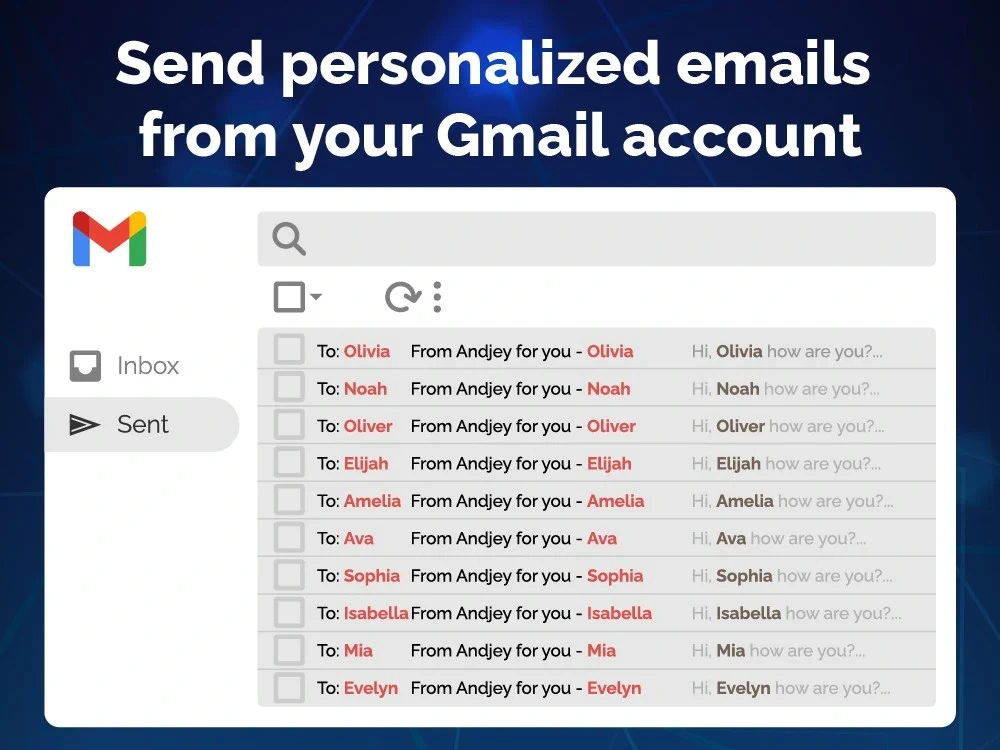
Simple Email Sender (SES) is the mail merge for Gmail to send personalized mass emails. SES lets you send your emails using Google Sheets, right next to your contacts list, so that each of your recipients gets a personalized email.
SES BENEFITS
• Save time sending emails with Gmail ™. Send mass emails at once without your recipients knowing. Make your contacts feel special.
• Make sure your emails land in the Inbox. We maximize your email deliverability and send emails directly from Gmail ™.
• Designed to respect your privacy. SES needs only minimal permissions to send emails on your behalf. And developers don't get any data from you.
FEATURES
• One time payment and no tool limits (only Gmail quota)
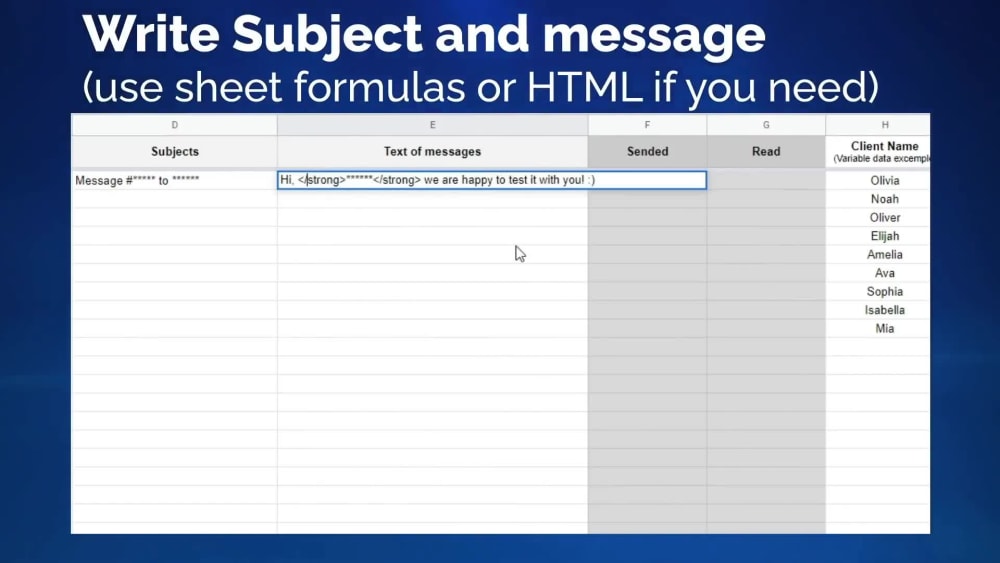
• Personalization: send customized emails extracting recipient data from Google Sheets
• Email tracking: know when someone opens your mails
• Available in English, Ukrainian and Russian
GET STARTED
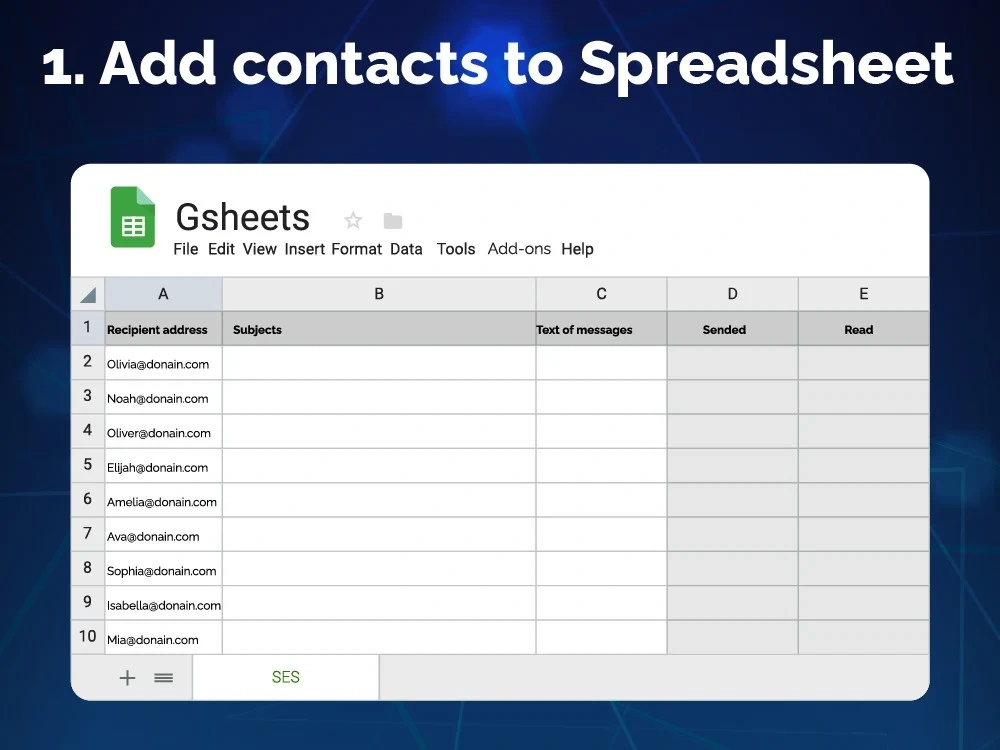
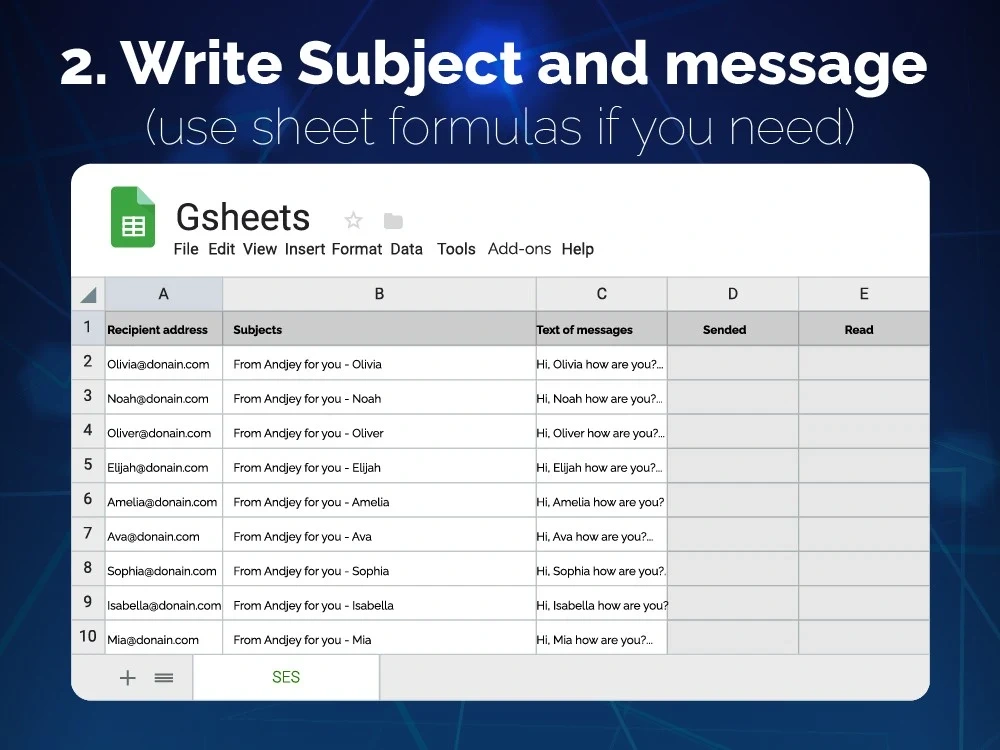
1. Open Google Sheets, then add your contacts. Each Row represents a personalized mail data
2. Run SES by going to the Add-ons menu > SES > menu.
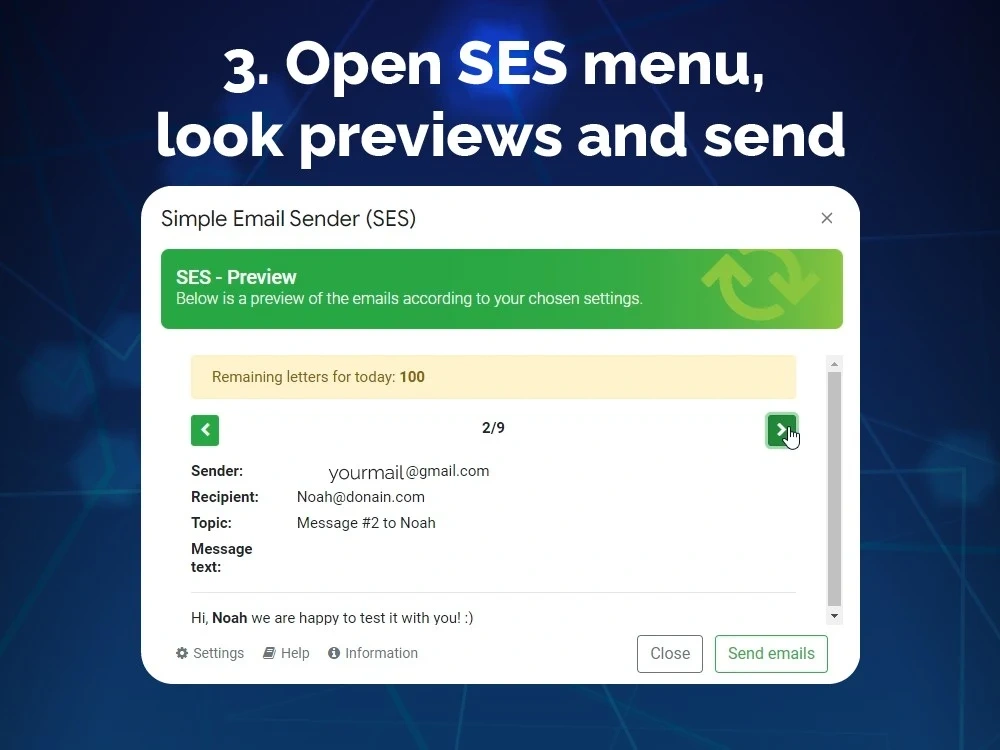
3. Look at previews and send your mail merge with Gmail ™!
SES BENEFITS
• Save time sending emails with Gmail ™. Send mass emails at once without your recipients knowing. Make your contacts feel special.
• Make sure your emails land in the Inbox. We maximize your email deliverability and send emails directly from Gmail ™.
• Designed to respect your privacy. SES needs only minimal permissions to send emails on your behalf. And developers don't get any data from you.
FEATURES
• One time payment and no tool limits (only Gmail quota)
• Personalization: send customized emails extracting recipient data from Google Sheets
• Email tracking: know when someone opens your mails
• Available in English, Ukrainian and Russian
GET STARTED
1. Open Google Sheets, then add your contacts. Each Row represents a personalized mail data
2. Run SES by going to the Add-ons menu > SES > menu.
3. Look at previews and send your mail merge with Gmail ™!
Programming Languages
HTML & CSS, JavaScriptCoding Expertise
Cross Browser & Device Compatibility, Localization, DesignWhat's included
| Service Tiers |
Starter
$9.99
|
Standard
$19.99
|
Advanced
$39.99
|
|---|---|---|---|
| Delivery Time | 1 day | 2 days | 5 days |
Number of Revisions | Unlimited | Unlimited | Unlimited |
Number of Pages | 1 | 2 | 3 |
Design Customization | - | - | |
Content Upload | - | - | |
Responsive Design | |||
Source Code |
Frequently asked questions
21 reviews
(21)
(0)
(0)
(0)
(0)
This project doesn't have any reviews.
MM
Mitch M.
Feb 16, 2024
Need assistance in setup of Gsheet
DY
Dmytro Y.
May 25, 2023
Create calendar in Google Tables with auto-protection
Thanks Andriy for made my task fast and with high quality. I recommend him, if you need something with Google docs automatization.
BH
Benjamin H.
May 4, 2022
Create a RegEx functino to extract JSON formatted data in a google sheet cell
All fine. Fast and good results.
AP
Ami P.
Jun 30, 2021
Google Spreadsheet Organize
MG
Matt G.
Apr 28, 2021
Web scrapping into google sheets
good
About Andriy
Spreadsheets automatization expert
100%
Job Success
Kiev, Ukraine - 11:59 am local time
I have professional experience working with creating dynamic templates for print (price-tags, dynamic technical characteristics, posters and other print materials with dynamic variables), report automatization, building file architectures with real-time data meaning, writing scripts for VBA and GoogleScript (also I rewrite a lot of VBA scripts into the G Suite for retail company I worked), writing superstructures for EXCEL, can create presentation (Google Slides or PowerPoint) with unique template and then teach how to work with it if you need.
If your company will hiring me, I will use all my capacity to help your company and do my work best.
I also love to work with design on Photoshop, Illustrator, Indesign, Corel Draw, Blender 3d etc to create unique design and visualizations for projects in which I work. Also worked with web languages (HTML, CSS, PHP, js) for creation sites (back-end & front-end).
Thanks for your time spent on reading this text :)
Steps for completing your project
After purchasing the project, send requirements so Andriy can start the project.
Delivery time starts when Andriy receives requirements from you.
Andriy works on your project following the steps below.
Revisions may occur after the delivery date.
Gathering of Full Requirements
Gather full requirements via call, chat or email.
Creation of the Project Plan
Create the project plan, discuss and finalize it.