You will get WordPress deployed on your cloud server with Docker and SSL
Project details
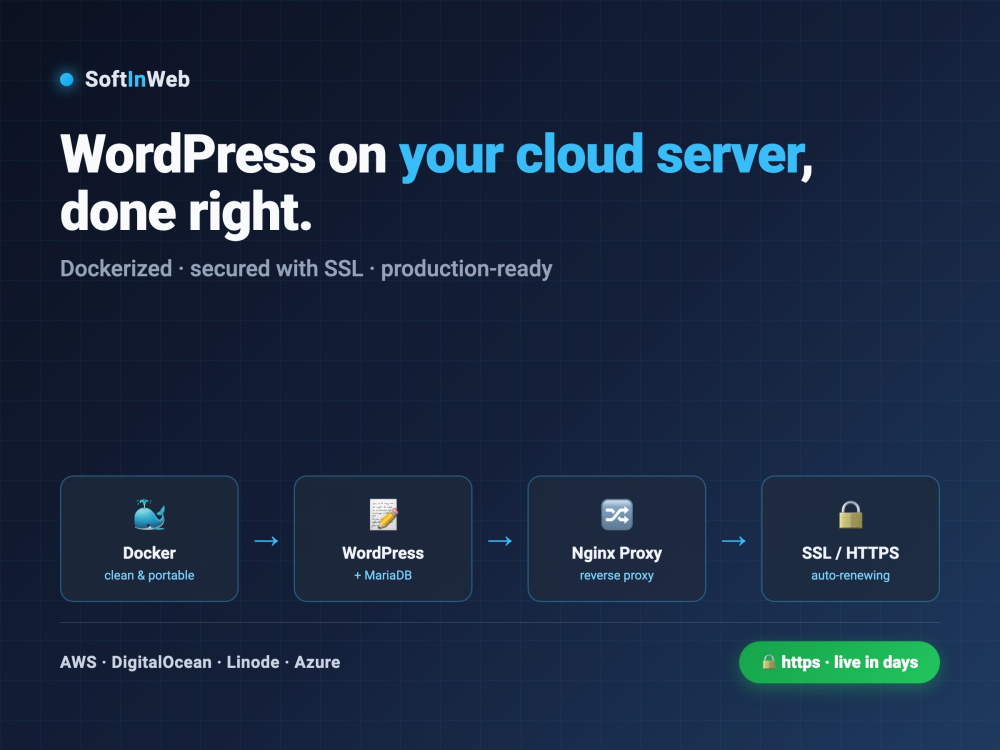
You will get WordPress deployed on your own cloud server — dockerized, secured with SSL, and done the way a real production system should be.
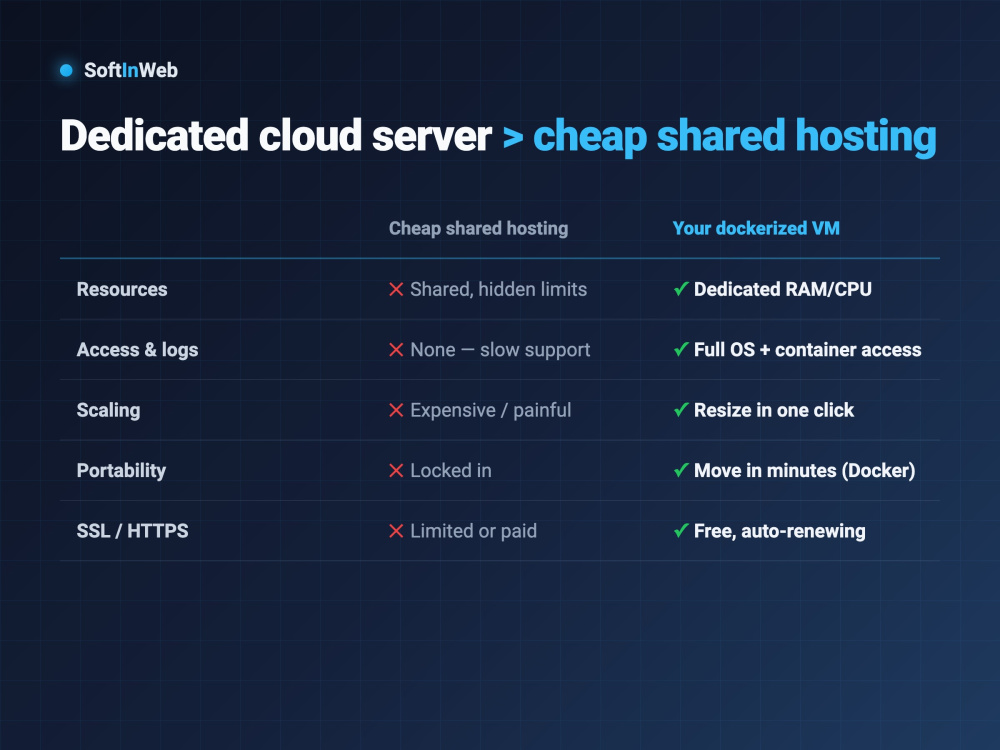
Instead of a fragile shared-hosting setup with hidden limits, you get a dedicated server you fully control: your own RAM and CPU, free auto-renewing HTTPS, and — because it's Docker — a site that's portable and easy to back up, update, and move.
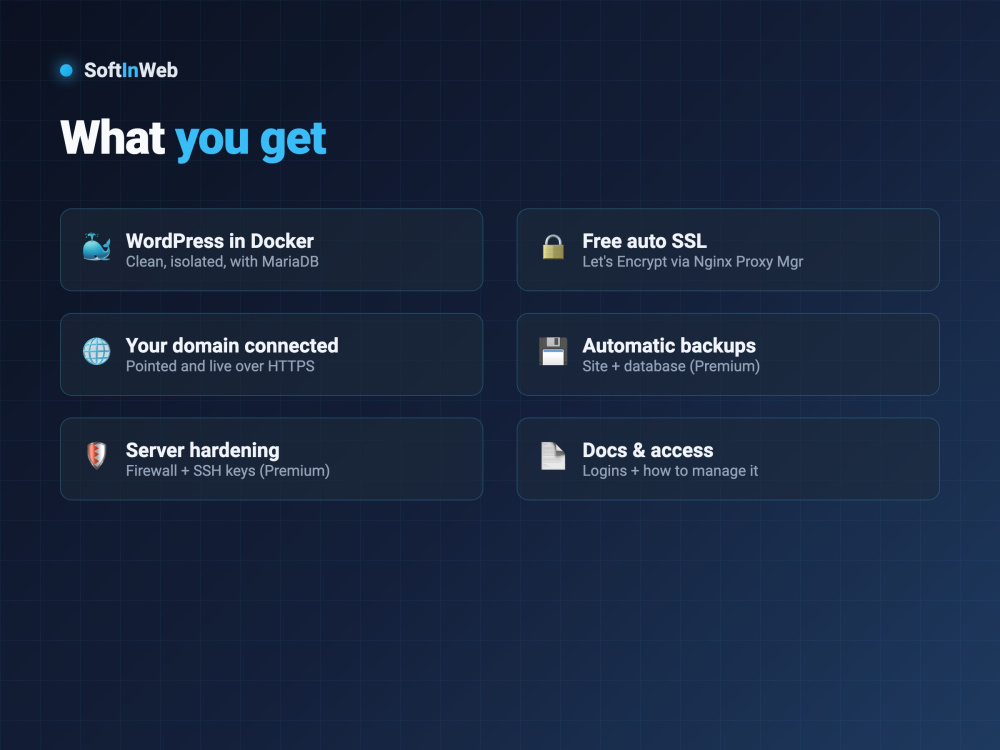
Here's what I do: I guide you on exactly which server and domain to buy (you own them), then I prepare the server (Docker, security), deploy WordPress with its MariaDB database, connect your domain, and set up SSL through Nginx Proxy Manager. On higher tiers I add automatic backups, server hardening, and Cloudflare (CDN + security).
I run this exact stack — Docker, Nginx Proxy Manager, Let's Encrypt — in production every day, so it's built right, not a weekend hack. Every tier includes your logins and a short doc on how to manage it.
Not technical? No problem — I walk you through every step. You just click buy; I handle the rest.
Instead of a fragile shared-hosting setup with hidden limits, you get a dedicated server you fully control: your own RAM and CPU, free auto-renewing HTTPS, and — because it's Docker — a site that's portable and easy to back up, update, and move.
Here's what I do: I guide you on exactly which server and domain to buy (you own them), then I prepare the server (Docker, security), deploy WordPress with its MariaDB database, connect your domain, and set up SSL through Nginx Proxy Manager. On higher tiers I add automatic backups, server hardening, and Cloudflare (CDN + security).
I run this exact stack — Docker, Nginx Proxy Manager, Let's Encrypt — in production every day, so it's built right, not a weekend hack. Every tier includes your logins and a short doc on how to manage it.
Not technical? No problem — I walk you through every step. You just click buy; I handle the rest.
Website Specialization
Business, Education, Nonprofit, Online Communities, Blog, Portfolio, Portal, Brochure, Wiki/Knowledge, SaaSSupported Plugin Types
Social Media, Gallery, Analytics, Video, Events, Shipping, Forum, Payment, Form, Map, Membership, FAQWordPress Plugins
Contact Form 7, WordPress SEO by Yoast, Mailchimp, WooCommerce, W3 Total Cache, All in One SEO Pack, Gravity Forms, Akismet, AWeber, Elementor, WP Rocket, BuddyPressWhat's included
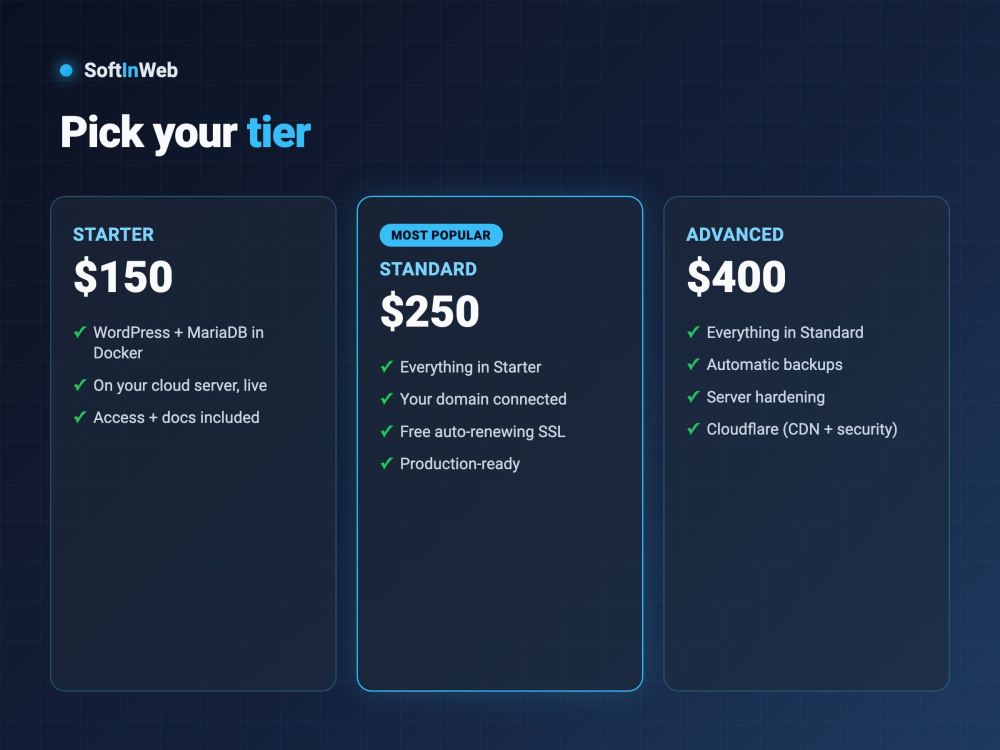
| Service Tiers |
Starter
$150
|
Standard
$250
|
Advanced
$400
|
|---|---|---|---|
| Delivery Time | 2 days | 3 days | 3 days |
Number of Revisions | 1 | 1 | 2 |
Number of Plugins/Extensions Installed | 0 | 2 | 5 |
WordPress Installation | |||
Database Creation | |||
Theme Installation | - |
Optional add-ons
You can add these on the next page.
Additional Plugin/Extension Installed
(+ 1 Day)
+$40
Theme Installation
(+ 1 Day)
+$80
Migration
(+ 2 Days)
+$100
Cloudflare setup (CDN + security)
(+ 1 Day)
+$75Frequently asked questions
About Eyzen
Solution Provider - Custom Development & Managed App Hosting Deploy
Miami, United States - 2:05 am local time
Either way, you get the full cycle: deployed over HTTPS, monitored 24/7, automatically backed up, and recoverable if anything ever fails. You own the server; I make it work — and keep it working.
With 20 years in production infrastructure, every deployment gets Docker, a reverse proxy with free auto-renewing SSL, a network firewall, and live uptime monitoring. No "works on my machine," no surprise downtime, no lost data.
Steps for completing your project
After purchasing the project, send requirements so Eyzen can start the project.
Delivery time starts when Eyzen receives requirements from you.
Eyzen works on your project following the steps below.
Revisions may occur after the delivery date.
Confirm setup & guide server + domain
We confirm the plan, and I guide you on exactly which server plan and domain to get (you purchase them; they stay in your name).
Prepare server & deploy WordPress
I connect via SSH, update the OS, install Docker & Docker Compose, and set up basic SSH security — so your server is ready for a clean deployment.