You will get a well structured and detailed tutorial video for your SaaS Product/Apps
Top Rated
Project details
You’ll get a clear, professional, and easy to follow set of SaaS app how to and tutorial videos designed to help users understand your product faster and with less friction.
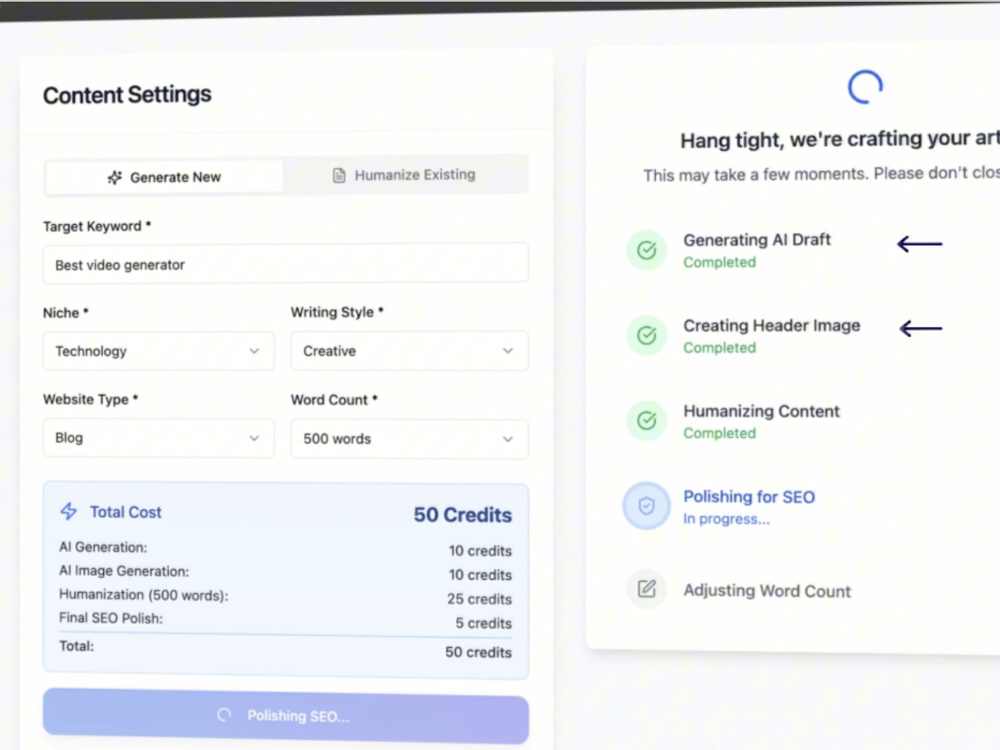
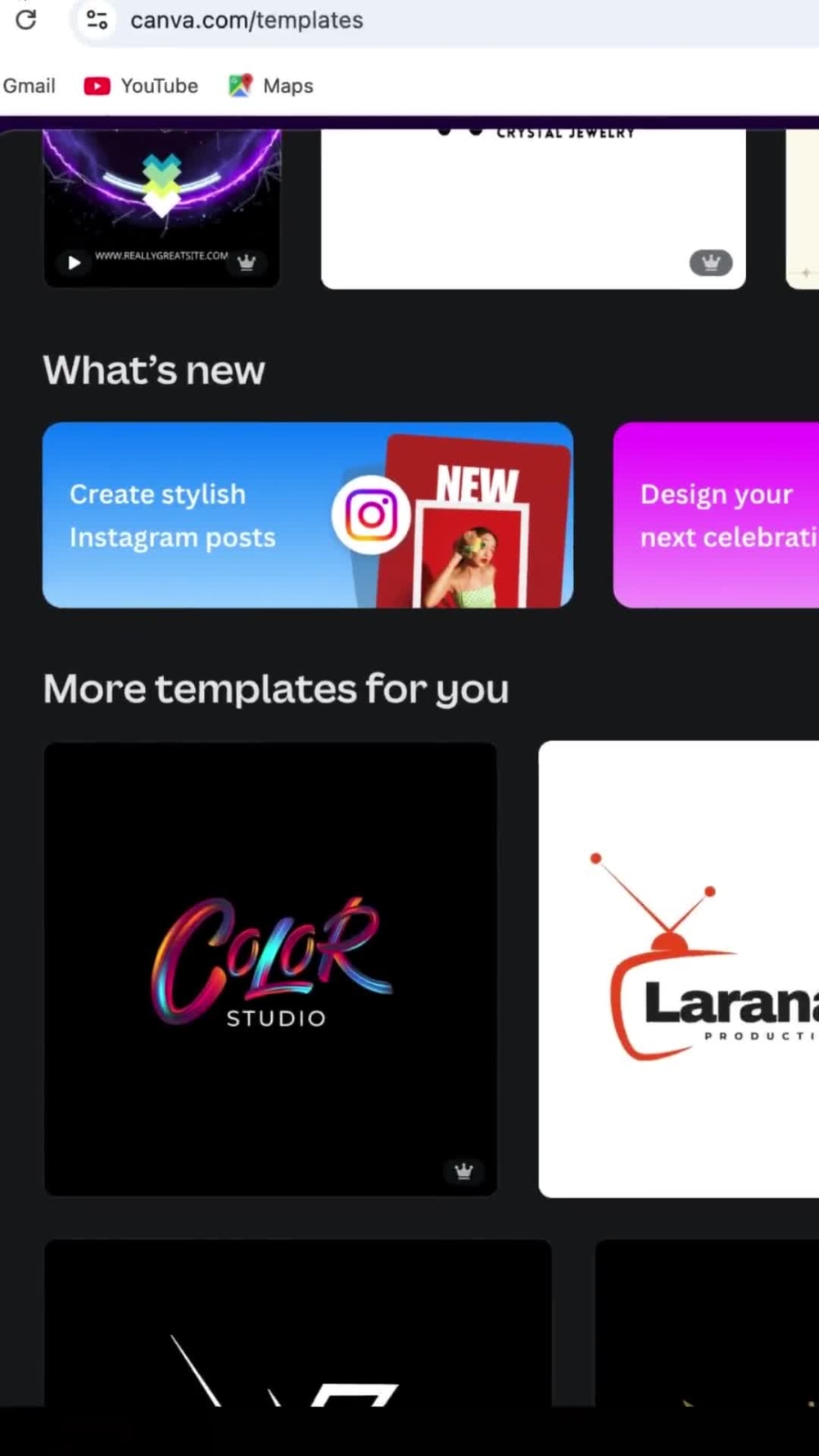
This project focuses on turning real product workflows into concise, well structured videos that guide users step by step through your software. Each video is created with clarity first, using clean screen recordings, intentional pacing, and visual cues that make even complex features feel simple and approachable.
The tutorials are ideal for onboarding, help centers, knowledge bases, in app guides, and customer support resources. Every video is edited to stay on brand, maintain visual consistency, and communicate value without overproduced.
Project deliverables:
1. Clear SaaS product walkthroughs and how to videos
2.Polished screen recordings with zooms, highlights, and callouts
3. Clean voiceover or AI narration synced precisely to on screen actions
4. Simple, professional editing focused on usability and understanding
This project is a great fit for SaaS founders, product teams, and startups that want reliable, scalable tutorial content that grows with their product and supports users at every stage.
This project focuses on turning real product workflows into concise, well structured videos that guide users step by step through your software. Each video is created with clarity first, using clean screen recordings, intentional pacing, and visual cues that make even complex features feel simple and approachable.
The tutorials are ideal for onboarding, help centers, knowledge bases, in app guides, and customer support resources. Every video is edited to stay on brand, maintain visual consistency, and communicate value without overproduced.
Project deliverables:
1. Clear SaaS product walkthroughs and how to videos
2.Polished screen recordings with zooms, highlights, and callouts
3. Clean voiceover or AI narration synced precisely to on screen actions
4. Simple, professional editing focused on usability and understanding
This project is a great fit for SaaS founders, product teams, and startups that want reliable, scalable tutorial content that grows with their product and supports users at every stage.
Device
DesktopWhat's included
| Service Tiers |
Starter
$40
|
Standard
$60
|
Advanced
$100
|
|---|---|---|---|
| Delivery Time | 1 day | 2 days | 3 days |
Number of Revisions | 0 | 1 | 2 |
Running Time (Seconds) | 60 | 120 | 180 |
Scriptwriting | - | - | |
Voice-Over Recording | - | ||
Captions | - | ||
Highlighting Effects | - | - | |
Background Music | - |
21 reviews
(20)
(1)
(0)
(0)
(0)
This project doesn't have any reviews.
SN
Sandrine N.
Jun 29, 2026
Looking for a private coach (via video call) – InShot & AI videos & pictures for Instagram
Very easy person to work with and very empathetic. He gets what you need.
JV
Jan V.
Jun 18, 2026
1-2 Minute B2B SaaS Screencast / Tutorial Video (AI Voiceover OK)
David delivered an outstanding screencast tutorial for our B2B SaaS platform. He provided a clean, high-resolution UI recording and a perfectly synced, professional AI voiceover. What I appreciate most is his excellent communication and receptiveness to feedback—he implemented all my detailed technical requirements flawlessly and adjusted the pacing exactly to my needs. The final video is highly professional and educational. I highly recommend David for any software tutorial projects and I am already planning to hire him again for future videos!
SM
Shmueli M.
Apr 23, 2026
Video Tutorials for App Usage
David was great to work with on tutorial videos for our e-learning app. He was responsive, easy to communicate with, and took feedback well. He helped turn our ideas into clear tutorial content and supported us in improving the user experience for parents, teachers, and learners.
DL
Darlene L.
Mar 5, 2026
Cap-Cut Workflow Creation Specialist
GR
Gilad R.
Mar 4, 2026
Mobile App Tutorial Video Creator
I really enjoyed working with David, responsible and provide quality of work. I recommend working with him
About David
E-Learning & Course Videos |YouTube, Tutorials & Webinars Expert
100%
Job Success
Lagos, Nigeria - 8:53 pm local time
If your training content, course material, SaaS product video or marketing reels aren’t engaging, you’re losing attention, credibility, and potential revenue. The good news? That’s where I come in.
I help Coaches, Course Creators, Brands, SaaS App Owners and Businesses transform raw ideas into professional, high-impact videos that educate, engage, and convert. I streamline production while elevating quality saving you time and cutting costs without compromising on results.
🔹 Tools & Software I Use:
🎯 Screen recording tools
🎯 Elevenlabs
🎯 CapCut Pro
🎯 Synthesia
🎯 HeyGen
🎯 Kling AI
🎯 Invideo AI
🎯 Creatify
🎯 Descript
🎯 Colossyan
🎯 Runway ML
🎯 Nano Banana
🎯 VEO3
🎯 Filmora
🎯 Canva
🔹 My Expertise Covers:
🎯 E-Learning Videos
🎯 How to videos production
🎯 Screen recording
🎯 Syncing Audio with Video
🎯 AI Avatars & Digital Headshots
🎯 AI Education Course Videos
🎯 Talking Head Video for coaches, consultants, and influencers
🎯 Reels & Youtube Shorts
🎯 Short-Form Ads & Promotional Videos
🎯 Course & Training Videos
🎯 E-Learning Videos
🎯 Subtitles & Captions
🎯 UGC & YouTube Editing
🎯 Audio Clean up & Editing
🎯 Webinars
🎯 UGC Videos
🎯 Podcast
🎯 Reels
🎯 Ads Video
🎯 Explainer Videos
🎯 Cooperate & Brand Videos
🔹 Why Work With Me?
✨ Storytelling Focused – Every video is designed with narrative flow to keep viewers hooked.
✨ Fast Turnaround – Delivering polished results on time, every time.
✨ Platform-Optimized – Videos tailored for TikTok, Instagram, YouTube, and e-learning platforms.
✨ Detail-Oriented – Clean edits, smooth pacing, and professional finish.
Whether you’re a content creator, coach, educator, or brand, I’ll help you create high-quality videos that captivate, educate, and convert.
#Screenrecording #SaaSproductvideos #AIavatargeneration #syncingaudiowithvideo #coursevideos #synthesia #coursevideo #AIEducationalvideo #Invideoai #Nanobanana #CapCutpro #hygen #webinars #linkedinvideos #Reels #Audiocleanup #videoediting #AIproductvideos #Marketingvideo #AItrainingvideo #Contentcreation #onboardingvideos #Corporatevideos #brandvideo #Descript #CapCutPC #Softwaretutorial
Steps for completing your project
After purchasing the project, send requirements so David can start the project.
Delivery time starts when David receives requirements from you.
David works on your project following the steps below.
Revisions may occur after the delivery date.
Project on boarding to Finishing
Client purchases the project and sends project details I complete the project and send the over to my client for proof viewing I take feedback from client and make corrections where necessary Client approves my work and I get paid